Kubernetes API Server in 300 Lines
Written by:
Igor Gorovyy
DevOps Engineer Lead & Senior Solutions Architect
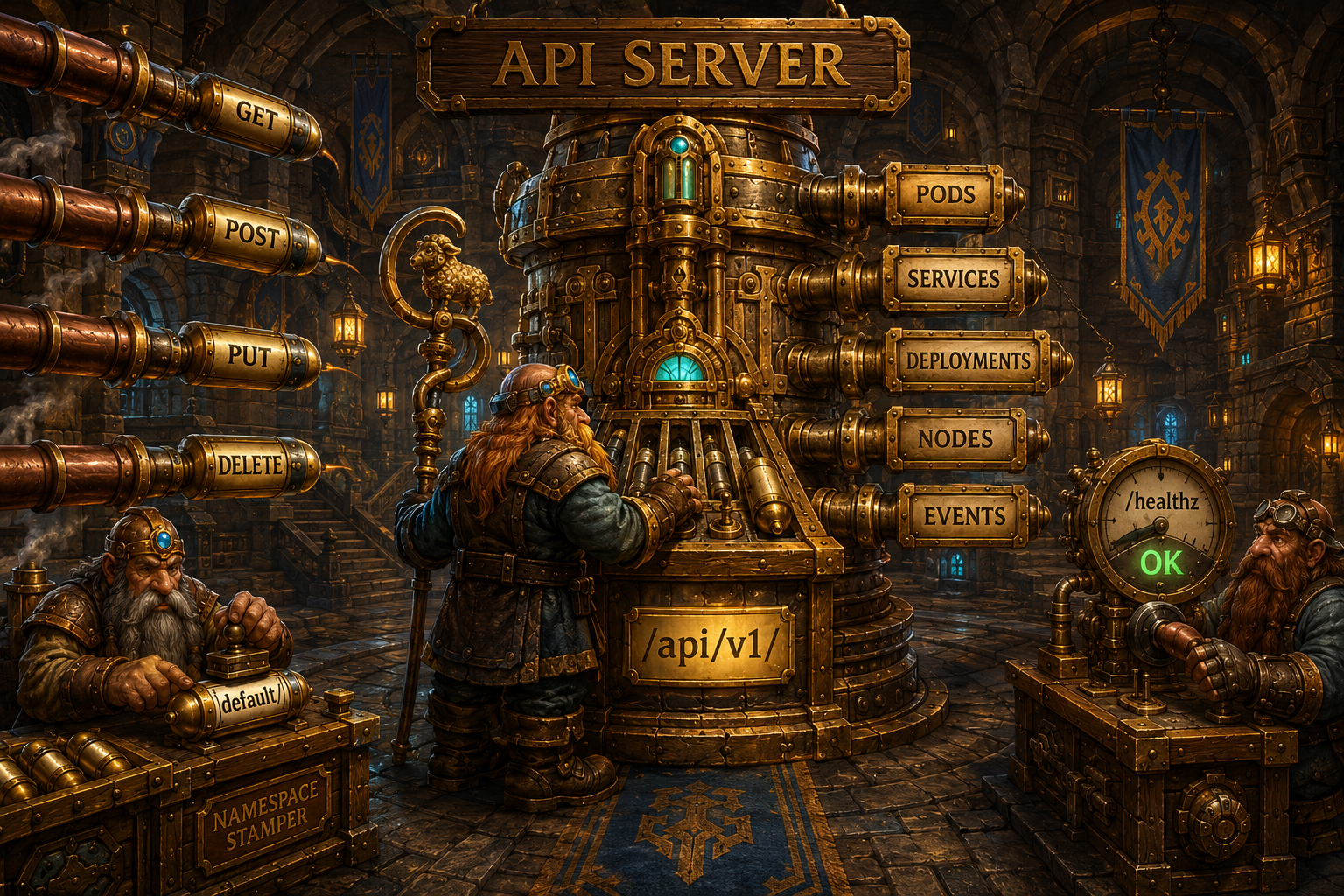
The Kubernetes API Server is the center of the entire cluster. Every request goes through it: create a pod, check state, delete a deployment. In our case this is Shepherd, we built it in ~300 lines of core code (520 with helpers and handlers for all resources), using only the standard net/http library.
Structure
type APIServer struct {
    store     *Store
    scheduler *Scheduler
    server    *http.Server
    logger    *log.Logger
}
The API Server contains no business logic. It accepts HTTP requests, validates them, writes to the Store, and notifies other components.
Route Registration
func NewAPIServer(addr string, store *Store,
    scheduler *Scheduler, logger *log.Logger) *APIServer {

    mux := http.NewServeMux()

    mux.HandleFunc("/api/v1/pods", api.handlePods)
    mux.HandleFunc("/api/v1/namespaces/",
        api.handleNamespacedResource)
    mux.HandleFunc("/api/v1/nodes", api.handleNodes)
    mux.HandleFunc("/api/v1/nodes/", api.handleNode)
    mux.HandleFunc("/api/v1/services", api.handleServices)
    mux.HandleFunc("/api/v1/deployments", api.handleDeployments)
    mux.HandleFunc("/api/v1/events", api.handleEvents)
    mux.HandleFunc("/healthz", func(w http.ResponseWriter,
        r *http.Request) {
        w.WriteHeader(http.StatusOK)
        w.Write([]byte("ok"))
    })
    mux.HandleFunc("/api/v1/info", api.handleInfo)

    api.server = &http.Server{
        Addr:    addr,
        Handler: api.logging(mux),
    }
    return api
}
The URLs mirror real Kubernetes: /api/v1/pods, /api/v1/namespaces/{ns}/pods/{name}.
Namespaced Resources
func (api *APIServer) handleNamespacedResource(
    w http.ResponseWriter, r *http.Request) {
    // /api/v1/namespaces/{ns}/pods/{name}
    parts := strings.Split(
        strings.TrimPrefix(r.URL.Path,
            "/api/v1/namespaces/"), "/")

    ns := parts[0]
    resource := parts[1]

    switch resource {
    case "pods":
        if len(parts) == 2 {
            // List pods in namespace
            api.listPods(w, r, ns)
        } else {
            name := parts[2]
            switch r.Method {
            case http.MethodGet:
                api.getPod(w, r, ns, name)
            case http.MethodPut:
                api.updatePod(w, r, ns, name)
            case http.MethodDelete:
                api.deletePod(w, r, ns, name)
            }
        }
    case "services": // ...
    case "deployments": // ...
    }
}
Creating a Pod
Here's where the interesting stuff happens:
func (api *APIServer) createPod(w http.ResponseWriter,
    r *http.Request) {
    var pod Pod
    json.NewDecoder(r.Body).Decode(&pod)

    // Fill in defaults
    pod.Kind = "Pod"
    if pod.Metadata.Namespace == "" {
        pod.Metadata.Namespace = "default"
    }
    if pod.Metadata.UID == "" {
        pod.Metadata.UID = generateUID()
    }
    pod.Metadata.CreatedAt = time.Now()
    pod.Status.Phase = PodPending  // Always Pending!

    api.store.CreatePod(&pod)

    // Record event
    api.store.RecordEvent(Event{
        Type:    "Normal",
        Reason:  "Created",
        Message: fmt.Sprintf("Pod %s created",
            pod.Metadata.Name),
        Object: "pod/" + pod.Metadata.Name,
    })

    // Trigger scheduling asynchronously
    go api.scheduler.SchedulePod(&pod)

    respondJSON(w, http.StatusCreated, pod)
}
Notice: a pod is always created as Pending. Even if there are free nodes. Scheduling happens asynchronously via go api.scheduler.SchedulePod(). This is the same model as real Kubernetes.
Logging Middleware
func (api *APIServer) logging(next http.Handler) http.Handler {
    return http.HandlerFunc(
        func(w http.ResponseWriter, r *http.Request) {
            start := time.Now()
            next.ServeHTTP(w, r)
            api.logger.Printf("%s %s %s",
                r.Method, r.URL.Path, time.Since(start))
        })
}
graph LR
    REQ["HTTP Request"] --> LOG["Logging middleware"]
    LOG --> MUX["ServeMux routing"]
    MUX --> H["Handler"]
    H --> STORE["BoltDB Store"]
H --> RESP["JSON Response"]Helpers
func respondJSON(w http.ResponseWriter, status int, v any) {
    w.Header().Set("Content-Type", "application/json")
    w.WriteHeader(status)
    json.NewEncoder(w).Encode(v)
}

func generateUID() string {
    b := make([]byte, 16)
    rand.Read(b)
    return fmt.Sprintf("%x-%x-%x-%x-%x",
        b[0:4], b[4:6], b[6:8], b[8:10], b[10:16])
}
The UID is generated in a UUID-like format. Not RFC 4122 compliant, but good enough for identification purposes.
What's Not Implemented
The real Kubernetes API Server has: - Admission webhooks (validation and mutation) - RBAC (authorization) - Watch API (long polling for changes) - CRD (Custom Resource Definitions) - API versioning and conversion - etcd as backend (we use BoltDB)
But the essence is the same: REST API, CRUD operations, asynchronous controllers. This is enough to understand the Kubernetes architecture.
A Gotcha
There's no input validation. You can create a pod without containers, a deployment with negative replicas, a service without ports. In Kubernetes, admission webhooks and built-in validation catch these. In Shepherd - garbage in, garbage out.
Try It Yourself
# Start Shepherd in standalone mode:
sudo ./shepherd --mode standalone --addr :9876
# In another terminal:
curl -s localhost:9876/healthz
curl -s localhost:9876/api/v1/info | jq .
curl -s localhost:9876/api/v1/pods | jq .
The API is working. Next up - BoltDB: how an embedded database stores the entire cluster state.
Series: Orchestrator (Shepherd = Kubernetes)
- Linux Namespaces | 2. Re-Exec Pattern | 3. pivot_root | 4. Cgroups v2 | 5. OverlayFS | 6. Bridge Networking | 7. NAT and iptables | 8. Image Management | 9. Container Lifecycle | 10. Docker CLI | 11. Kubernetes API Server (this article)
Resources
- Kubernetes Components: overall architecture
- kube-apiserver reference: CLI flags and behavior
- API concepts: resources, lists, watches
- Kubernetes architecture: control plane and node components
- net/http package: Go's standard HTTP server
- kube-apiserver source code: real Kubernetes API server implementation
- Admission Controllers: validation and mutation webhooks
Source code for the series: github.com/igorgorovoy/sheep-shepherd-meadow
Previous: Docker CLI | Next: BoltDB State Store