Container Lifecycle: State Machine from Created to Removed
Written by:
Igor Gorovyy
DevOps Engineer Lead & Senior Solutions Architect
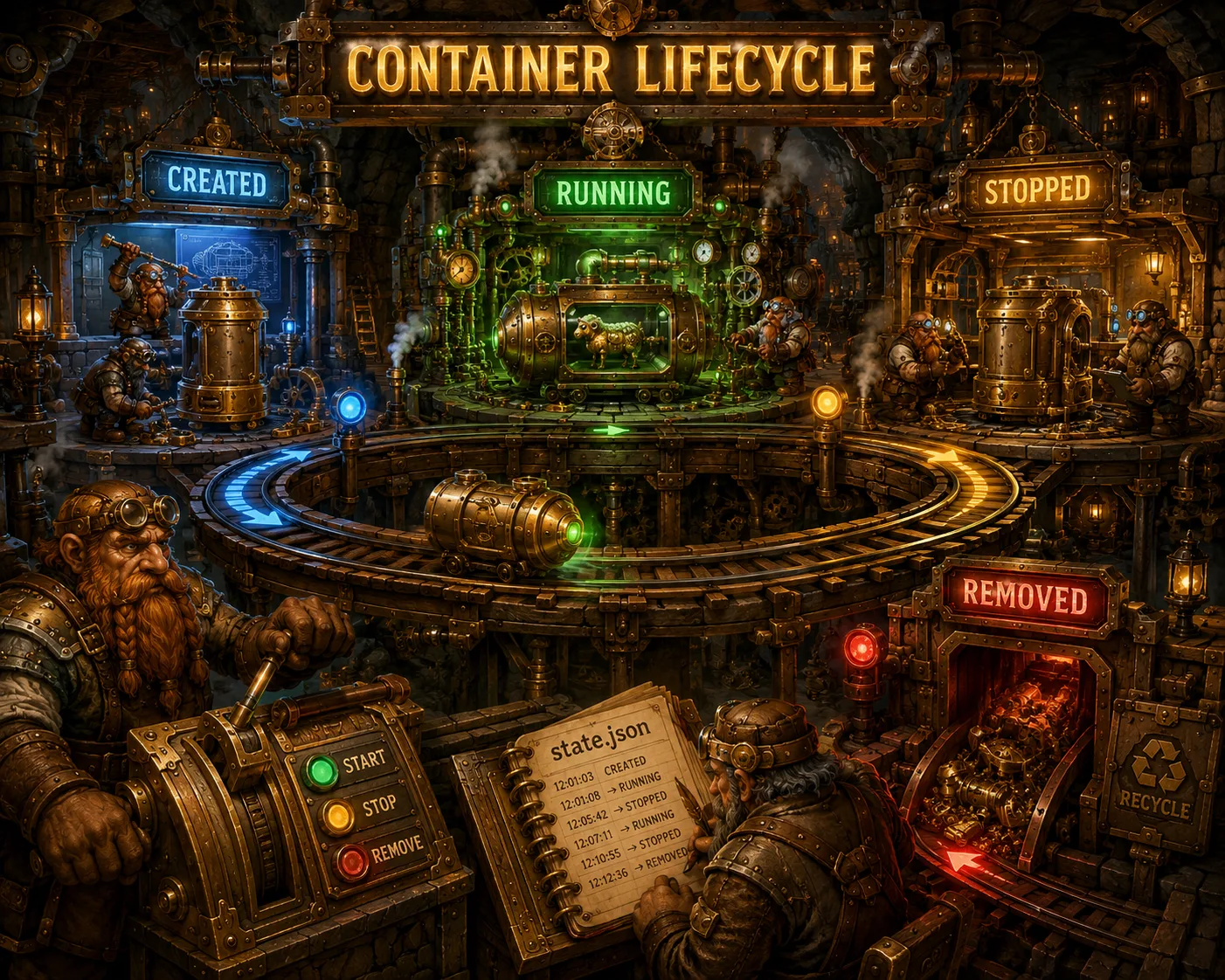
A container moves through well-defined states. Just like Docker, each state determines what you can do next. Here's the container state machine in Sheep.
stateDiagram-v2
    [*] --> created : Manager.Create()
    created --> running : Manager.Start()
    running --> stopped : Manager.Stop()
    running --> stopped : Process exited
    stopped --> running : Manager.Start()
    stopped --> [*] : Manager.Remove()
    created --> [*] : Manager.Remove()
Three states
type State string

const (
    StateCreated State = "created"
    StateRunning State = "running"
    StateStopped State = "stopped"
)
Created - overlay mounted, state saved, process not started. Running - namespaces active, cgroups applied, network configured, PID tracked. Stopped - process stopped, cgroups cleaned up, overlay still mounted, exit code recorded.
Create: creating a container
func (m *Manager) Create(opts RunOpts) (*Container, error) {
    m.mu.Lock()
    defer m.mu.Unlock()

    id := GenerateID()

    // Check name uniqueness
    for _, c := range m.containers {
        if c.Name == opts.Name {
            return nil, fmt.Errorf(
                "container name %q already in use", opts.Name)
        }
    }

    // Find the image
    img, err := m.images.Get(opts.Image, "latest")
    if err != nil {
        return nil, fmt.Errorf("image not found: %w", err)
    }

    // Set up overlay
    rootfs, err := m.setupOverlay(id, img.RootFS)
    if err != nil {
        return nil, fmt.Errorf("setup overlay: %w", err)
    }

    c := &Container{
        ID: id, Name: opts.Name, Image: opts.Image,
        Command: opts.Command, State: StateCreated,
        CreatedAt: time.Now(), RootFS: rootfs,
        Config: Config{
            Hostname: hostname, Env: opts.Config.Env,
            Memory: opts.Config.Memory,
            CPUShares: opts.Config.CPUShares,
            PidsLimit: opts.Config.PidsLimit,
        },
        Mounts: opts.Mounts,
    }

    m.containers[id] = c
    m.saveState(c)
    return c, nil
}
Start: starting up
func (m *Manager) Start(id string) error {
    m.mu.Lock()
    c, ok := m.containers[id]
    if c.State == StateRunning {
        return fmt.Errorf("container %s already running",
            ShortID(id))
    }
    m.mu.Unlock()

    pid, err := startContainer(c) // namespaces, cgroups, network
    if err != nil {
        return fmt.Errorf("start container: %w", err)
    }

    m.mu.Lock()
    c.Pid = pid
    c.State = StateRunning
    c.StartedAt = time.Now()
    m.mu.Unlock()

    return m.saveState(c)
}
Stop: stopping
func (m *Manager) Stop(id string) error {
    // ... checks ...

    exitCode, err := stopContainer(c)

    m.mu.Lock()
    c.State = StateStopped
    c.ExitCode = exitCode
    c.StoppedAt = time.Now()
    c.Pid = 0
    m.mu.Unlock()

    return m.saveState(c)
}
Stopping a container - SIGTERM, then SIGKILL:
func stopContainer(c *Container) (int, error) {
    proc, _ := os.FindProcess(c.Pid)
    proc.Signal(syscall.SIGTERM)
    proc.Signal(syscall.SIGKILL)
    state, _ := proc.Wait()
    cleanupCgroups(c)
    if state != nil {
        return state.ExitCode(), nil
    }
    return 0, nil
}
Remove: deletion
func (m *Manager) Remove(id string) error {
    m.mu.Lock()
    c, ok := m.containers[id]
    if c.State == StateRunning {
        return fmt.Errorf(
            "container %s is running, stop it first",
            ShortID(id))
    }
    delete(m.containers, id)
    m.mu.Unlock()

    m.cleanupOverlay(id)
    os.RemoveAll(filepath.Join(m.baseDir, "containers", id))
    return nil
}
You can't remove a running container - you have to stop it first.
State persistence
Every state change is saved to state.json:
func (m *Manager) saveState(c *Container) error {
    dir := filepath.Join(m.baseDir, "containers", c.ID)
    os.MkdirAll(dir, 0755)
    data, _ := json.MarshalIndent(c, "", "  ")
    return os.WriteFile(
        filepath.Join(dir, "state.json"), data, 0644)
}
On startup, Sheep loads existing containers:
func (m *Manager) loadExisting() error {
    dir := filepath.Join(m.baseDir, "containers")
    entries, _ := os.ReadDir(dir)

    for _, e := range entries {
        data, _ := os.ReadFile(
            filepath.Join(dir, e.Name(), "state.json"))
        var c Container
        json.Unmarshal(data, &c)

        // Check if previously running containers are still alive
        if c.State == StateRunning && c.Pid > 0 {
            if !isProcessAlive(c.Pid) {
                c.State = StateStopped
                c.Pid = 0
            }
        }
        m.containers[c.ID] = &c
    }
    return nil
}
Here's a neat trick: if Sheep restarts while a container is still running, we check it using signal 0:
func isProcessAlive(pid int) bool {
    proc, _ := os.FindProcess(pid)
    err := proc.Signal(syscall.Signal(0))
    return err == nil
}
Signal 0 doesn't actually send a signal but checks whether the process exists.
Finding a container
func (m *Manager) Get(id string) (*Container, error) {
    // Exact match
    if c, ok := m.containers[id]; ok { return c, nil }
    // Prefix match (like docker -- first characters of ID)
    for cid, c := range m.containers {
        if len(id) >= 4 && cid[:len(id)] == id {
            return c, nil
        }
    }
    // Search by name
    for _, c := range m.containers {
        if c.Name == id { return c, nil }
    }
    return nil, fmt.Errorf("container %s not found", id)
}
Just like Docker - you can specify the first few characters of the ID or the name.
Where things get tricky
If Sheep crashes while a container is running, state.json says "running," but the PID might already belong to a different process (PID reuse). isProcessAlive() would return true for someone else's process. Docker solves this through containerd-shim, which maintains a connection to the container.
Try it yourself
sudo ./sheep create --name lifecycle-test minimal /bin/sh
sudo ./sheep ps -a          # state: created
sudo ./sheep start lifecycle-test
sudo ./sheep ps              # state: running
sudo ./sheep stop lifecycle-test
sudo ./sheep ps -a          # state: stopped, exit code
sudo ./sheep rm lifecycle-test
Lifecycle is clear. Next up - how to build a Docker-like CLI in 500 lines of Go.
Resources
- OCI Runtime Spec: runtime lifecycle and states
- signal(7): POSIX signals and SIGTERM/SIGKILL
- Docker container lifecycle commands: start/stop/kill/rm reference
- State pattern: design pattern explainer
Source code for the series: github.com/igorgorovoy/sheep-shepherd-meadow
Previous: Image Management | Next: Docker CLI