Developing and testing AI Agents: from scratch to production
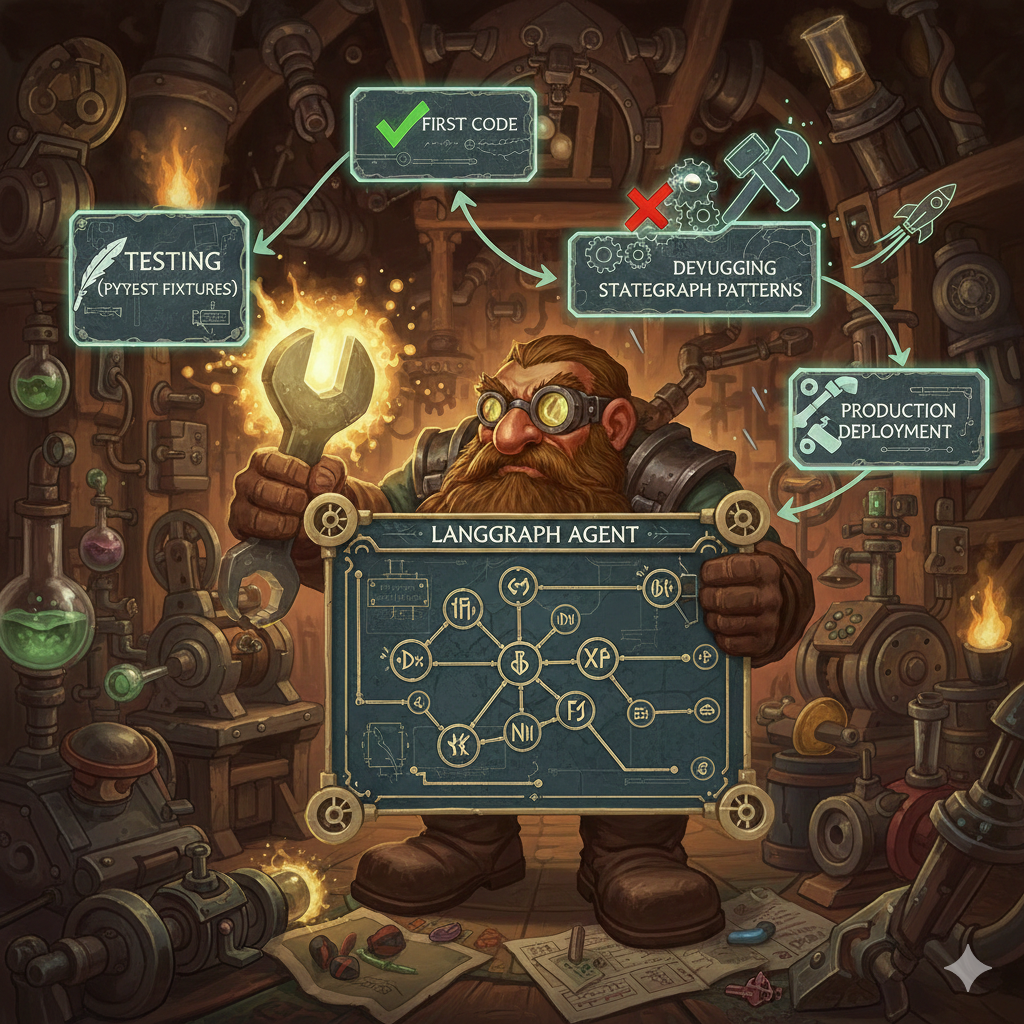
The first LangGraph agent I wrote was simple. Input state, one node, output. Ran through graph.invoke() - works. Deploy to production - crashes with cryptic error about missing state keys.
Turns out TypedDict validation in LangGraph is stricter than dict. My tests used partial state, production received full state with unexpected keys. Tests passed, production failing.
This was a learning moment: testing AI agents isn't the same as testing regular code. State management is more complex. LLM calls aren't deterministic. Integration between agents via MCP adds another complexity layer.
Over 6 months developing EMM I wrote 8 agents, 200+ tests, viz frontend for monitoring. Learned patterns that work, and mistakes to avoid.
Here's the development workflow, testing strategies, debugging techniques that work for LangGraph agents.
Development Workflow - How to Write an Agent
Typical agent in EMM has this structure:
agents/content-classifier/
  ├── graph.py          # State definition + nodes + build_graph()
  ├── agent.yaml        # Metadata for LangGraph Studio
  ├── __init__.py
  └── README.md
Step 1: Define State
StateGraph works with typed state. TypedDict is mandatory:
from typing import TypedDict, Optional
from langgraph.graph import StateGraph

class ContentClassifierState(TypedDict):
    # Input
    input: dict  # from caller
    title: str
    content: str
    jd_file: str

    # Processing
    jd_categories: dict
    classification: Optional[dict]
    cached_result: Optional[dict]

    # Output
    confidence: float
    reasoning: str
    result: dict
    error: Optional[str]
Why so many keys? Because LangGraph doesn't allow partial updates without defined keys. If node returns {"classification": {...}}, but classification isn't in TypedDict - runtime error.
Lesson learned: define all possible state keys upfront. Better to have unused keys than runtime failures.
Step 2: Write Nodes
Each node - function that takes state, returns partial state:
def load_categories(state: ContentClassifierState) -> dict:
    """Load JD categories from MCP."""
    jd_file = state["jd_file"]

    # MCP call
    response = mcp_client.call(
        "mcp://jd-classifier/get_categories",
        {"jd_file": jd_file}
    )

    if response["success"]:
        return {"jd_categories": response["result"]}
    else:
        return {"error": f"Failed to load categories: {response['error']}"}
Pattern: always return dict with state updates. Don't modify state in-place.
Step 3: Check Cache
Agents often make repeated requests. Cache is critical for performance:
def check_cache(state: ContentClassifierState) -> dict:
    """Check if classification already cached."""
    title = state["title"]
    content = state["content"]

    # Generate cache key
    cache_key = f"classification:{hash(title + content)}"

    # MCP cache call
    response = mcp_client.call(
        "mcp://cache/get",
        {"key": cache_key}
    )

    if response["success"] and response["result"]:
        return {"cached_result": response["result"]}

    return {"cached_result": None}
Cache via MCP because in Kubernetes each pod has its own memory. Redis-backed cache is shared between pods.
Step 4: Conditional Edges
Routing logic via conditional edges:
def should_classify(state: ContentClassifierState) -> str:
    """Route: use cache or classify?"""
    if state["cached_result"]:
        return "use_cache"
    else:
        return "classify"
Return string - this is edge name in graph definition.
Step 5: Build Graph
Connect nodes:
def build_graph() -> StateGraph:
    graph = StateGraph(ContentClassifierState)

    # Add nodes
    graph.add_node("load_categories", load_categories)
    graph.add_node("check_cache", check_cache)
    graph.add_node("classify", classify_content)
    graph.add_node("use_cache", use_cached_result)
    graph.add_node("save_cache", save_to_cache)
    graph.add_node("format_result", format_output)

    # Set entry point
    graph.set_entry_point("load_categories")

    # Add edges
    graph.add_edge("load_categories", "check_cache")
    graph.add_conditional_edges(
        "check_cache",
        should_classify,
        {
            "use_cache": "use_cache",
            "classify": "classify"
        }
    )
    graph.add_edge("classify", "save_cache")
    graph.add_edge("use_cache", "format_result")
    graph.add_edge("save_cache", "format_result")
    graph.set_finish_point("format_result")

    return graph.compile()
Pattern: compile() returns runnable graph. Without compile() - it's just definition.
Testing Strategy - What and How to Test
EMM has 3 testing layers:
Layer 1: Unit Tests - Individual Nodes
Test each node in isolation:
# agents/tests/test_content_classifier.py
def test_load_categories(mock_mcp_client, temp_jd_file):
    """Test category loading."""
    # Mock MCP response
    mock_mcp_client.call.return_value = {
        "success": True,
        "result": {"46": "DevOps", "46.01": "Docker"},
        "error": None
    }

    state = {
        "jd_file": temp_jd_file,
        "jd_categories": {},
        # ... other required keys
    }

    result = load_categories(state)

    assert "jd_categories" in result
    assert result["jd_categories"]["46"] == "DevOps"
    mock_mcp_client.call.assert_called_once()
Fixtures are critical. mock_mcp_client mocks MCP calls, temp_jd_file creates test jd.yaml.
Layer 2: Integration Tests - Full Graph
Test complete execution flow:
def test_classify_content(mock_mcp_client, temp_jd_file, monkeypatch):
    """Test full classification flow."""
    monkeypatch.setenv("MODEL_NAME", "llama3.2")

    # Mock sequence of MCP calls
    mock_mcp_client.call.side_effect = [
        {"success": True, "result": {"46.01": "Docker"}, "error": None},  # get categories
        {"success": True, "result": None, "error": None},  # cache miss
        {"success": True, "result": {
            "jd_code": "46.01",
            "confidence": 0.85
        }, "error": None},  # classify
        {"success": True, "result": True, "error": None}  # save cache
    ]

    graph = build_graph()

    state: ContentClassifierState = {
        "input": {"title": "Docker Best Practices", "content": "...", "jd_file": temp_jd_file},
        "title": "Docker Best Practices",
        "content": "...",
        # ... initialize all state keys
    }

    result = graph.invoke(state)

    assert result["error"] is None
    assert result["classification"]["jd_code"] == "46.01"
    assert result["confidence"] == 0.85
side_effect list mocks sequence of calls. First call returns first element, second call - second element, etc.
Pattern: always initialize full state. Partial state works in tests, fails in production.
Layer 3: E2E Tests - Agent Interactions
Test interaction between agents:
def test_bookmark_to_vault_flow(mock_mcp_client, temp_vault):
    """Test: bookmark → classify → save to vault."""
    # Mock bookmark scraper calls content classifier
    mock_mcp_client.call.side_effect = [
        {"success": True, "result": {"url": "...", "content": "Docker article"}},  # scrape
        {"success": True, "result": {"jd_code": "46.01", "confidence": 0.9}},  # classify
        {"success": True, "result": {"path": temp_vault / "46.01-docker.md"}},  # save
    ]

    bookmark_graph = build_bookmark_scraper_graph()

    state = {"input": {"url": "https://example.com/docker"}, ...}
    result = bookmark_graph.invoke(state)

    # Verify file created
    assert (temp_vault / "46.01-docker.md").exists()
    assert result["error"] is None
E2E tests important for catching integration bugs.
Fixtures - Infrastructure for Tests
Fixtures in conftest.py reusable across tests:
# agents/tests/conftest.py
import pytest
from unittest.mock import MagicMock
from pathlib import Path
import tempfile

@pytest.fixture
def mock_mcp_client(monkeypatch):
    """Mock MCPClient for all tests."""
    mock = MagicMock()
    monkeypatch.setattr("mcp_servers.client.MCPClient.get_instance", lambda: mock)
    return mock

@pytest.fixture
def temp_jd_file():
    """Create temporary jd.yaml for tests."""
    with tempfile.NamedTemporaryFile(mode="w", suffix=".yaml", delete=False) as f:
        f.write("""
categories:
  "46": DevOps
  "46.01": Docker
  "47": Programming
""")
        f.flush()
        yield f.name
    Path(f.name).unlink()

@pytest.fixture
def temp_vault(tmp_path):
    """Create temporary Obsidian vault."""
    vault = tmp_path / "vault"
    vault.mkdir()
    (vault / "UNSORTED").mkdir()
    return vault
monkeypatch - pytest built-in for patching. tmp_path - automatic cleanup after test.
Debugging Techniques
Problem 1: LangGraph State Errors
Error: KeyError: 'classification' during graph.invoke().
Cause: node returns dict without required key, or TypedDict missing key definition.
Debug:
# Add logging to nodes
def classify_content(state: ContentClassifierState) -> dict:
    print(f"[DEBUG] State keys: {state.keys()}")
    print(f"[DEBUG] Input: {state['input']}")

    # ... node logic

    result = {"classification": {...}}
    print(f"[DEBUG] Returning: {result.keys()}")
    return result
LangGraph Studio shows state after each node. But logging gives more control.
Problem 2: MCP Call Failures
Error: mcp://content-classifier/classify returns 500.
Cause: MCP service down, or invalid request params.
Debug:
response = mcp_client.call("mcp://service/method", params)
print(f"[DEBUG] MCP response: {response}")

if not response["success"]:
    print(f"[ERROR] MCP failed: {response['error']}")
    print(f"[ERROR] Params were: {params}")
In production use structured logging (JSON) for aggregation in Grafana.
Problem 3: Non-Deterministic LLM
LLM classifications not consistent between runs. Test failing intermittently.
Solution: mock LLM calls in tests:
@patch("agents.content_classifier.graph.call_llm")
def test_classification_logic(mock_llm, mock_mcp_client):
    """Test with deterministic LLM response."""
    mock_llm.return_value = {
        "jd_code": "46.01",
        "confidence": 0.85,
        "reasoning": "Docker content detected"
    }

    # Now test is deterministic
    result = classify_content(state)
    assert result["classification"]["jd_code"] == "46.01"
Production uses real LLM, tests use mock. This is OK - we're testing logic, not LLM accuracy.
Frontend - Viz Dashboard
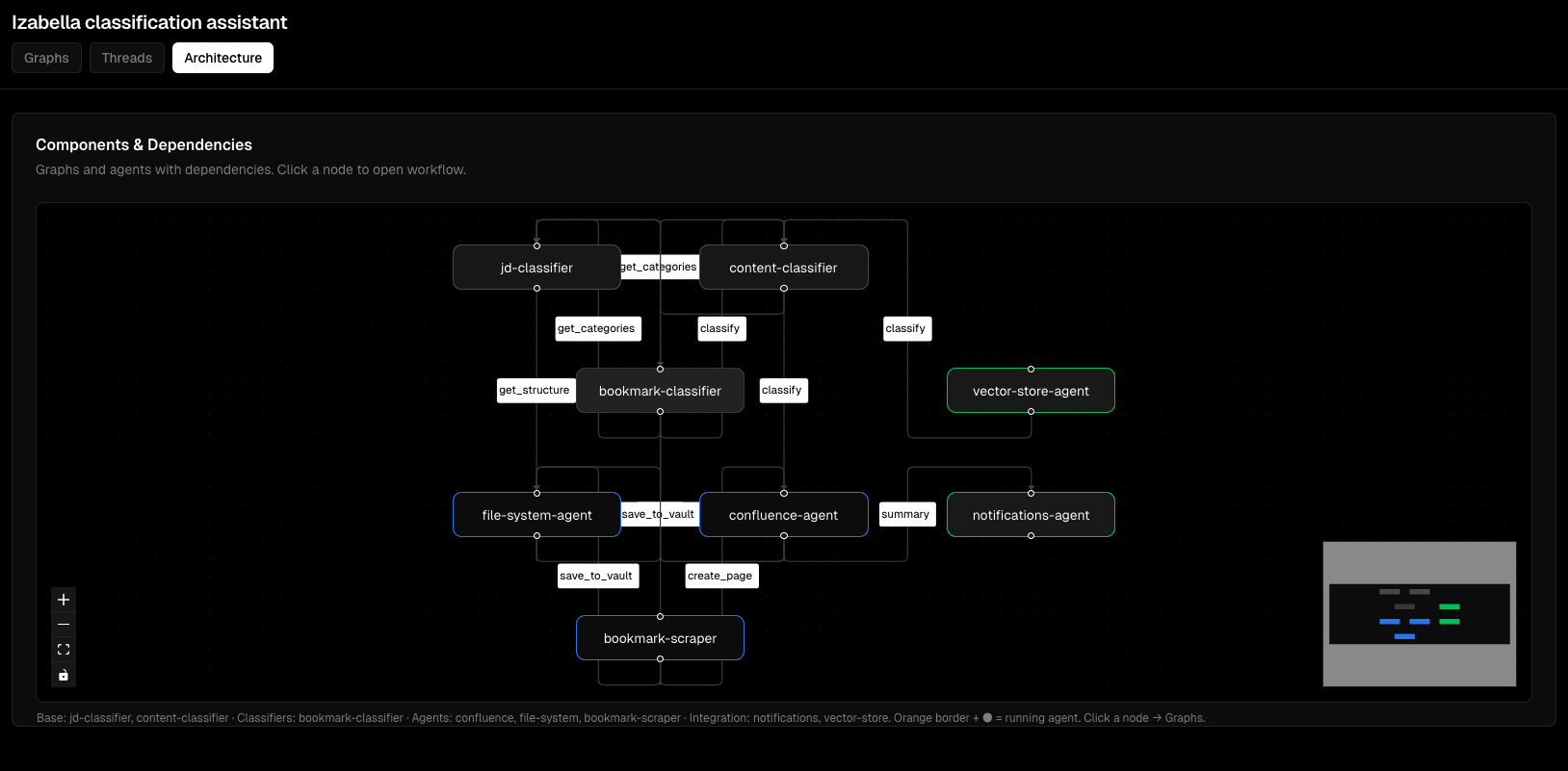
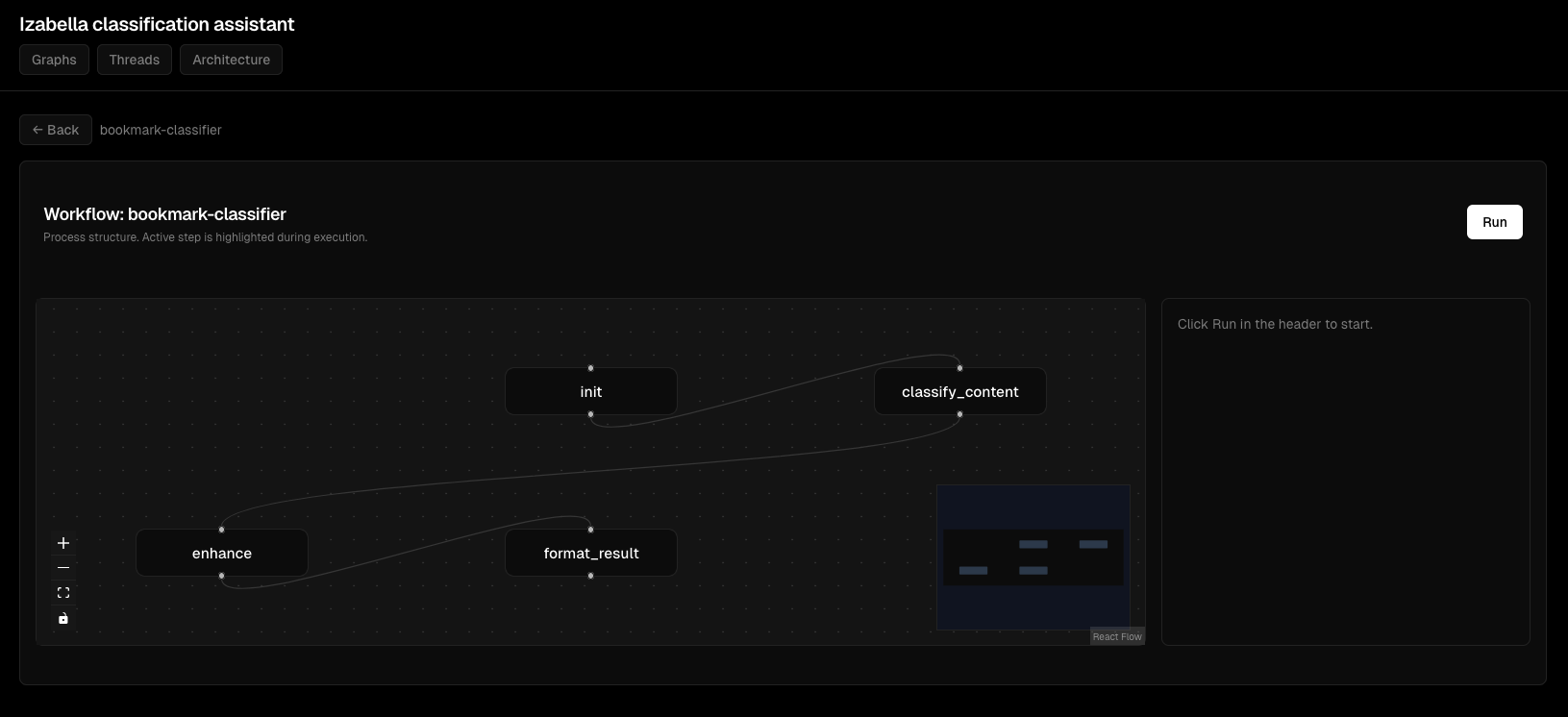
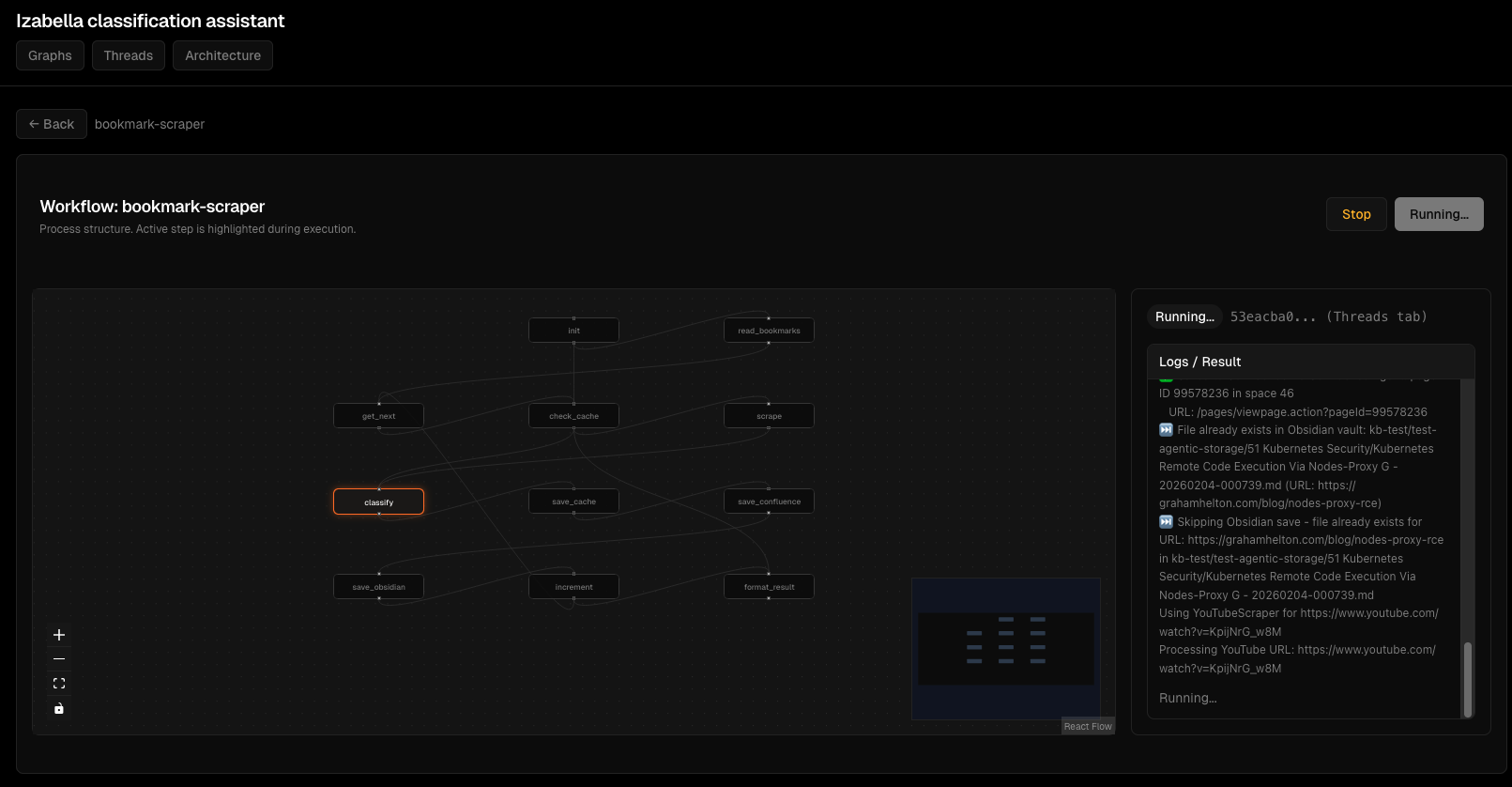
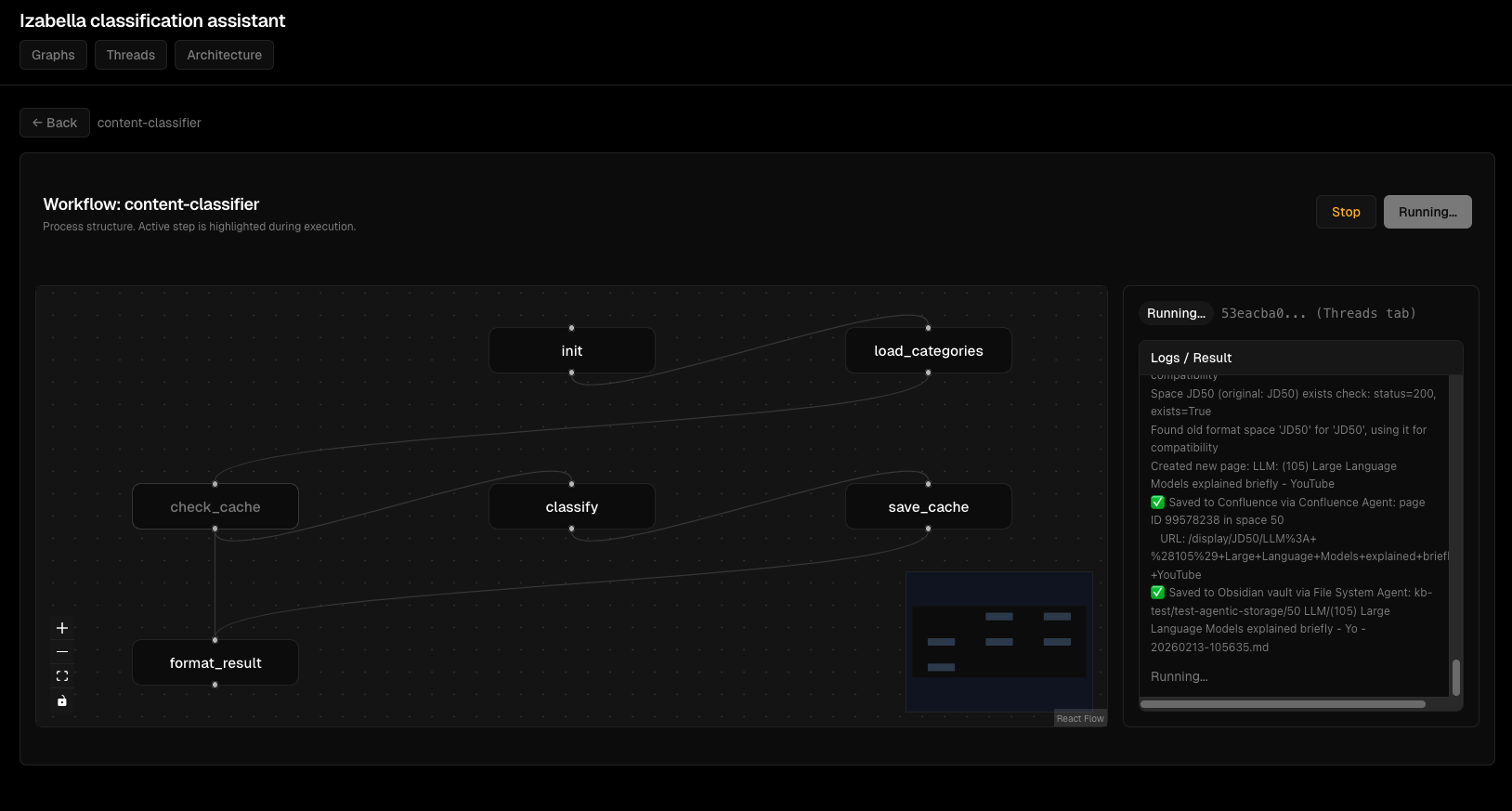
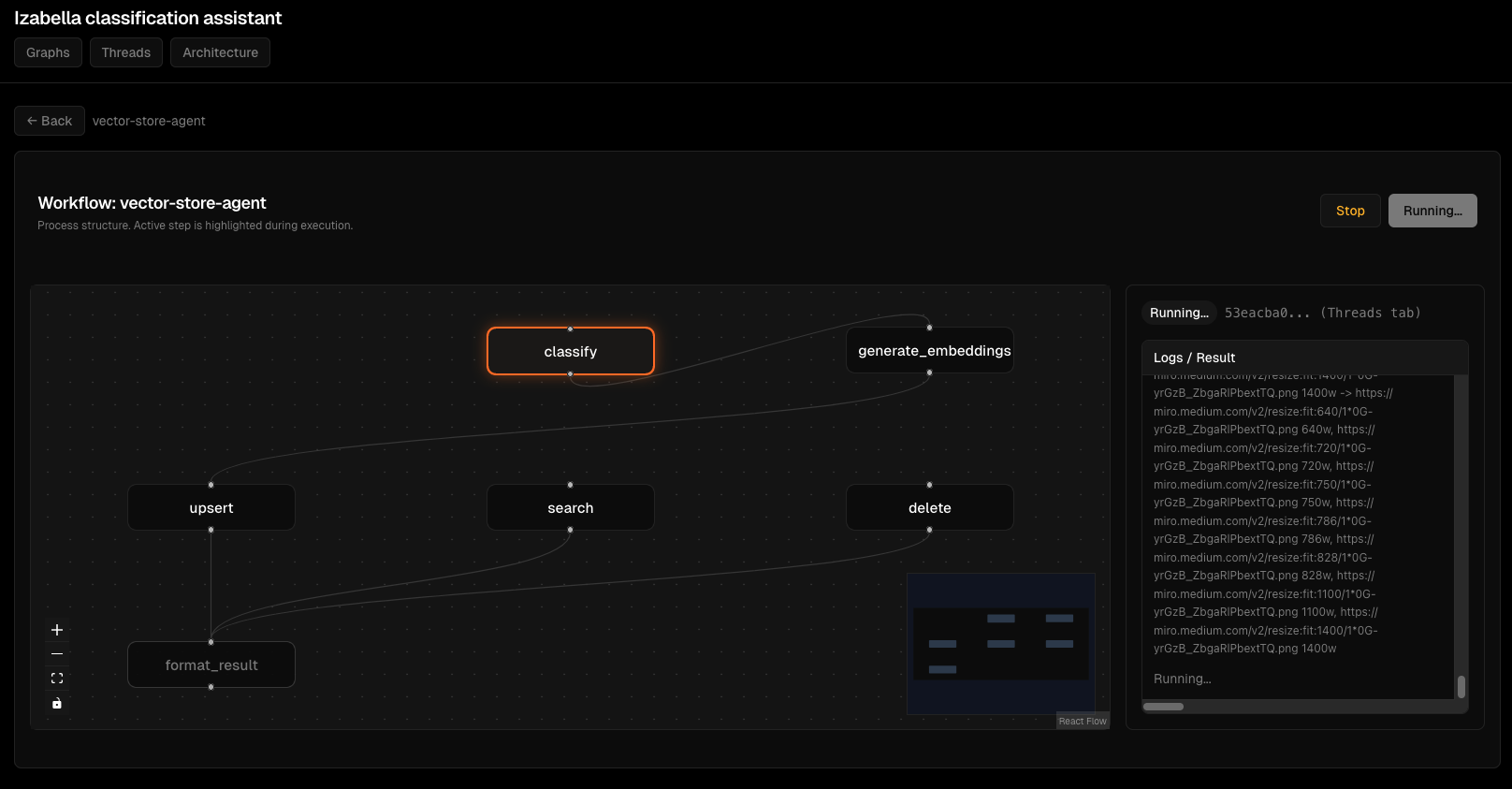
EMM frontend is minimal - LangGraph Studio UI for development, plus custom viz dashboard for monitoring.
Viz Architecture
viz/
  ├── frontend/        # React + TypeScript
  │   ├── src/
  │   │   ├── components/
  │   │   │   ├── GraphView.tsx
  │   │   │   ├── ThreadList.tsx
  │   │   │   └── RunDetails.tsx
  │   │   ├── api/
  │   │   │   └── client.ts
  │   │   └── App.tsx
  │   └── package.json
  └── backend/         # FastAPI
      ├── main.py
      ├── loaders.py   # Load graphs from langgraph.json
      ├── store.py     # In-memory thread storage
      └── tests/
Backend exposes endpoints:
# viz/backend/main.py
from fastapi import FastAPI
from typing import List

app = FastAPI()

@app.get("/api/graphs")
def list_graphs() -> dict:
    """List all available graphs."""
    graphs = load_graphs_from_registry()
    return {"graphs": [g["id"] for g in graphs]}

@app.get("/api/graphs/{graph_id}")
def get_graph(graph_id: str) -> dict:
    """Get graph structure (nodes, edges)."""
    graph = load_graph(graph_id)
    return {
        "graph_id": graph_id,
        "nodes": extract_nodes(graph),
        "edges": extract_edges(graph)
    }

@app.post("/api/threads")
def create_thread(request: dict) -> dict:
    """Create execution thread."""
    graph_id = request["graph_id"]
    input_data = request["input"]

    thread_id = generate_thread_id()
    thread_store[thread_id] = {
        "graph_id": graph_id,
        "status": "idle",
        "input": input_data
    }

    return {"thread_id": thread_id, "graph_id": graph_id, "status": "idle"}
Frontend calls API:
// viz/frontend/src/api/client.ts
export async function listGraphs(): Promise<string[]> {
  const res = await fetch('/api/graphs');
  const data = await res.json();
  return data.graphs;
}

export async function getGraph(graphId: string): Promise<GraphData> {
  const res = await fetch(`/api/graphs/${graphId}`);
  return await res.json();
}
React component:
// viz/frontend/src/components/GraphView.tsx
import { useEffect, useState } from 'react';
import { getGraph } from '../api/client';

export function GraphView({ graphId }: { graphId: string }) {
  const [graph, setGraph] = useState<GraphData | null>(null);

  useEffect(() => {
    getGraph(graphId).then(setGraph);
  }, [graphId]);

  if (!graph) return <div>Loading...</div>;

  return (
    <div className="graph-view">
      <h2>{graph.graph_id}</h2>
      <svg width="800" height="600">
        {graph.nodes.map(node => (
          <g key={node.id}>
            <rect x={node.x} y={node.y} width={100} height={50} />
            <text x={node.x + 10} y={node.y + 25}>{node.label}</text>
          </g>
        ))}
        {graph.edges.map((edge, i) => (
          <line key={i} x1={edge.from.x} y1={edge.from.y}
                x2={edge.to.x} y2={edge.to.y} stroke="black" />
        ))}
      </svg>
    </div>
  );
}
This is simplified version. Production has D3.js for interactive graph, zoom/pan, click handlers.
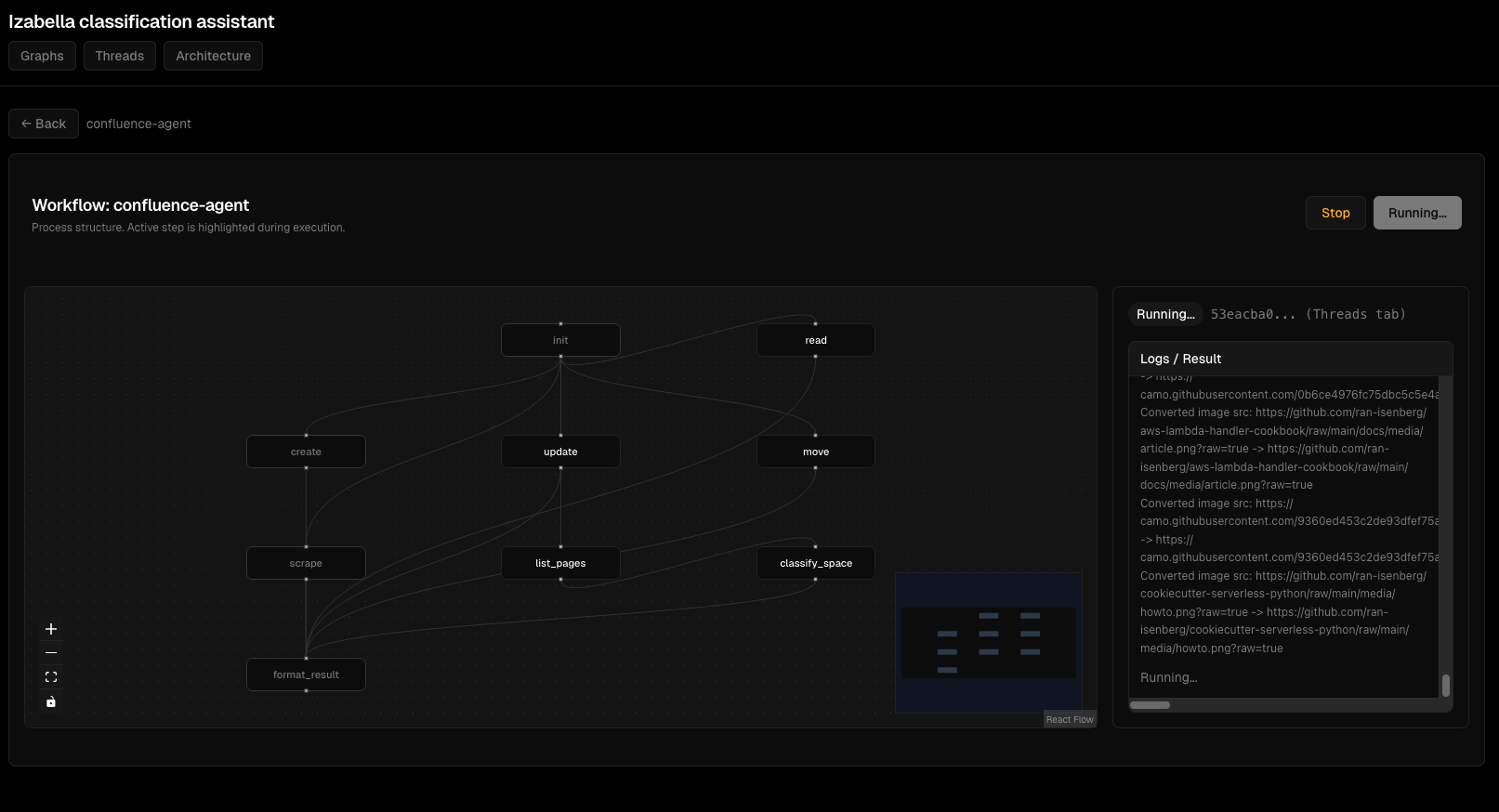
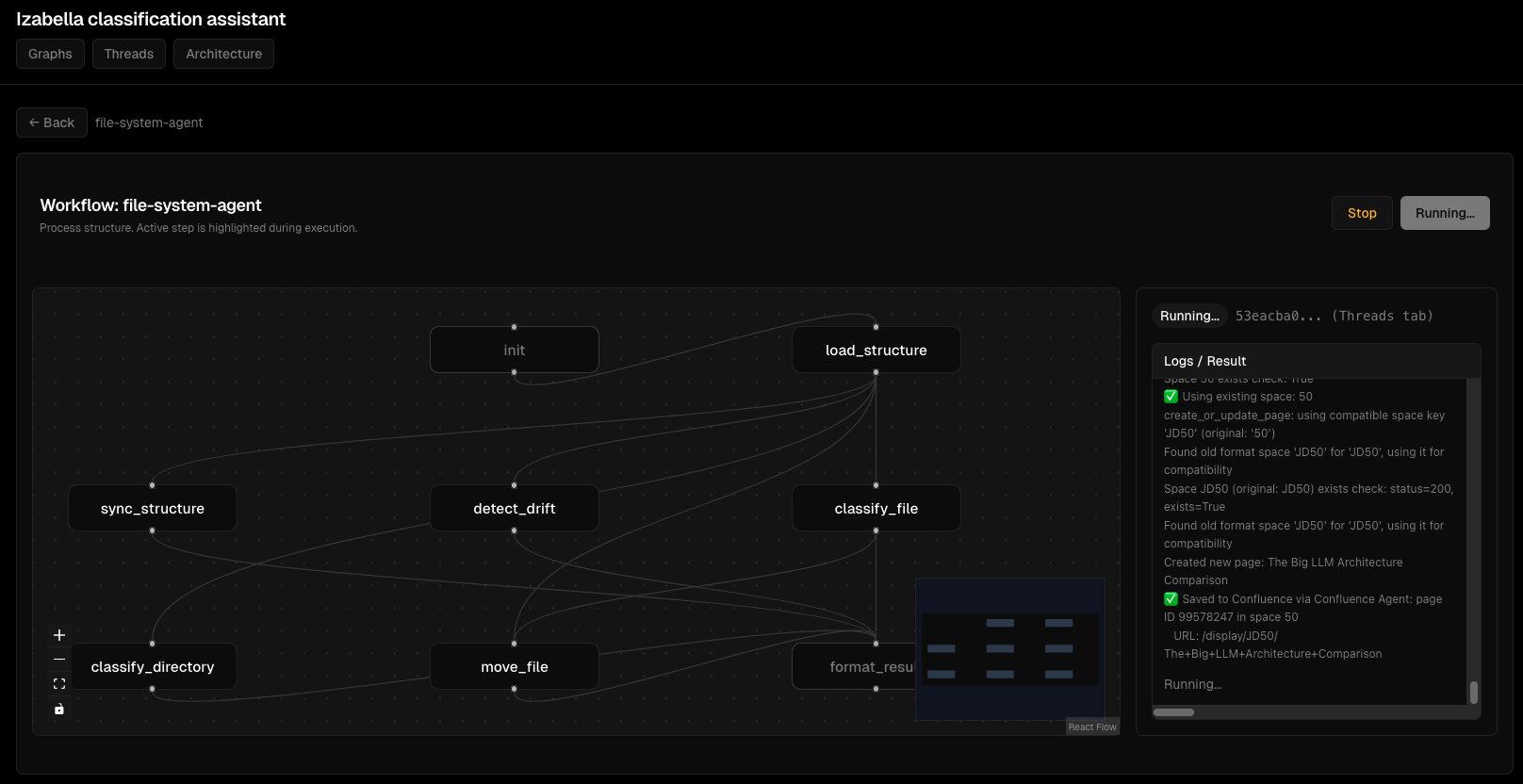
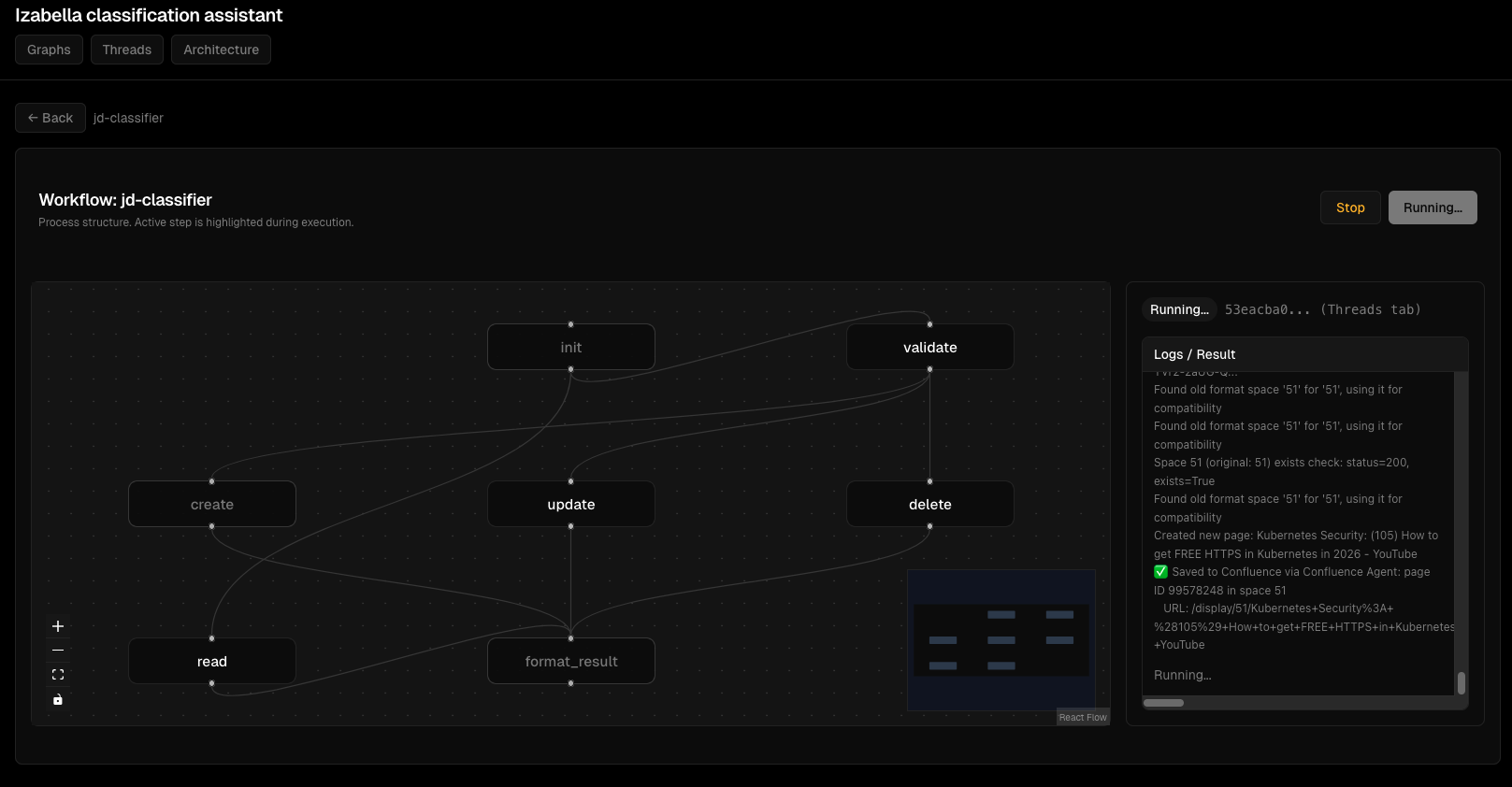
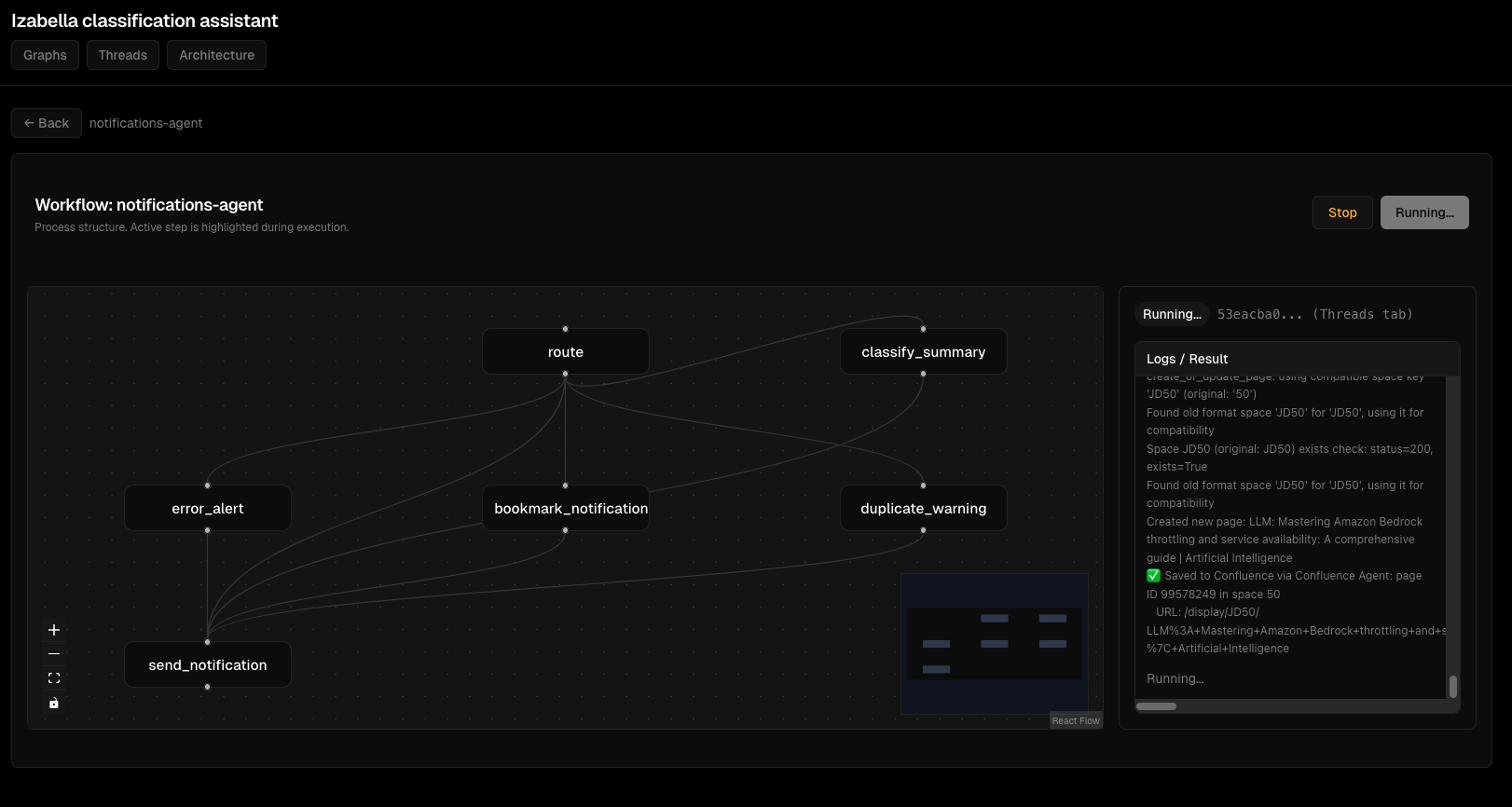
Viz Dashboard Screenshots
Graph visualization:

Thread execution monitoring:
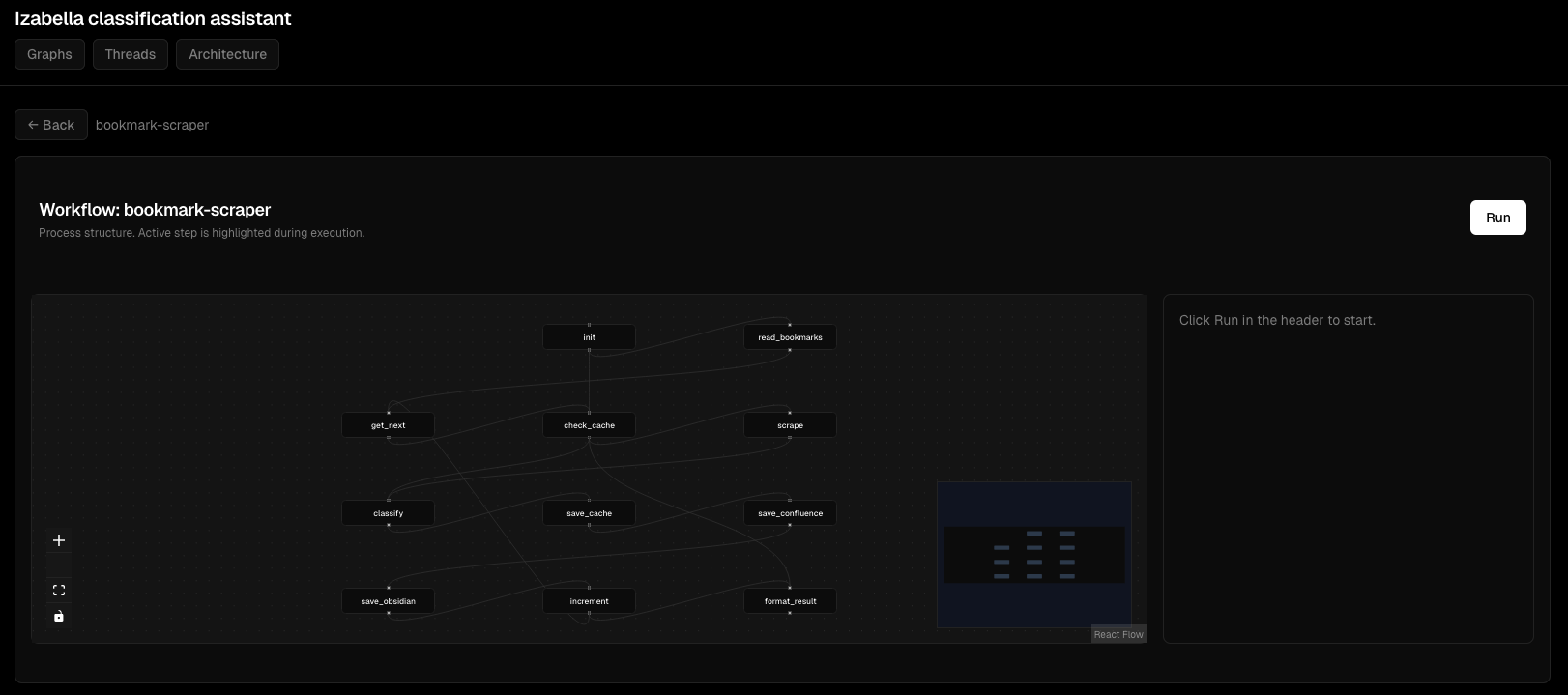
Node execution details:
Interactive graph view:
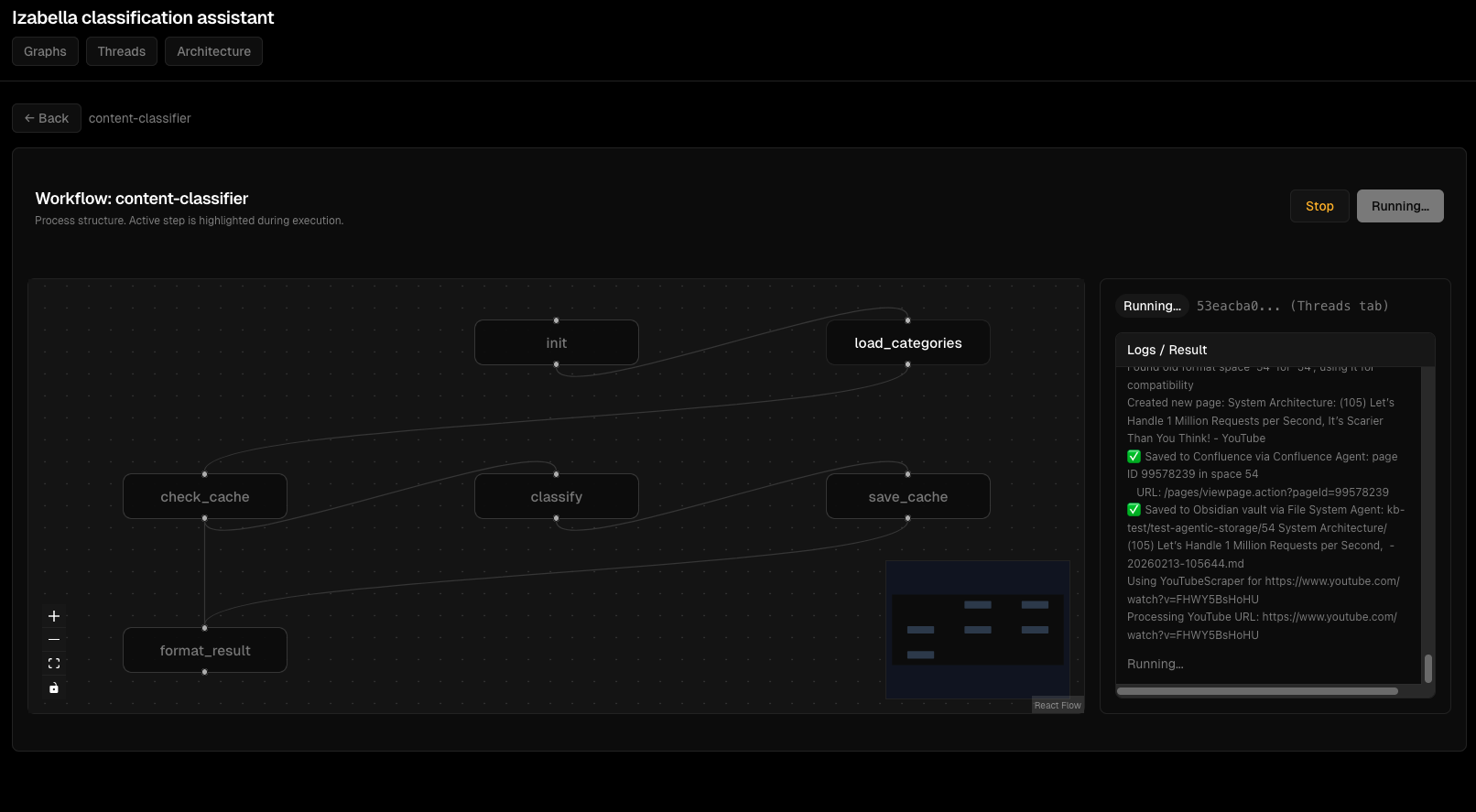
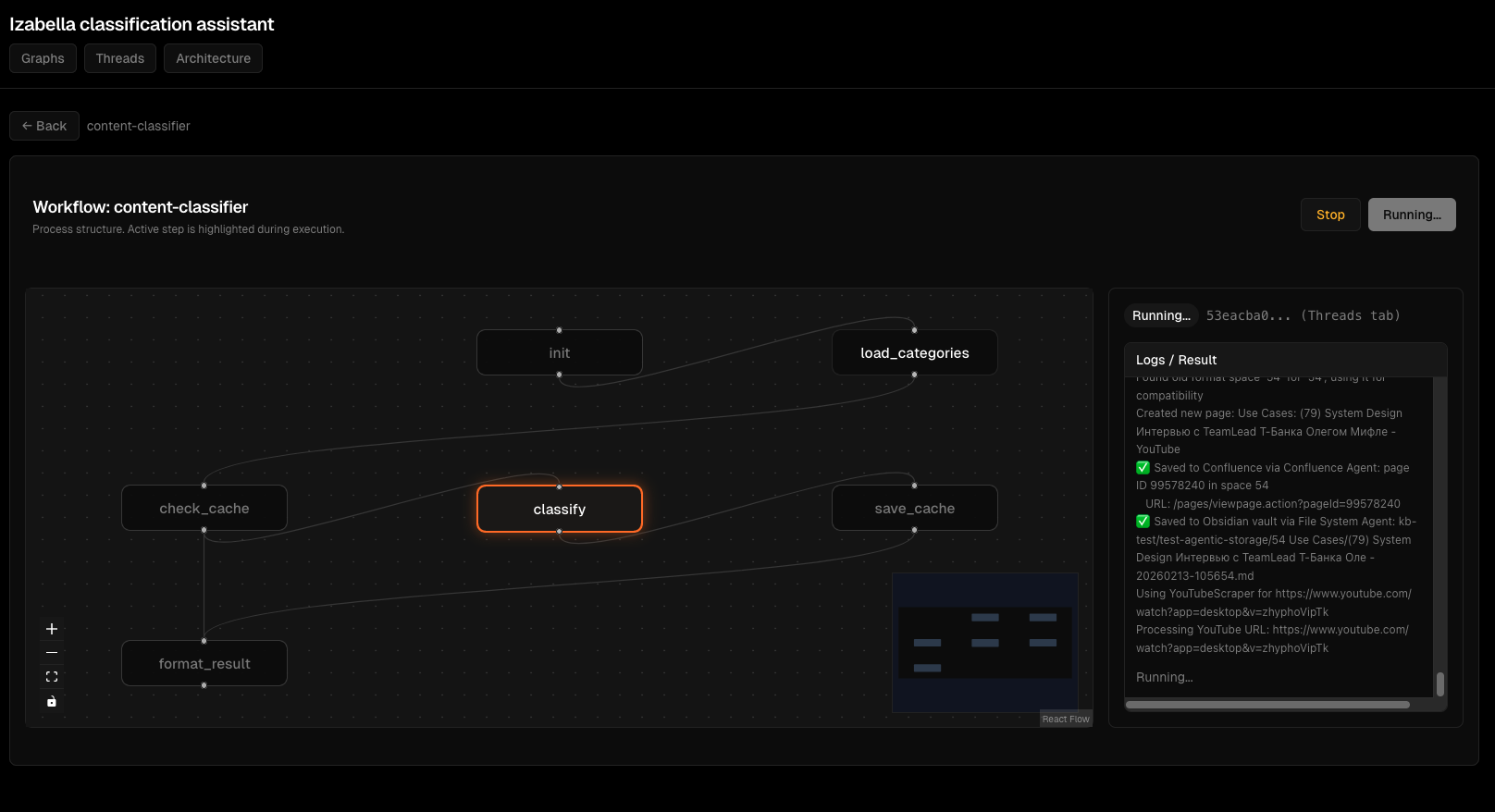
Agent execution flow:
Debugging interface:
Error handling:
Frontend Testing
FastAPI tests with TestClient:
# viz/backend/tests/test_api.py
from fastapi.testclient import TestClient
from viz.backend.main import app

def test_list_graphs():
    """GET /api/graphs returns list."""
    client = TestClient(app)
    response = client.get("/api/graphs")

    assert response.status_code == 200
    data = response.json()
    assert "graphs" in data
    assert isinstance(data["graphs"], list)

def test_create_thread():
    """POST /api/threads creates thread."""
    client = TestClient(app)
    response = client.post("/api/threads", json={
        "graph_id": "content-classifier",
        "input": {"title": "Test", "content": "Test content"}
    })

    assert response.status_code == 200
    data = response.json()
    assert "thread_id" in data
    assert data["status"] == "idle"
React tests with Jest + React Testing Library:
// viz/frontend/src/components/GraphView.test.tsx
import { render, screen, waitFor } from '@testing-library/react';
import { GraphView } from './GraphView';
import { getGraph } from '../api/client';

jest.mock('../api/client');

test('renders graph nodes', async () => {
  const mockGraph = {
    graph_id: 'test-graph',
    nodes: [
      { id: 'node1', label: 'Start', x: 100, y: 100 }
    ],
    edges: []
  };

  (getGraph as jest.Mock).mockResolvedValue(mockGraph);

  render(<GraphView graphId="test-graph" />);

  await waitFor(() => {
    expect(screen.getByText('Start')).toBeInTheDocument();
  });
});
Mock API calls for deterministic tests.
CI/CD - Automated Testing
GitHub Actions for testing:
# .github/workflows/test.yml
name: Test

on: [push, pull_request]

jobs:
  test-backend:
    runs-on: ubuntu-latest
    steps:
      - uses: actions/checkout@v3

      - name: Set up Python
        uses: actions/setup-python@v4
        with:
          python-version: '3.12'

      - name: Install dependencies
        run: |
          pip install -r requirements.txt
          pip install pytest pytest-cov

      - name: Run tests
        run: |
          pytest agents/tests/ --cov=agents --cov-report=xml

      - name: Upload coverage
        uses: codecov/codecov-action@v3

  test-frontend:
    runs-on: ubuntu-latest
    steps:
      - uses: actions/checkout@v3

      - name: Set up Node
        uses: actions/setup-node@v3
        with:
          node-version: '20'

      - name: Install dependencies
        run: cd viz/frontend && npm install

      - name: Run tests
        run: cd viz/frontend && npm test
Tests run on every push. Coverage report uploaded to Codecov.
Performance Optimization
Problem: Slow Agent Execution
Content Classifier took 5 seconds per classification. Unacceptable for batch processing 100 files.
Profiling:
import time

def classify_content(state):
    start = time.time()

    # Load categories
    t1 = time.time()
    categories = load_categories(state)
    print(f"Load categories: {time.time() - t1:.2f}s")

    # Check cache
    t2 = time.time()
    cached = check_cache(state)
    print(f"Check cache: {time.time() - t2:.2f}s")

    # LLM call
    t3 = time.time()
    result = call_llm(state, categories)
    print(f"LLM call: {time.time() - t3:.2f}s")

    print(f"Total: {time.time() - start:.2f}s")
    return result
Results: - Load categories: 0.1s - Check cache: 0.05s - LLM call: 4.8s ← bottleneck
Solution: batch LLM calls:
def classify_batch(states: List[ContentClassifierState]) -> List[dict]:
    """Classify multiple items in one LLM call."""
    # Prepare batch prompt
    batch_prompt = "\n\n".join([
        f"Document {i}: {state['title']}\n{state['content'][:500]}"
        for i, state in enumerate(states)
    ])

    # Single LLM call
    result = llm.invoke(batch_prompt)

    # Parse results
    return parse_batch_results(result, len(states))
Batch 10 items: 6 seconds total = 0.6s per item. 8x speedup.
Problem: Memory Leaks
Viz backend memory usage grew from 200MB to 2GB over 24 hours.
Cause: thread_store accumulating threads without cleanup.
Fix:
from datetime import datetime, timedelta

def cleanup_old_threads():
    """Remove threads older than 1 hour."""
    now = datetime.now()
    to_remove = []

    for thread_id, thread in thread_store.items():
        if now - thread["created_at"] > timedelta(hours=1):
            to_remove.append(thread_id)

    for thread_id in to_remove:
        del thread_store[thread_id]

# Run cleanup every 10 minutes
import threading
def schedule_cleanup():
    cleanup_old_threads()
    threading.Timer(600, schedule_cleanup).start()

schedule_cleanup()
Memory stable at 300MB after fix.
Lessons Learned
1. TypedDict definitions are critical
Partial state in tests works, production fails. Always define all state keys.
2. Mock MCP calls in unit tests
Real MCP calls make tests slow and flaky. Mock for deterministic tests.
3. E2E tests catch integration bugs
Unit tests don't reveal agent interaction issues. E2E tests are critical.
4. Fixtures reusability > copy-paste
conftest.py with shared fixtures saves hundreds of lines of duplicate test setup.
5. LLM calls - batch when possible
Single-item LLM calls are bottleneck. Batching gives 5-10x speedup.
6. Frontend testing != backend testing
FastAPI TestClient for API tests. Jest + React Testing Library for component tests. Different tools, different patterns.
7. CI/CD automated testing mandatory
Manual testing doesn't scale. GitHub Actions runs tests on every push.
8. Profile before optimizing
Don't guess where bottleneck is. Profile, measure, optimize top bottleneck.
Conclusions
Developing AI agents on LangGraph is more than just "write graph definition". Need:
- Proper state management (TypedDict with all keys)
- Testing strategy (unit, integration, E2E)
- Fixtures infrastructure for reusable test setup
- Debugging techniques for non-deterministic LLM
- Frontend for monitoring (FastAPI backend + React)
- Performance optimization (batching, caching)
- CI/CD for automated testing
For EMM this means: - 8 agents, each with full test coverage - 200+ tests (unit + integration + E2E) - Viz dashboard for real-time monitoring - CI/CD pipeline with automated testing - Performance optimization (batch LLM calls, Redis cache)
Development workflow: write node → unit test → integrate in graph → integration test → E2E test → deploy → monitor.
If building LangGraph agents - invest in testing infrastructure early. Mock MCP calls. Use fixtures. Write E2E tests. Profile before optimizing.
Tests today = fewer bugs tomorrow.
Related: Kubernetes Deployment for AI Agents, Data Versioning for AI Agents with lakeFS
Author: Igor Gorovyy
Role: DevOps Engineer Lead & Senior Solutions Architect
LinkedIn: linkedin.com/in/gorovyyigor
Development summary
Backend: Python 3.12, LangGraph, FastAPI, pytest
Frontend: React 18, TypeScript, Jest, React Testing Library
Agents: 8 StateGraph agents, 40+ nodes total
Tests: 200+ tests (unit, integration, E2E)
Coverage: 85% (agents), 92% (viz backend)
CI/CD: GitHub Actions, automated testing on push