Розробка та тестування AI-агентів: від LangGraph до production
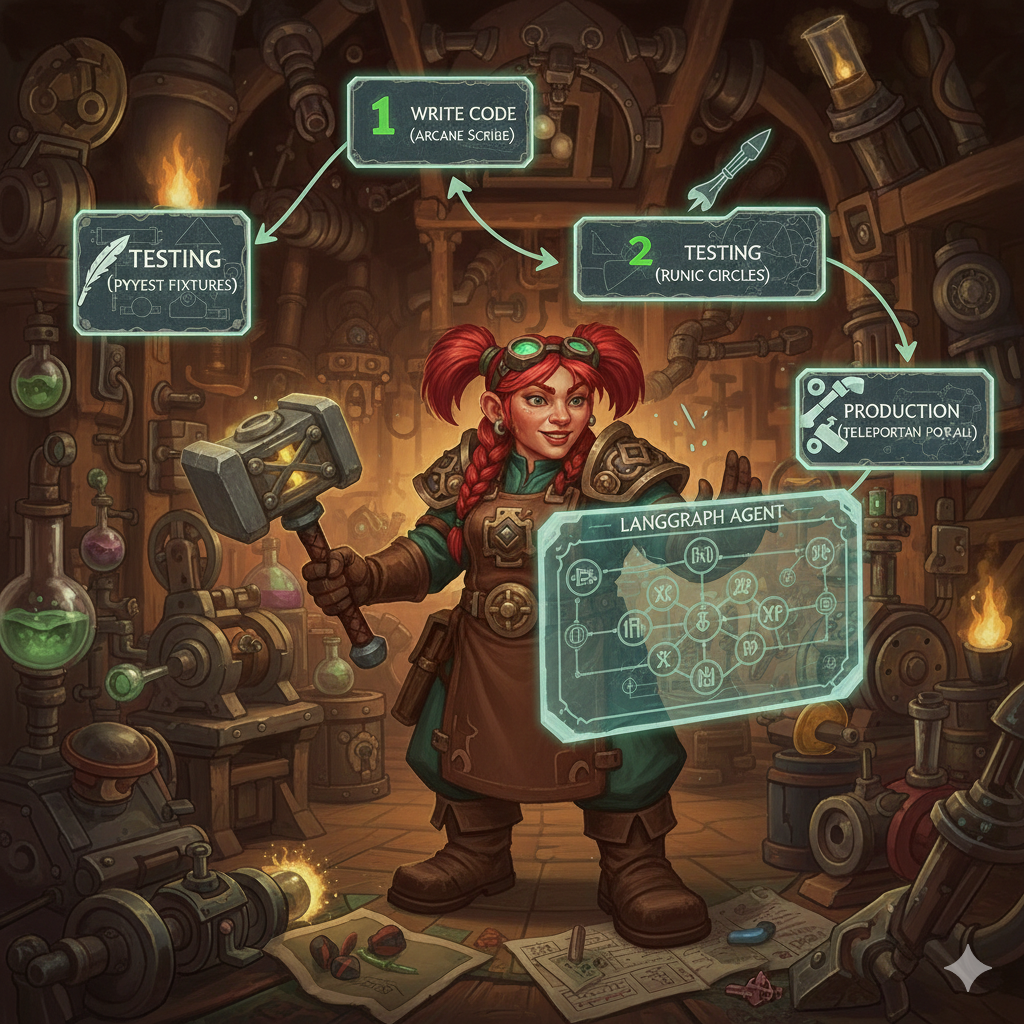
Перший LangGraph agent який я написав був simple. Input state, одна нода, output. Запустив через graph.invoke() - працює. Deploy в production - падає з cryptic error про missing state keys.
Виявилось TypedDict validation в LangGraph строгіший за dict. Мої tests використовували partial state, production отримував full state з unexpected keys. Tests проходили, production failing.
Це було learning moment: testing AI agents - це не те саме що testing звичайного коду. State management складніший. LLM calls не deterministic. Integration між агентами через MCP додає ще один layer complexity.
За 6 місяців розробки EMM я написав 8 agents, 200+ tests, viz frontend для monitoring. Навчився patterns які працюють, і помилок які треба уникати.
Розповідаю про development workflow, testing strategies, debugging techniques які працюють для LangGraph agents.
Development workflow - як писати агента
Типовий agent в EMM має структуру:
agents/content-classifier/
  ├── graph.py          # State definition + nodes + build_graph()
  ├── agent.yaml        # Metadata для LangGraph Studio
  ├── __init__.py
  └── README.md
Крок 1: define state
StateGraph працює з typed state. TypedDict обов'язковий:
from typing import TypedDict, Optional
from langgraph.graph import StateGraph

class ContentClassifierState(TypedDict):
    # Input
    input: dict  # від caller
    title: str
    content: str
    jd_file: str

    # Processing
    jd_categories: dict
    classification: Optional[dict]
    cached_result: Optional[dict]

    # Output
    confidence: float
    reasoning: str
    result: dict
    error: Optional[str]
Чому так багато keys? Тому що LangGraph не дозволяє partial updates без defined keys. Якщо нода return {"classification": {...}}, але classification не в TypedDict - runtime error.
Lesson learned: визначай всі можливі state keys заздалегідь. Краще мати unused keys ніж runtime failures.
Крок 2: write nodes
Кожна нода - function яка приймає state, повертає partial state:
def load_categories(state: ContentClassifierState) -> dict:
    """Load JD categories from MCP."""
    jd_file = state["jd_file"]

    # MCP call
    response = mcp_client.call(
        "mcp://jd-classifier/get_categories",
        {"jd_file": jd_file}
    )

    if response["success"]:
        return {"jd_categories": response["result"]}
    else:
        return {"error": f"Failed to load categories: {response['error']}"}
Pattern: завжди повертай dict з state updates. Не modify state in-place.
Крок 3: check cache
Agents часто роблять повторні requests. Cache критичний для performance:
def check_cache(state: ContentClassifierState) -> dict:
    """Check if classification already cached."""
    title = state["title"]
    content = state["content"]

    # Generate cache key
    cache_key = f"classification:{hash(title + content)}"

    # MCP cache call
    response = mcp_client.call(
        "mcp://cache/get",
        {"key": cache_key}
    )

    if response["success"] and response["result"]:
        return {"cached_result": response["result"]}

    return {"cached_result": None}
Cache через MCP тому що в Kubernetes кожен pod має свій memory. Redis-backed cache shared між pods.
Крок 4: conditional edges
Routing logic через conditional edges:
def should_classify(state: ContentClassifierState) -> str:
    """Route: use cache or classify?"""
    if state["cached_result"]:
        return "use_cache"
    else:
        return "classify"
Return string - це edge name в graph definition.
Крок 5: build graph
З'єднуємо ноди:
def build_graph() -> StateGraph:
    graph = StateGraph(ContentClassifierState)

    # Add nodes
    graph.add_node("load_categories", load_categories)
    graph.add_node("check_cache", check_cache)
    graph.add_node("classify", classify_content)
    graph.add_node("use_cache", use_cached_result)
    graph.add_node("save_cache", save_to_cache)
    graph.add_node("format_result", format_output)

    # Set entry point
    graph.set_entry_point("load_categories")

    # Add edges
    graph.add_edge("load_categories", "check_cache")
    graph.add_conditional_edges(
        "check_cache",
        should_classify,
        {
            "use_cache": "use_cache",
            "classify": "classify"
        }
    )
    graph.add_edge("classify", "save_cache")
    graph.add_edge("use_cache", "format_result")
    graph.add_edge("save_cache", "format_result")
    graph.set_finish_point("format_result")

    return graph.compile()
Pattern: compile() повертає runnable graph. Без compile() - це просто definition.
Testing strategy - що і як тестувати
EMM має 3 layers testing:
Layer 1: unit tests - individual nodes
Test кожну ноду ізольовано:
# agents/tests/test_content_classifier.py
def test_load_categories(mock_mcp_client, temp_jd_file):
    """Test category loading."""
    # Mock MCP response
    mock_mcp_client.call.return_value = {
        "success": True,
        "result": {"46": "DevOps", "46.01": "Docker"},
        "error": None
    }

    state = {
        "jd_file": temp_jd_file,
        "jd_categories": {},
        # ... other required keys
    }

    result = load_categories(state)

    assert "jd_categories" in result
    assert result["jd_categories"]["46"] == "DevOps"
    mock_mcp_client.call.assert_called_once()
Fixtures критичні. mock_mcp_client mock'ує MCP calls, temp_jd_file створює test jd.yaml.
Layer 2: integration tests - full graph
Test повний execution flow:
def test_classify_content(mock_mcp_client, temp_jd_file, monkeypatch):
    """Test full classification flow."""
    monkeypatch.setenv("MODEL_NAME", "llama3.2")

    # Mock sequence of MCP calls
    mock_mcp_client.call.side_effect = [
        {"success": True, "result": {"46.01": "Docker"}, "error": None},  # get categories
        {"success": True, "result": None, "error": None},  # cache miss
        {"success": True, "result": {
            "jd_code": "46.01",
            "confidence": 0.85
        }, "error": None},  # classify
        {"success": True, "result": True, "error": None}  # save cache
    ]

    graph = build_graph()

    state: ContentClassifierState = {
        "input": {"title": "Docker Best Practices", "content": "...", "jd_file": temp_jd_file},
        "title": "Docker Best Practices",
        "content": "...",
        # ... initialize all state keys
    }

    result = graph.invoke(state)

    assert result["error"] is None
    assert result["classification"]["jd_code"] == "46.01"
    assert result["confidence"] == 0.85
side_effect list mock'ує послідовність calls. Перший call повертає перший element, другий call - другий element, etc.
Pattern: завжди initialize весь state. Partial state працює в tests, failing in production.
Layer 3: E2E tests - agent interactions
Test взаємодію між агентами:
def test_bookmark_to_vault_flow(mock_mcp_client, temp_vault):
    """Test: bookmark → classify → save to vault."""
    # Mock bookmark scraper calls content classifier
    mock_mcp_client.call.side_effect = [
        {"success": True, "result": {"url": "...", "content": "Docker article"}},  # scrape
        {"success": True, "result": {"jd_code": "46.01", "confidence": 0.9}},  # classify
        {"success": True, "result": {"path": temp_vault / "46.01-docker.md"}},  # save
    ]

    bookmark_graph = build_bookmark_scraper_graph()

    state = {"input": {"url": "https://example.com/docker"}, ...}
    result = bookmark_graph.invoke(state)

    # Verify file created
    assert (temp_vault / "46.01-docker.md").exists()
    assert result["error"] is None
E2E tests важливі для catching integration bugs.
Fixtures - infrastructure для tests
Fixtures в conftest.py reusable across tests:
# agents/tests/conftest.py
import pytest
from unittest.mock import MagicMock
from pathlib import Path
import tempfile

@pytest.fixture
def mock_mcp_client(monkeypatch):
    """Mock MCPClient для всіх tests."""
    mock = MagicMock()
    monkeypatch.setattr("mcp_servers.client.MCPClient.get_instance", lambda: mock)
    return mock

@pytest.fixture
def temp_jd_file():
    """Create temporary jd.yaml для tests."""
    with tempfile.NamedTemporaryFile(mode="w", suffix=".yaml", delete=False) as f:
        f.write("""
categories:
  "46": DevOps
  "46.01": Docker
  "47": Programming
""")
        f.flush()
        yield f.name
    Path(f.name).unlink()

@pytest.fixture
def temp_vault(tmp_path):
    """Create temporary Obsidian vault."""
    vault = tmp_path / "vault"
    vault.mkdir()
    (vault / "UNSORTED").mkdir()
    return vault
monkeypatch - pytest built-in для patching. tmp_path - автоматично cleanup після test.
Debugging techniques
Problem 1: LangGraph state errors
Error: KeyError: 'classification' під час graph.invoke().
Cause: нода return dict без required key, або TypedDict missing key definition.
Debug:
# Add logging to nodes
def classify_content(state: ContentClassifierState) -> dict:
    print(f"[DEBUG] State keys: {state.keys()}")
    print(f"[DEBUG] Input: {state['input']}")

    # ... node logic

    result = {"classification": {...}}
    print(f"[DEBUG] Returning: {result.keys()}")
    return result
LangGraph Studio показує state після кожної ноди. Але logging дає більше control.
Problem 2: MCP call failures
Error: mcp://content-classifier/classify returns 500.
Cause: MCP service down, або invalid request params.
Debug:
response = mcp_client.call("mcp://service/method", params)
print(f"[DEBUG] MCP response: {response}")

if not response["success"]:
    print(f"[ERROR] MCP failed: {response['error']}")
    print(f"[ERROR] Params were: {params}")
In production використовую structured logging (JSON) для aggregation в Grafana.
Problem 3: non-deterministic LLM
LLM classifications не consistent між runs. Test failing intermittently.
Solution: mock LLM calls в tests:
@patch("agents.content_classifier.graph.call_llm")
def test_classification_logic(mock_llm, mock_mcp_client):
    """Test with deterministic LLM response."""
    mock_llm.return_value = {
        "jd_code": "46.01",
        "confidence": 0.85,
        "reasoning": "Docker content detected"
    }

    # Now test is deterministic
    result = classify_content(state)
    assert result["classification"]["jd_code"] == "46.01"
Production використовує real LLM, tests використовують mock. Це OK - ми test'уємо logic, не LLM accuracy.
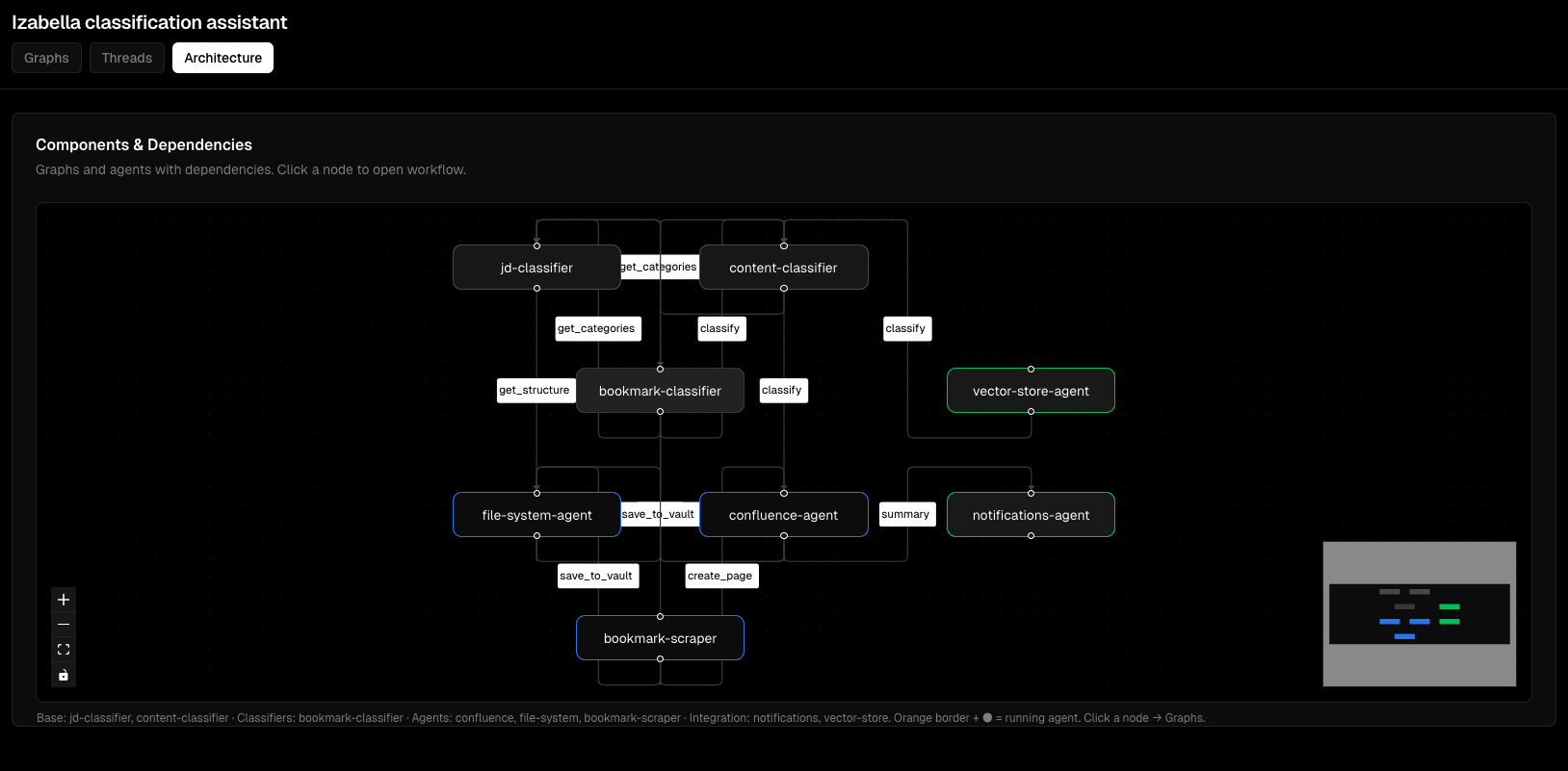
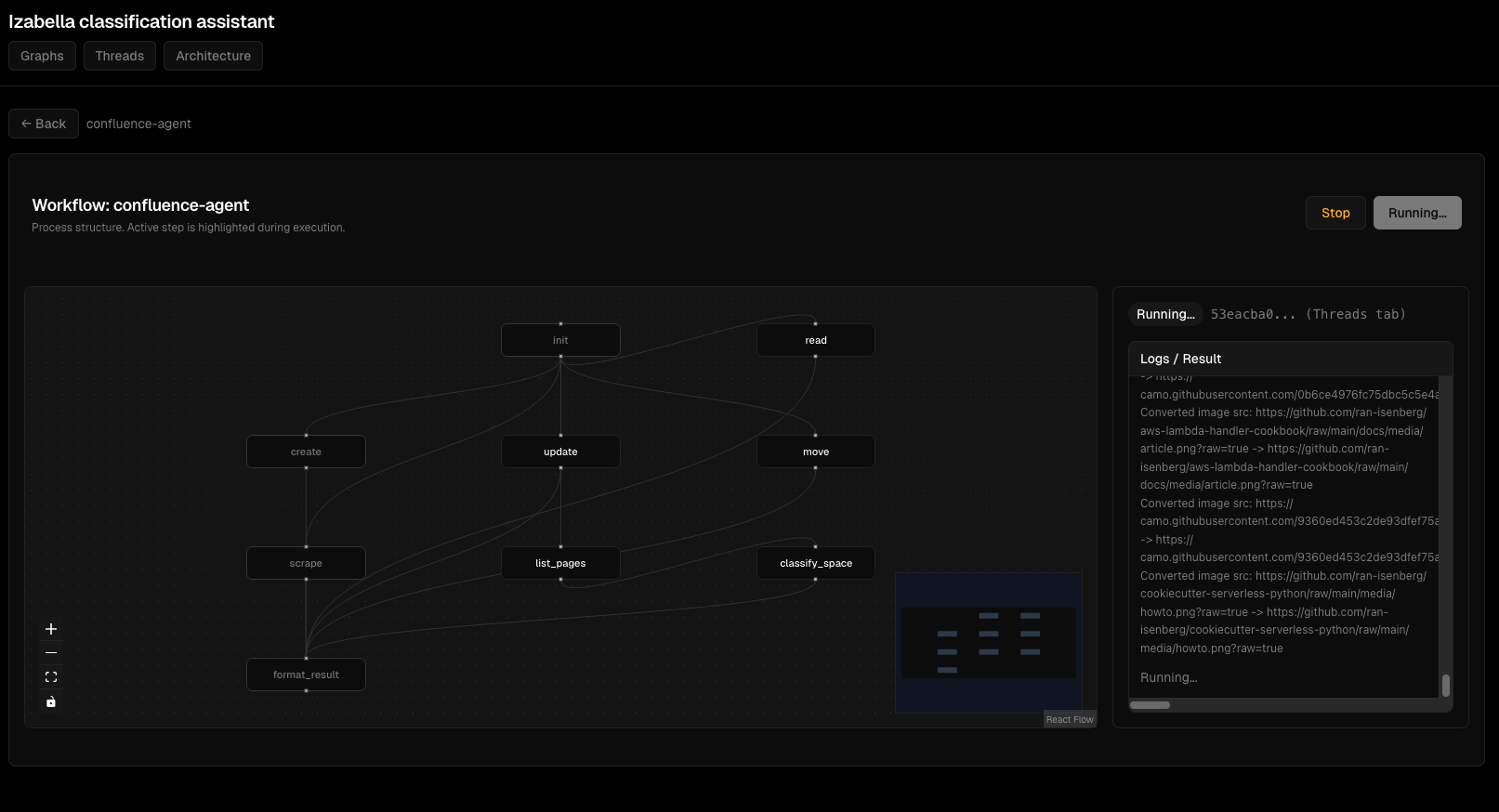
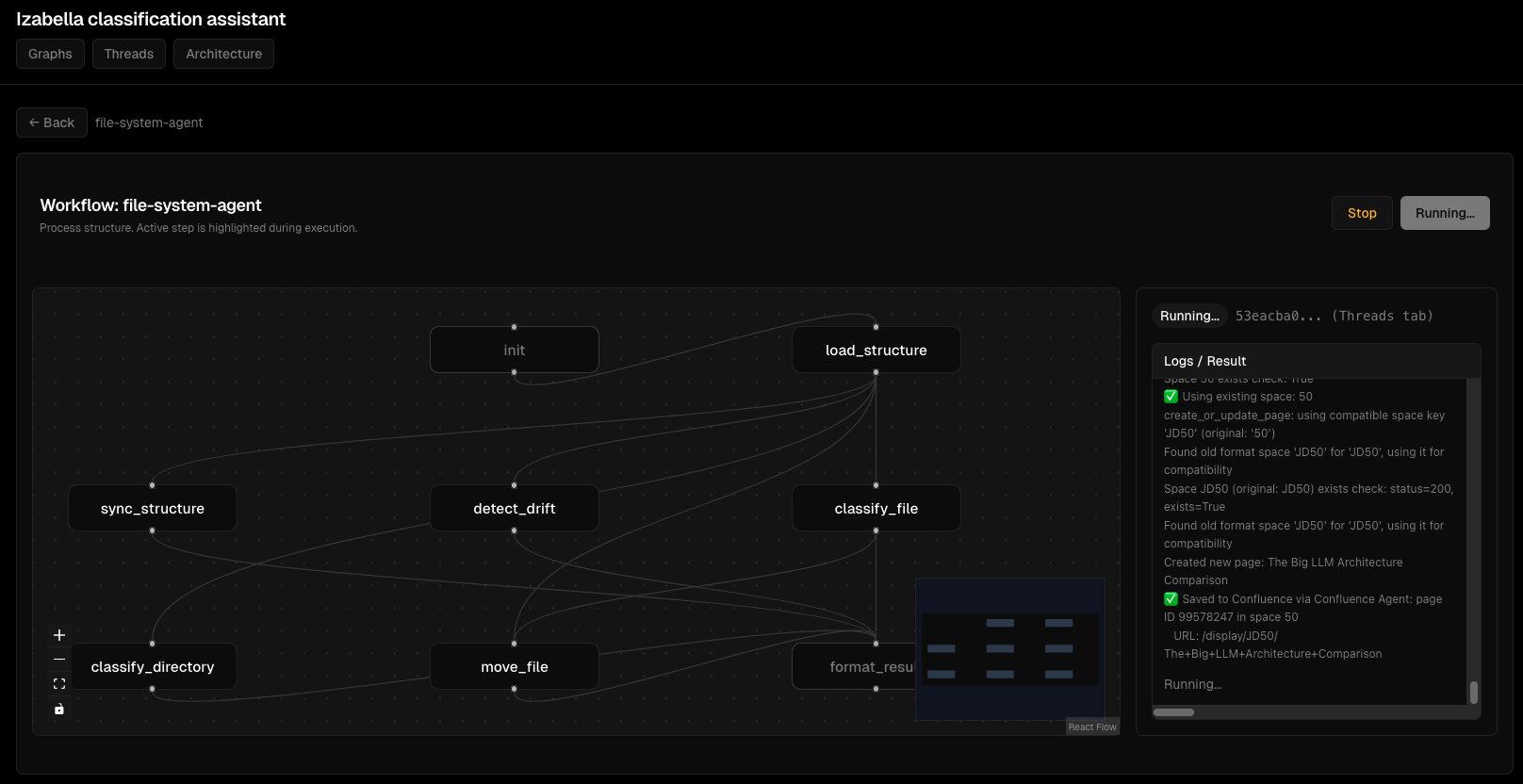
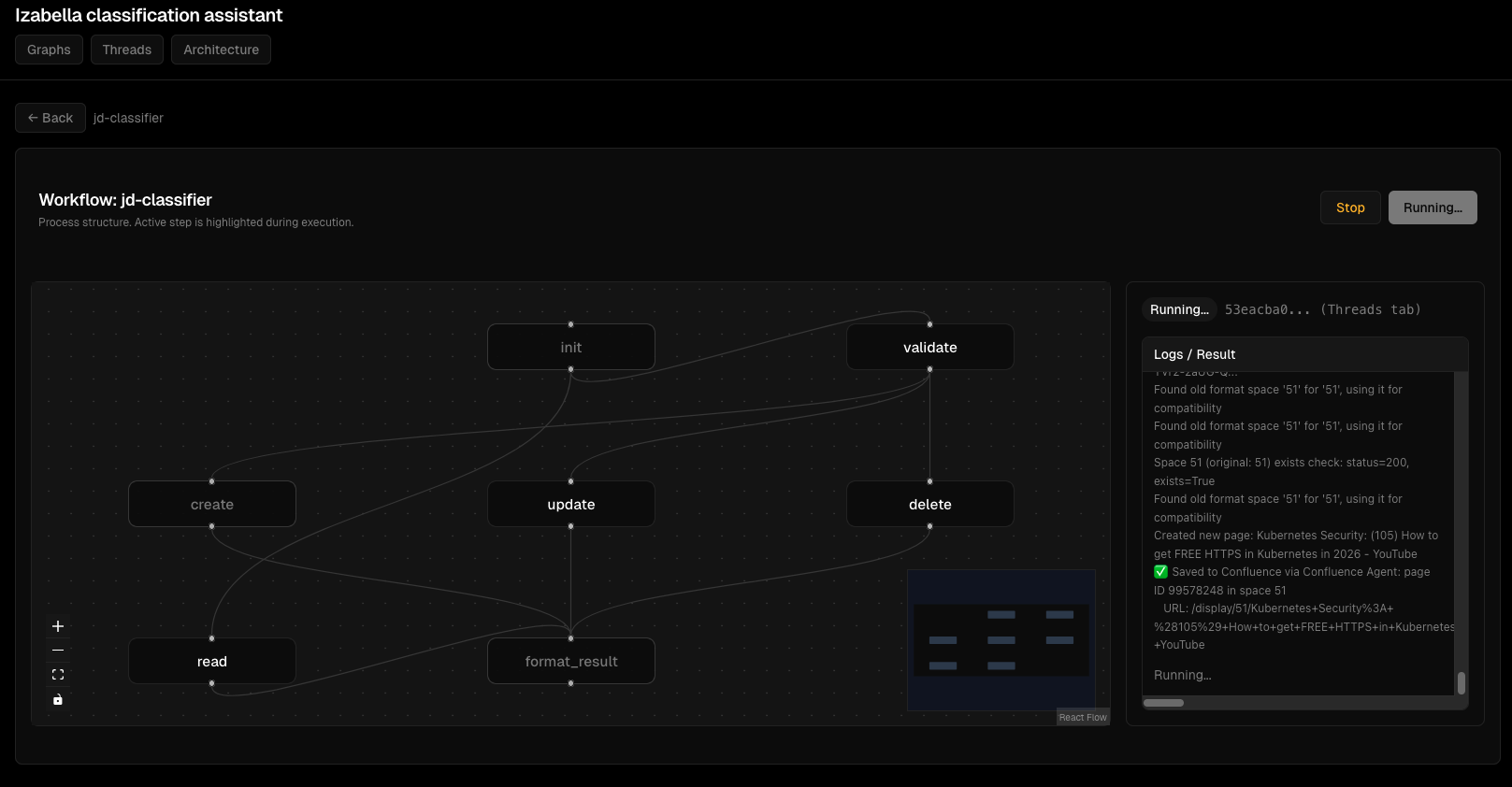
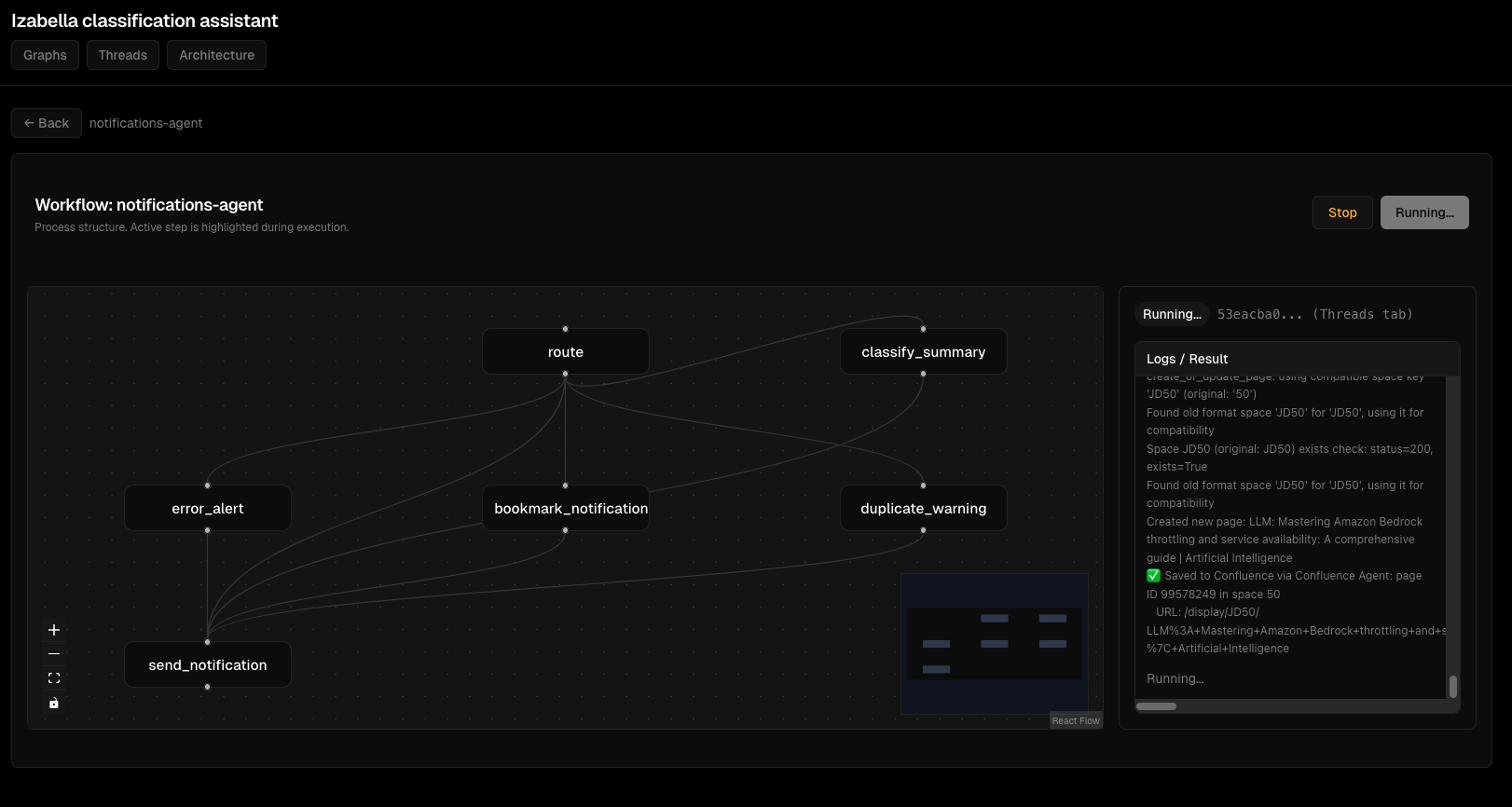
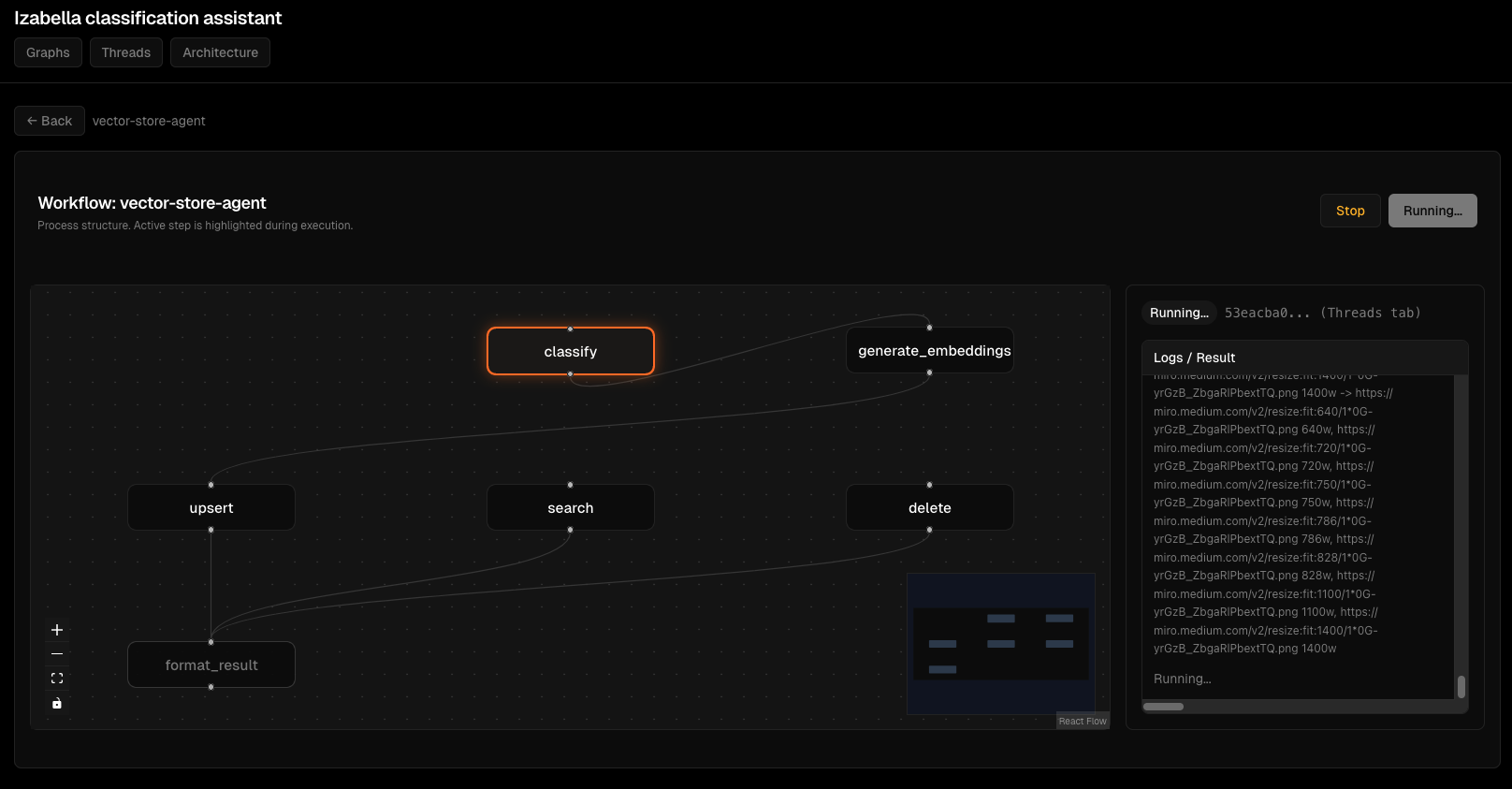
Frontend - viz dashboard
EMM frontend minimal - це LangGraph Studio UI для development, плюс custom viz dashboard для monitoring.
Viz architecture
viz/
  ├── frontend/        # React + TypeScript
  │   ├── src/
  │   │   ├── components/
  │   │   │   ├── GraphView.tsx
  │   │   │   ├── ThreadList.tsx
  │   │   │   └── RunDetails.tsx
  │   │   ├── api/
  │   │   │   └── client.ts
  │   │   └── App.tsx
  │   └── package.json
  └── backend/         # FastAPI
      ├── main.py
      ├── loaders.py   # Load graphs from langgraph.json
      ├── store.py     # In-memory thread storage
      └── tests/
Backend expose endpoints:
# viz/backend/main.py
from fastapi import FastAPI
from typing import List

app = FastAPI()

@app.get("/api/graphs")
def list_graphs() -> dict:
    """List all available graphs."""
    graphs = load_graphs_from_registry()
    return {"graphs": [g["id"] for g in graphs]}

@app.get("/api/graphs/{graph_id}")
def get_graph(graph_id: str) -> dict:
    """Get graph structure (nodes, edges)."""
    graph = load_graph(graph_id)
    return {
        "graph_id": graph_id,
        "nodes": extract_nodes(graph),
        "edges": extract_edges(graph)
    }

@app.post("/api/threads")
def create_thread(request: dict) -> dict:
    """Create execution thread."""
    graph_id = request["graph_id"]
    input_data = request["input"]

    thread_id = generate_thread_id()
    thread_store[thread_id] = {
        "graph_id": graph_id,
        "status": "idle",
        "input": input_data
    }

    return {"thread_id": thread_id, "graph_id": graph_id, "status": "idle"}
Frontend calls API:
// viz/frontend/src/api/client.ts
export async function listGraphs(): Promise<string[]> {
  const res = await fetch('/api/graphs');
  const data = await res.json();
  return data.graphs;
}

export async function getGraph(graphId: string): Promise<GraphData> {
  const res = await fetch(`/api/graphs/${graphId}`);
  return await res.json();
}
React component:
// viz/frontend/src/components/GraphView.tsx
import { useEffect, useState } from 'react';
import { getGraph } from '../api/client';

export function GraphView({ graphId }: { graphId: string }) {
  const [graph, setGraph] = useState<GraphData | null>(null);

  useEffect(() => {
    getGraph(graphId).then(setGraph);
  }, [graphId]);

  if (!graph) return <div>Loading...</div>;

  return (
    <div className="graph-view">
      <h2>{graph.graph_id}</h2>
      <svg width="800" height="600">
        {graph.nodes.map(node => (
          <g key={node.id}>
            <rect x={node.x} y={node.y} width={100} height={50} />
            <text x={node.x + 10} y={node.y + 25}>{node.label}</text>
          </g>
        ))}
        {graph.edges.map((edge, i) => (
          <line key={i} x1={edge.from.x} y1={edge.from.y}
                x2={edge.to.x} y2={edge.to.y} stroke="black" />
        ))}
      </svg>
    </div>
  );
}
Це simplified version. Production має D3.js для interactive graph, zoom/pan, click handlers.
Скріншоти Viz Dashboard
Візуалізація графів:

Моніторинг виконання thread'ів:
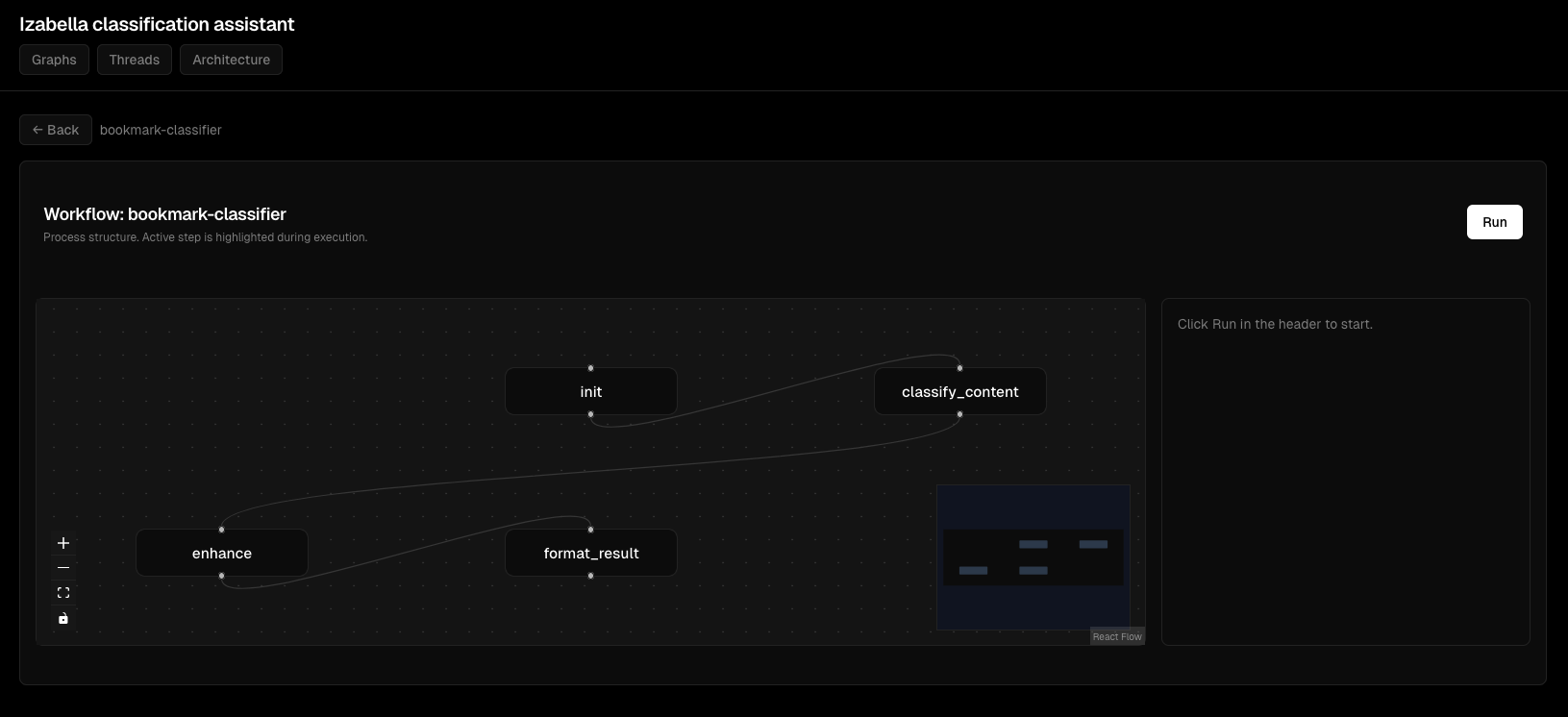
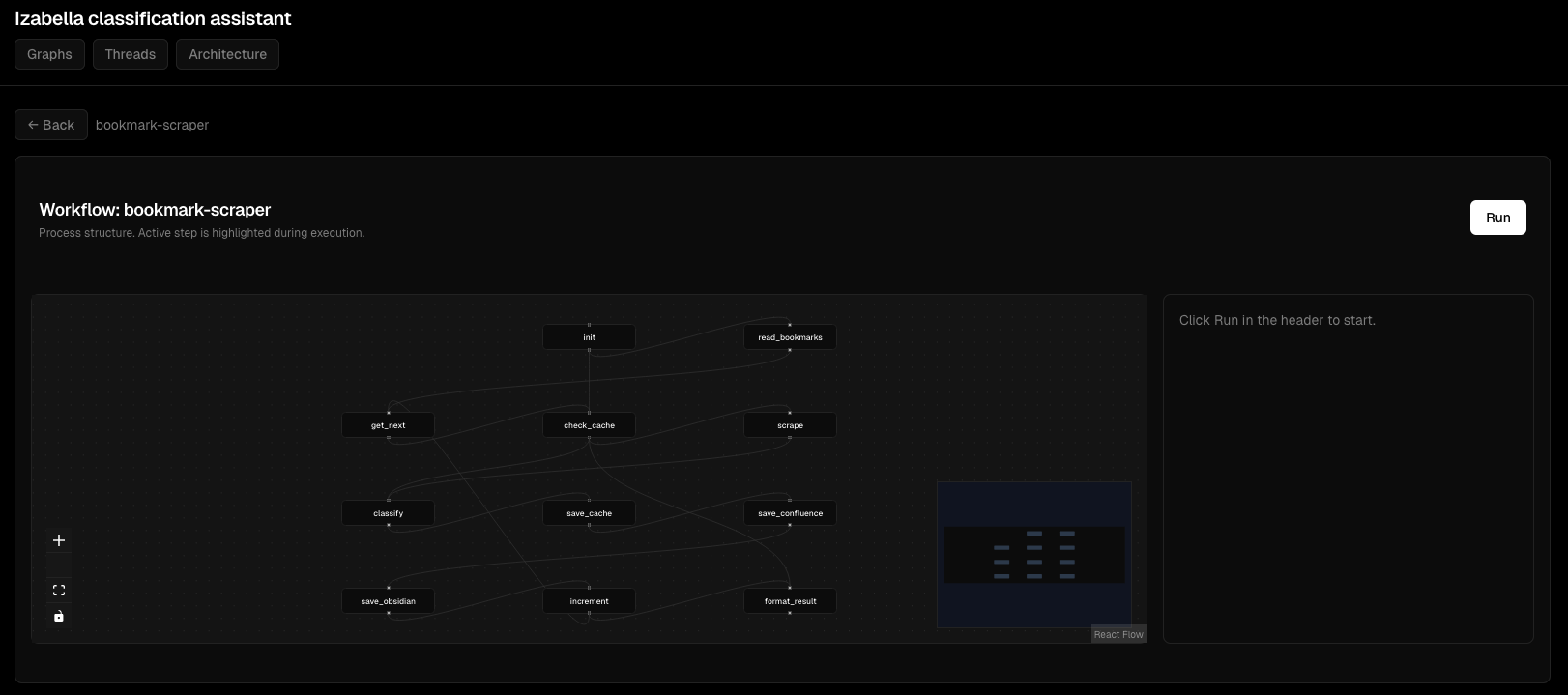
Деталі виконання вузлів:
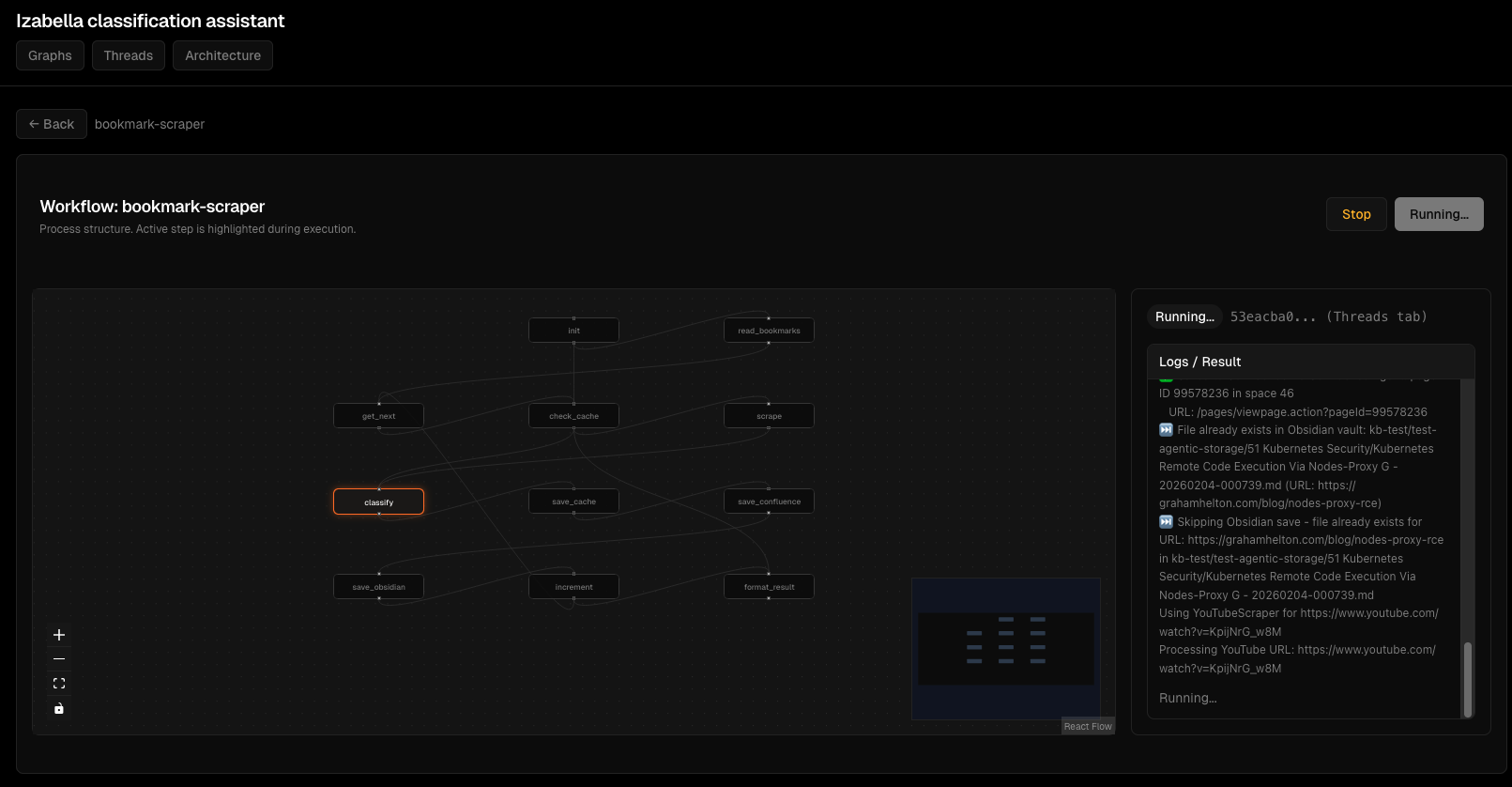
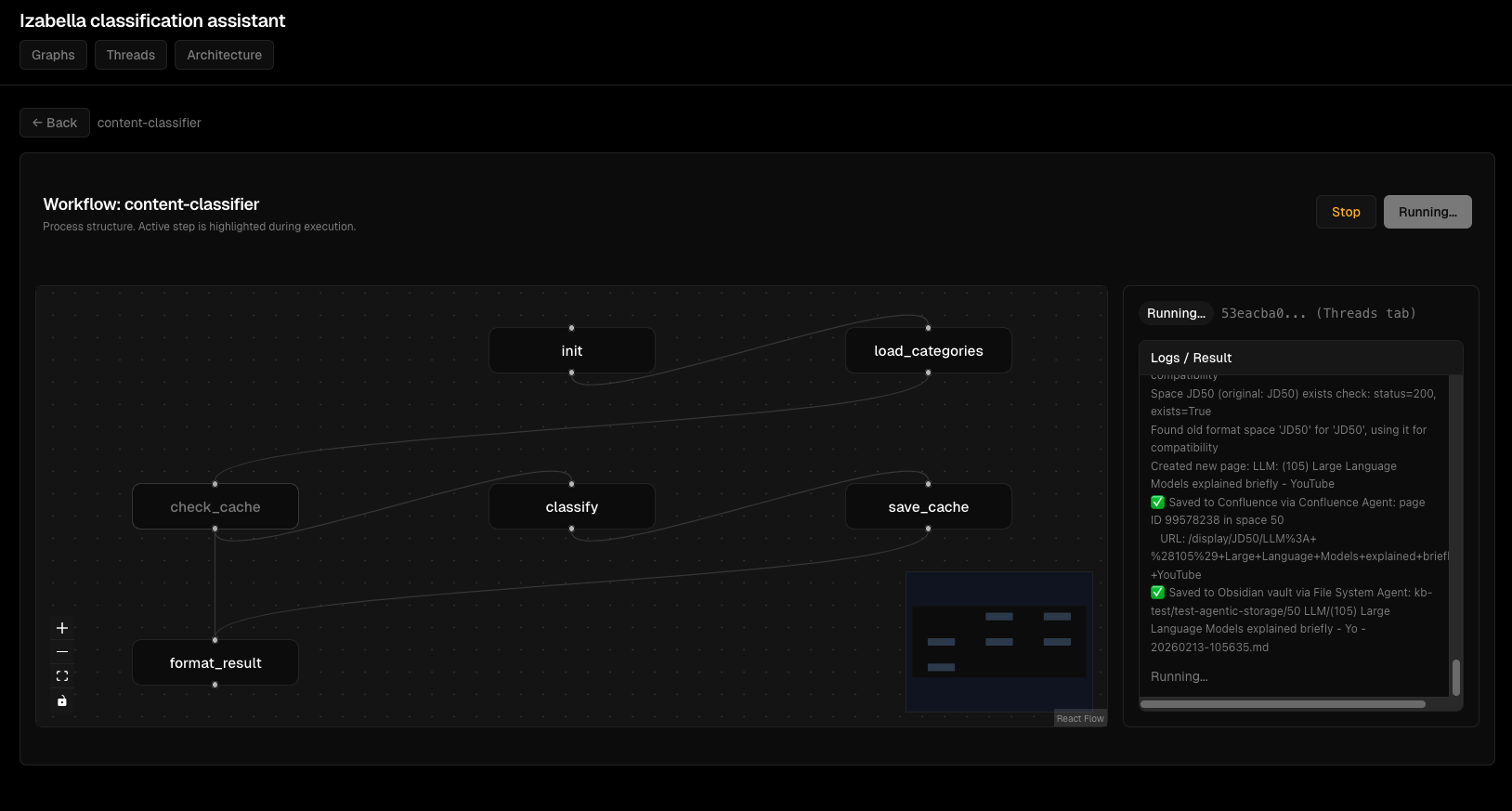
Інтерактивний перегляд графа:
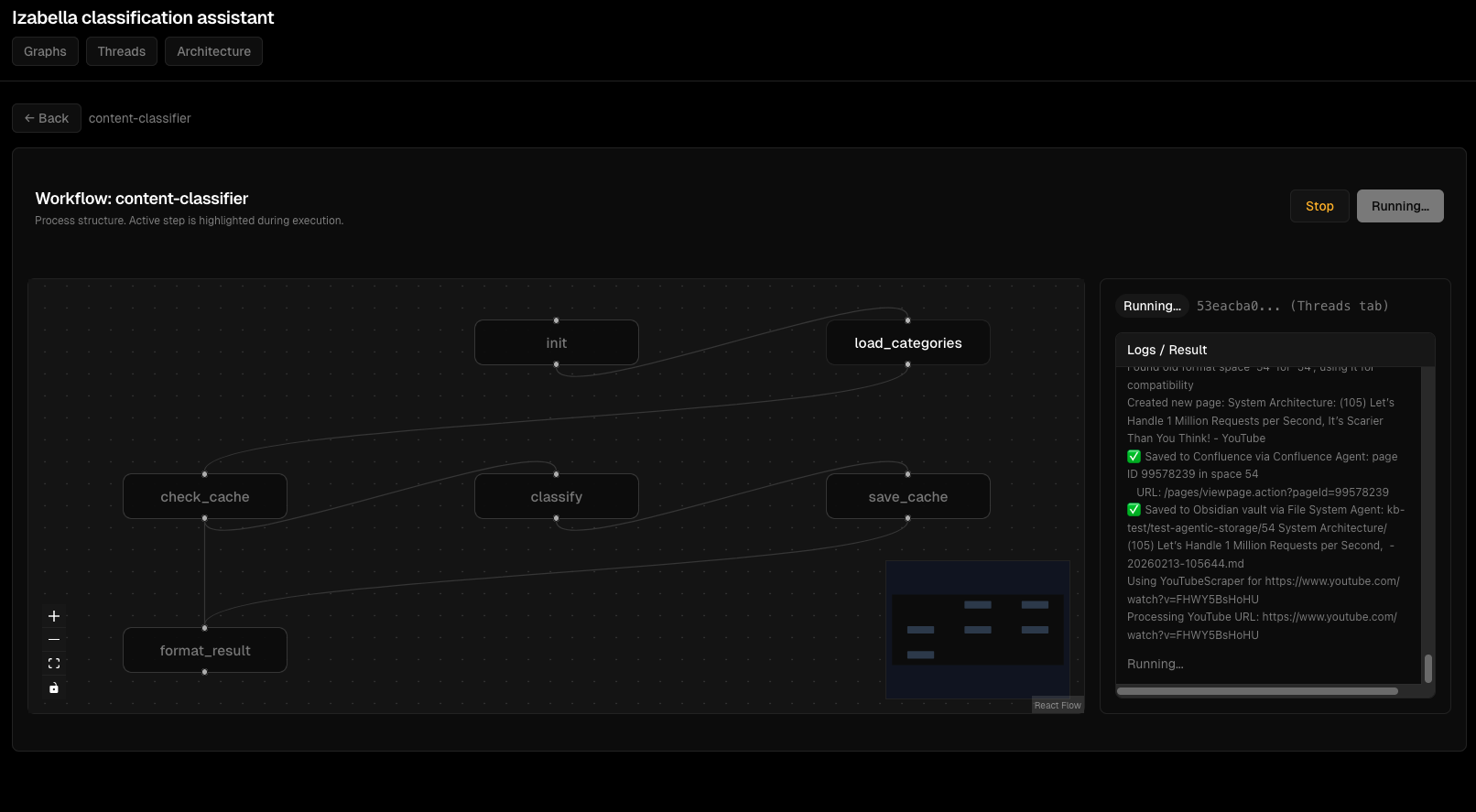
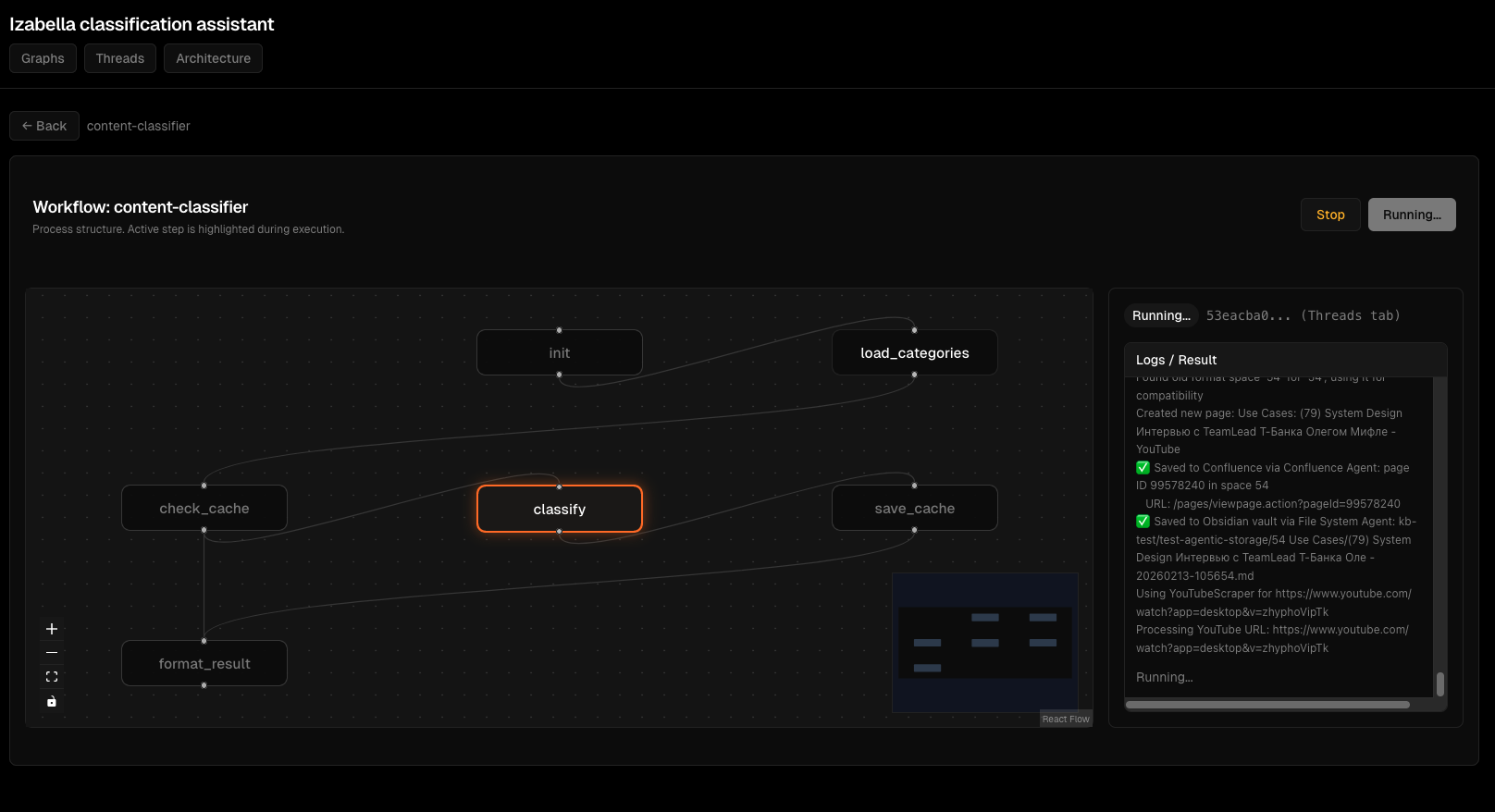
Потік виконання агента:
Інтерфейс відлагодження:
Обробка помилок:
Frontend testing
FastAPI tests з TestClient:
# viz/backend/tests/test_api.py
from fastapi.testclient import TestClient
from viz.backend.main import app

def test_list_graphs():
    """GET /api/graphs returns list."""
    client = TestClient(app)
    response = client.get("/api/graphs")

    assert response.status_code == 200
    data = response.json()
    assert "graphs" in data
    assert isinstance(data["graphs"], list)

def test_create_thread():
    """POST /api/threads creates thread."""
    client = TestClient(app)
    response = client.post("/api/threads", json={
        "graph_id": "content-classifier",
        "input": {"title": "Test", "content": "Test content"}
    })

    assert response.status_code == 200
    data = response.json()
    assert "thread_id" in data
    assert data["status"] == "idle"
React tests з Jest + React Testing Library:
// viz/frontend/src/components/GraphView.test.tsx
import { render, screen, waitFor } from '@testing-library/react';
import { GraphView } from './GraphView';
import { getGraph } from '../api/client';

jest.mock('../api/client');

test('renders graph nodes', async () => {
  const mockGraph = {
    graph_id: 'test-graph',
    nodes: [
      { id: 'node1', label: 'Start', x: 100, y: 100 }
    ],
    edges: []
  };

  (getGraph as jest.Mock).mockResolvedValue(mockGraph);

  render(<GraphView graphId="test-graph" />);

  await waitFor(() => {
    expect(screen.getByText('Start')).toBeInTheDocument();
  });
});
Mock API calls для deterministic tests.
CI/CD - automated testing
GitHub Actions для testing:
# .github/workflows/test.yml
name: Test

on: [push, pull_request]

jobs:
  test-backend:
    runs-on: ubuntu-latest
    steps:
      - uses: actions/checkout@v3

      - name: Set up Python
        uses: actions/setup-python@v4
        with:
          python-version: '3.12'

      - name: Install dependencies
        run: |
          pip install -r requirements.txt
          pip install pytest pytest-cov

      - name: Run tests
        run: |
          pytest agents/tests/ --cov=agents --cov-report=xml

      - name: Upload coverage
        uses: codecov/codecov-action@v3

  test-frontend:
    runs-on: ubuntu-latest
    steps:
      - uses: actions/checkout@v3

      - name: Set up Node
        uses: actions/setup-node@v3
        with:
          node-version: '20'

      - name: Install dependencies
        run: cd viz/frontend && npm install

      - name: Run tests
        run: cd viz/frontend && npm test
Tests run на кожен push. Coverage report upload до Codecov.
Performance optimization
Problem: slow agent execution
Content Classifier займав 5 секунд per classification. Неприйнятно для batch processing 100 files.
Profiling:
import time

def classify_content(state):
    start = time.time()

    # Load categories
    t1 = time.time()
    categories = load_categories(state)
    print(f"Load categories: {time.time() - t1:.2f}s")

    # Check cache
    t2 = time.time()
    cached = check_cache(state)
    print(f"Check cache: {time.time() - t2:.2f}s")

    # LLM call
    t3 = time.time()
    result = call_llm(state, categories)
    print(f"LLM call: {time.time() - t3:.2f}s")

    print(f"Total: {time.time() - start:.2f}s")
    return result
Results: - Load categories: 0.1s - Check cache: 0.05s - LLM call: 4.8s ← bottleneck
Solution: batch LLM calls:
def classify_batch(states: List[ContentClassifierState]) -> List[dict]:
    """Classify multiple items in one LLM call."""
    # Prepare batch prompt
    batch_prompt = "\n\n".join([
        f"Document {i}: {state['title']}\n{state['content'][:500]}"
        for i, state in enumerate(states)
    ])

    # Single LLM call
    result = llm.invoke(batch_prompt)

    # Parse results
    return parse_batch_results(result, len(states))
Batch 10 items: 6 секунд total = 0.6s per item. 8x speedup.
Problem: memory leaks
Viz backend memory usage зростав з 200MB до 2GB через 24 hours.
Cause: thread_store accumulating threads without cleanup.
Fix:
from datetime import datetime, timedelta

def cleanup_old_threads():
    """Remove threads older than 1 hour."""
    now = datetime.now()
    to_remove = []

    for thread_id, thread in thread_store.items():
        if now - thread["created_at"] > timedelta(hours=1):
            to_remove.append(thread_id)

    for thread_id in to_remove:
        del thread_store[thread_id]

# Run cleanup every 10 minutes
import threading
def schedule_cleanup():
    cleanup_old_threads()
    threading.Timer(600, schedule_cleanup).start()

schedule_cleanup()
Memory stable на 300MB після fix.
Lessons learned
1. TypedDict definitions критичні
Partial state в tests працює, production failing. Завжди define всі state keys.
2. Mock MCP calls в unit tests
Real MCP calls роблять tests slow і flaky. Mock для deterministic tests.
3. E2E tests catch integration bugs
Unit tests не виявляють agent interaction issues. E2E tests критичні.
4. Fixtures reusability > copy-paste
conftest.py з shared fixtures економить сотні рядків duplicate test setup.
5. LLM calls - batch коли можливо
Single-item LLM calls - bottleneck. Batching дає 5-10x speedup.
6. Frontend testing != backend testing
FastAPI TestClient для API tests. Jest + React Testing Library для component tests. Різні tools, різні patterns.
7. CI/CD automated testing обов'язковий
Manual testing не масштабується. GitHub Actions run tests на кожен push.
8. Profiling перед optimization
Не guess де bottleneck. Profile, measure, оптимізуй top bottleneck.
Висновки
Розробка AI-агентів на LangGraph - це більше ніж просто "write graph definition". Треба:
- Proper state management (TypedDict з усіма keys)
- Testing strategy (unit, integration, E2E)
- Fixtures infrastructure для reusable test setup
- Debugging techniques для non-deterministic LLM
- Frontend для monitoring (FastAPI backend + React)
- Performance optimization (batching, caching)
- CI/CD для automated testing
Для EMM це означає: - 8 agents, кожен з повним test coverage - 200+ tests (unit + integration + E2E) - Viz dashboard для real-time monitoring - CI/CD pipeline з automated testing - Performance optimization (batch LLM calls, Redis cache)
Development workflow: write node → unit test → integrate в graph → integration test → E2E test → deploy → monitor.
Якщо будуєте LangGraph agents - invest в testing infrastructure early. Mock MCP calls. Use fixtures. Write E2E tests. Profile before optimizing.
Tests сьогодні = менше bugs завтра.
Related: Kubernetes deployment для AI-агентів, Версіонування даних в AI-агентах з lakeFS
Author: Igor Gorovyy
Role: DevOps Engineer Lead & Senior Solutions Architect
LinkedIn: linkedin.com/in/gorovyyigor
Development summary
Backend: Python 3.12, LangGraph, FastAPI, pytest
Frontend: React 18, TypeScript, Jest, React Testing Library
Agents: 8 StateGraph agents, 40+ nodes total
Tests: 200+ tests (unit, integration, E2E)
Coverage: 85% (agents), 92% (viz backend)
CI/CD: GitHub Actions, automated testing on push