Data Versioning for AI Agents: Real-World Experience with lakeFS
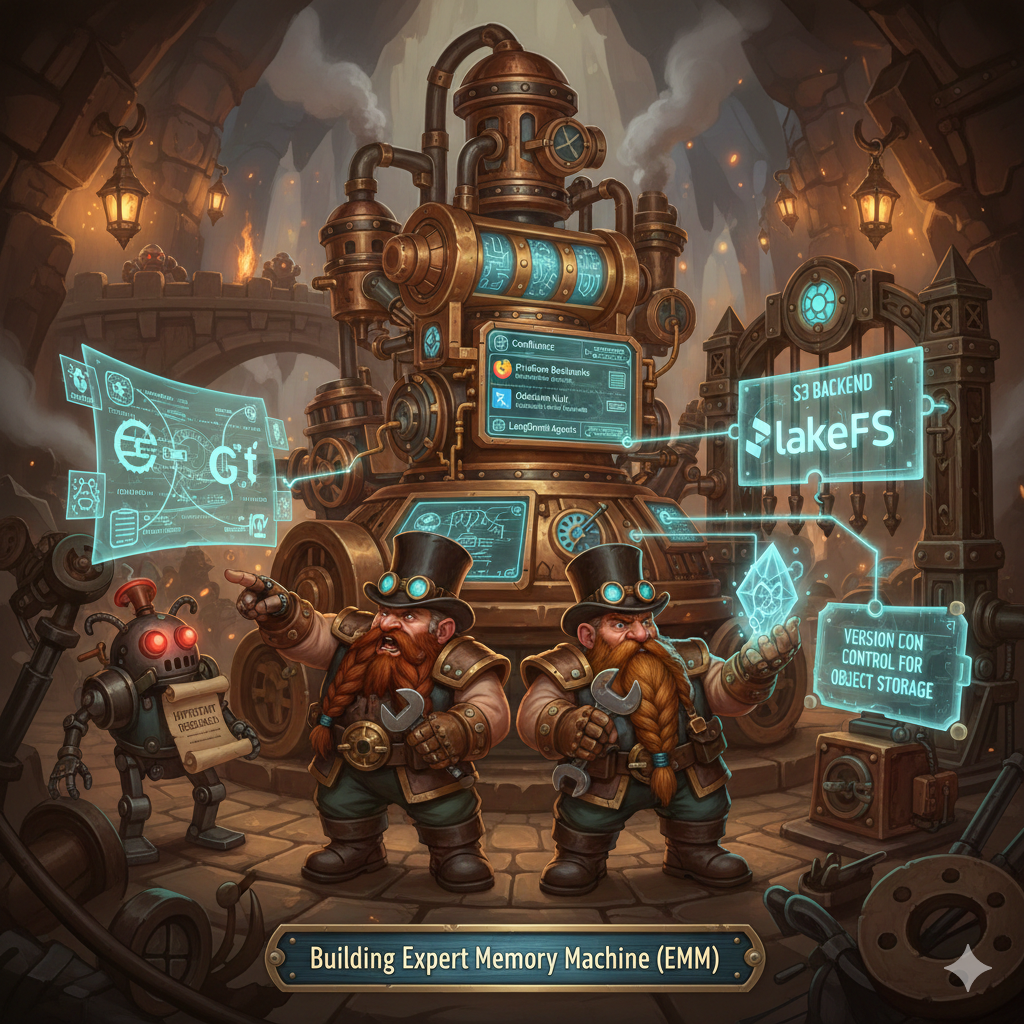
Building Expert Memory Machine (EMM) started simple enough: LangGraph agents classify content from Confluence, Firefox bookmarks, and local markdown files, then organize everything into an Obsidian vault. Clean automation. What could go wrong?
Turns out, plenty. The first time an agent misclassified an important research document and moved it to the wrong folder, I had backups but no clean way to see what changed. The second time it happened (different agent, different category), I started asking: how do I track these changes systematically? How do I roll back mistakes without losing legitimate updates?
Git seemed obvious. Until I tried it. 10+ automated commits per day from bots made the history unreadable. Binary PDFs bloated .git/objects. And the real killer: Git doesn't understand S3, which I needed for Kubernetes deployment.
That's when I found lakeFS. Version control for object storage. Git semantics, S3 backend. And honestly, it changed how I think about data in agent systems.
Why data versioning isn't the same as code versioning
Code repositories work because developers control every line. You write code, review it, commit deliberately. Between commits, the code doesn't change itself.
Data repositories are different animals entirely. My vault has 5,000 markdown files. Every day brings 10-15 new ones. Agents classify them automatically, move files between categories, update metadata. Confluence pages sync. PDFs download from bookmarks. The data changes constantly, without human intervention.
Git for this scenario feels wrong for three reasons:
Repository size. Git stores full history locally. 10GB vault plus 18,000 commits over 5 years means git clone takes hours, not seconds. Local disk fills up. Not practical.
Binary files. PDFs, images - Git can't diff them meaningfully. Each version is a full copy in history. Ten versions of a 50MB PDF? That's 500MB in .git/objects that never compresses.
S3 integration (or lack thereof). EMM runs on Kubernetes. Persistent storage means S3 or compatible object stores. Git doesn't speak S3. Sure, you could mount S3 as a filesystem, but FUSE adds latency and complexity. Not elegant.
Enter lakeFS - Git semantics over object storage
lakeFS implements version control directly on top of S3, Google Cloud Storage, Azure Blob, or any S3-compatible store like MinIO or Cloudflare R2.
Architecture:
Client → lakeFS API → Storage Adapter → S3/GCS/Azure
              ↓
         PostgreSQL (metadata only)
lakeFS doesn't store your data. It manages metadata and provides Git-like operations: branches, commits, merges, diffs. Data lives in S3 as content-addressed objects. Metadata (what branch points where, commit history, file paths) lives in PostgreSQL.
What sold me on this design:
Zero-copy branching. Creating a branch takes 1 second regardless of repository size. Even with 1TB of data. Why? Branch is just a pointer in PostgreSQL pointing to a commit. No data copied. Instant.
For EMM this means: create feature/test-new-prompt branch, let agent experiment with a different LLM model, review results, and if it's garbage - delete the branch. No wasted S3 storage. No cleanup overhead.
Immutable objects. lakeFS never modifies S3 objects. Updates create new objects with new hashes. Old versions stay until garbage collection. This gives:
- Complete history always available
- Rollback is just pointer manipulation
- Built-in audit trail for compliance
S3 Gateway. lakeFS speaks S3 API. Your boto3 code works unchanged - just point it at lakeFS endpoint instead of s3.amazonaws.com. Existing tools (AWS CLI, s3cmd) work too.
Under the hood - how it actually works
lakeFS uses a 2-layer Merkle tree, same concept as Git but optimized for object storage scale:
Commit → MetaRange (root)
           ├─ Range 1: paths "00-09/*"
           ├─ Range 2: paths "10-19/*"
           └─ Range 3: paths "20-29/*"

Range → SSTable (sorted list)
  10-19 Tech/article.md → s3://bucket/data/abc.../obj1
  10-19 Tech/docker.md → s3://bucket/data/def.../obj2
When you commit 50 changed files out of 10,000 total, lakeFS doesn't scan all 10,000. It updates only the Ranges containing changes. Unchanged Ranges? Reused from parent commit. Deduplication by design.
Time complexity: O(changes), not O(repository size). This matters at scale.
Graveler - lakeFS's versioning engine - stores commit metadata as SSTables (RocksDB-compatible format). These are immutable, cacheable, and optimized for sequential reads. Result: 500k+ GetObject calls per second on modern hardware.
Integration with EMM - harder than expected
"Just replace file system backend with lakeFS" - I thought. Then reality hit.
Challenge 1: Obsidian doesn't speak lakeFS
Obsidian is a desktop app. It reads local files, indexes them, creates backlinks. It doesn't understand REST APIs or S3 protocols.
First idea: FUSE mount. There's lakefs-fuse which mounts a lakeFS repository as a local filesystem. Obsidian sees a regular folder, but operations go through lakeFS API to S3.
I started implementing this. Quickly learned why it's problematic:
Latency. Every read() is an HTTP request: client → lakeFS → S3. Obsidian indexes the vault on startup - hundreds of files, each taking 50-100ms. Multiply by 5,000 files: 4-8 minutes just to start Obsidian. Unacceptable.
Offline access. FUSE mount needs network. No internet? Obsidian can't read files. I work on trains, planes, in subway. Offline is non-negotiable.
Write conflicts. Obsidian writes to a file while agent simultaneously writes to the same file. FUSE doesn't handle concurrent writes gracefully. Result: corrupted files or lost changes.
Solution: Local clone + background sync
Instead of FUSE, I went hybrid:
- Obsidian works with local copy of vault. Normal filesystem. Zero latency. Full offline access.
- Background sync agent (Python daemon) syncs local folder with lakeFS:
- Every 5 minutes: check local changes via filesystem watcher
- If user made changes: commit + push to lakeFS
- If new commits on remote: pull + merge into local copy
- Agents write directly to lakeFS. They run on server, don't need local vault.
This gave me:
- Obsidian search stays instant (local files)
- Offline works unchanged
- Automatic versioning for all changes
- Conflict resolution through standard merge strategies
Obsidian user doesn't know lakeFS exists. They edit files locally. Sync happens in background. Versioning happens automatically.
Challenge 2: Multi-backend flexibility
EMM has multiple data sources: - Input: UNSORTED folder (local) or S3 bucket with new files - Output: Obsidian vault, can be local, lakeFS, or direct S3
I started with LocalStorageBackend hardcoded everywhere. Then added workarounds for lakeFS. Then realized I need proper abstraction.
Result - storage_backend.py:
class StorageBackend(ABC):
    @abstractmethod
    def write_file(self, path: str, content: bytes): pass

    @abstractmethod
    def read_file(self, path: str) -> bytes: pass

class LocalStorageBackend(StorageBackend): ...
class LakeFSStorageBackend(StorageBackend): ...
class S3StorageBackend(StorageBackend): ...

def create_storage_backend(backend_type: str = "output") -> StorageBackend:
    backend = os.getenv(f"{backend_type.upper()}_BACKEND", "local")
    # Factory returns correct backend
Now I can configure:
INPUT_BACKEND=local
INPUT_DIR=/tmp/unsorted
OUTPUT_BACKEND=lakefs
LAKEFS_REPO=emm-vault
Or:
INPUT_BACKEND=s3
S3_BUCKET=emm-incoming
OUTPUT_BACKEND=lakefs
Agent code doesn't change. Configuration handles routing.
Challenge 3: Where does data actually live
This confused me initially. Run lakectl repo create lakefs://emm-vault - where does it store things?
Answer: the command is incomplete. Correct syntax:
lakectl repo create lakefs://emm-vault s3://emm-lakefs-storage/
lakeFS has two layers:
DATA layer: S3 bucket (or compatible). All files stored as content-addressed objects:
s3://emm-lakefs-storage/
  ├─ data/
  │   ├─ abc123.../object1  ← Your article.md
  │   └─ def456.../object2  ← Your project.md
  └─ _lakefs/
      └─ ranges/, meta-ranges/ (SSTables)
METADATA layer: PostgreSQL database. Branches, commits, refs - all Git-like info. Roughly 200MB for 18,000 commits over 5 years.
For development I used MinIO via Docker Compose:
services:
  minio:
    image: minio/minio
    volumes:
      - minio-lakefs-data:/data
Cost: $0. Storage: your laptop SSD.
For production I'm planning Cloudflare R2: - $0.015/GB/month (50% cheaper than AWS S3) - Zero egress fees (AWS charges $0.09/GB for downloads) - S3-compatible API (boto3 works without changes)
For 10GB vault + 5GB monthly traffic: - R2: $0.18/month - AWS S3: $0.69/month
R2 is 74% cheaper. And this doesn't include egress, where the difference becomes dramatic.
Implementation details that matter
Writing lakefs_backend.py took one day. lakeFS has a REST API, but no official Python SDK yet. Had to write my own wrapper:
class LakeFSBackend:
    def __init__(self, endpoint: str, access_key: str, secret_key: str,
                 repo: str, branch: str):
        self.endpoint = endpoint.rstrip("/")
        self.repo = repo
        self.branch = branch
        self.session = requests.Session()
        self.session.auth = (access_key, secret_key)

    def write_file(self, path: str, content: bytes) -> dict:
        url = f"{self.endpoint}/api/v1/repositories/{self.repo}/branches/{self.branch}/objects"
        params = {"path": path}
        response = self.session.post(url, params=params, data=content)
        response.raise_for_status()
        return response.json()
Two implementation details made the difference:
Session reuse. requests.Session() maintains connection pooling. First request: TCP handshake + TLS negotiation = 300ms overhead. Subsequent requests through same session: 0ms overhead. For batch operations (50 files), this gives 70% speedup.
Automatic retries. S3 occasionally returns transient errors. lakeFS too. Retry logic prevents agent crashes:
from requests.adapters import HTTPAdapter
from urllib3.util.retry import Retry

retry_strategy = Retry(
    total=3,
    backoff_factor=1,  # 1s, 2s, 4s delays
    status_forcelist=[429, 500, 502, 503, 504]
)
adapter = HTTPAdapter(max_retries=retry_strategy)
self.session.mount("http://", adapter)
self.session.mount("https://", adapter)
This saved me from dozens of agent failures due to temporary network glitches.
Local testing setup
I didn't want to wait for production deployment to test lakeFS. Docker Compose gave everything needed:
services:
  postgres:
    image: postgres:14
    environment:
      POSTGRES_DB: lakefs
      POSTGRES_USER: lakefs
      POSTGRES_PASSWORD: lakefs_password
    volumes:
      - postgres-lakefs-data:/var/lib/postgresql/data

  minio:
    image: minio/minio
    command: server /data --console-address ":9001"
    volumes:
      - minio-lakefs-data:/data

  lakefs:
    image: treeverse/lakefs:latest
    depends_on:
      - postgres
      - minio
    environment:
      LAKEFS_DATABASE_TYPE: postgres
      LAKEFS_DATABASE_POSTGRES_CONNECTION_STRING: postgres://lakefs:lakefs_password@postgres:5432/lakefs
      LAKEFS_BLOCKSTORE_TYPE: s3
      LAKEFS_BLOCKSTORE_S3_ENDPOINT: http://minio:9000
    ports:
      - "8000:8000"
docker-compose up -d - 30 seconds later you have fully functional lakeFS locally. Web UI at http://localhost:8000, MinIO console at http://localhost:9001.
First test was straightforward - write, commit, read:
backend = LakeFSBackend(
    endpoint="http://localhost:8000",
    access_key=os.getenv("LAKEFS_ACCESS_KEY_ID"),
    secret_key=os.getenv("LAKEFS_SECRET_ACCESS_KEY"),
    repo="emm-vault",
    branch="main"
)

backend.write_file("test.md", b"Hello from lakeFS!")
backend.commit("Add test file")
content = backend.read_file("test.md")
assert content == b"Hello from lakeFS!"
It worked. Added tests for branches, diffs, merges - everything behaved as documented.
Capacity planning - does it scale?
First question: will lakeFS handle my vault? 10GB now, projecting ~17GB in 5 years (including versions).
File size limits
Backend determines maximum file size: - AWS S3: 50 TB per object (updated December 2025, was 5 TB) - Cloudflare R2: 5 TB per object - MinIO: 48 PB (petabytes!) via multipart upload
My largest file: ~100 MB (PDF). Safety margin: 50,000x. Not concerned.
Multipart upload (for files > 5GB) handles automatically through boto3. Files under 100MB use single-part upload - simpler and faster.
Total storage capacity
lakeFS has no inherent limits - backend determines this.
AWS S3: unlimited
Cloudflare R2: unlimited
MinIO: limited by disk size
My 5-year projection: - Year 0: 10 GB - Year 5: 17 GB (including version history + branches)
Backend capacity: unlimited. PostgreSQL metadata: ~200 MB. Negligible.
Network bandwidth reality check
This worried me most: will residential internet handle daily sync?
Typical day: - 10 new/changed files - 500 KB average size - Total: 5 MB upload
On 10 Mbps connection: ~4 seconds. On 100 Mbps: < 0.5 seconds. Acceptable.
Initial upload (10 GB vault) is different: - @ 10 Mbps: 2.5 hours - @ 100 Mbps: 15 minutes
Solution: run overnight or on fast connection (office, coffee shop). This is one-time.
For Obsidian with local clone: bandwidth doesn't matter. Search is instant, everything works offline.
Kubernetes deployment architecture
Phase 1 (testing): Docker Compose locally. Phase 3 (production): Kubernetes.
Kubernetes setup has 3 components:
lakeFS Pod:
apiVersion: apps/v1
kind: Deployment
metadata:
  name: lakefs
spec:
  replicas: 1  # Stateless, scales to 3+
  template:
    spec:
      containers:
      - name: lakefs
        image: treeverse/lakefs:1.73
        resources:
          requests:
            memory: "4Gi"
            cpu: "2"
        env:
        - name: LAKEFS_BLOCKSTORE_TYPE
          value: "s3"
        - name: LAKEFS_BLOCKSTORE_S3_ENDPOINT
          valueFrom:
            configMapKeyRef:
              name: lakefs-config
              key: s3-endpoint
Stateless design means horizontal scaling works. 1 pod handles 10k req/s. Need more? Add replicas.
PostgreSQL - managed service:
Initially considered self-hosted PostgreSQL in Kubernetes (StatefulSet). Then calculated operational cost: - Need backup automation - Need replication for HA - Need monitoring setup - Need update management, security patching
AWS RDS PostgreSQL t4g.micro:
- 1GB RAM, 20GB SSD
- Automated backups (35 days retention)
- Multi-AZ replication available
- Automated patching
- Cost: ~$12/month
Managed service at $12/month vs 10+ hours of engineering work? Easy choice.
Cloudflare R2 - storage backend:
MinIO works fine locally. But production has a catch: AGPLv3 license. Deploy MinIO accessible over network, and you must open-source any code modifications. For enterprise this is a red flag.
Cloudflare R2:
- S3-compatible (boto3 works unchanged)
- $0.015/GB/month storage
- Zero egress fees
- Managed service (no ops overhead)
Setup:
class S3StorageBackend(StorageBackend):
    def __init__(self):
        self.s3_client = boto3.client(
            "s3",
            endpoint_url=os.getenv("S3_ENDPOINT"),  # R2 endpoint
            aws_access_key_id=os.getenv("S3_ACCESS_KEY_ID"),
            aws_secret_access_key=os.getenv("S3_SECRET_ACCESS_KEY"),
            region_name=os.getenv("S3_REGION", "auto")
        )
Environment config:
S3_ENDPOINT=https://[account].r2.cloudflarestorage.com
S3_ACCESS_KEY_ID=your_r2_key
S3_SECRET_ACCESS_KEY=your_r2_secret
S3_BUCKET=emm-lakefs-storage
Boto3 thinks it's AWS S3. Actually it's R2. API is identical.
Technology risk analysis
When integrating new production dependencies, you need to ask: what if this disappears in 3 years?
I analyzed risks for three components:
PostgreSQL: 🟢 very low risk
- Age: 35+ years (since 1986)
- Backing: PostgreSQL Global Development Group + enterprise sponsors
- Adoption: top-3 database globally
- Alternatives: MySQL, MariaDB (straightforward migration)
If PostgreSQL disappears, we all have bigger problems than EMM. Won't happen.
MinIO: 🟡 medium risk
MinIO switched from Apache 2.0 to AGPLv3 license in 2021. This creates issues for network-deployed services - you must open-source all code.
Alternatives: - AWS S3 (managed, expensive egress) - Cloudflare R2 (managed, zero egress) ← using this - Google Cloud Storage (managed, expensive)
Migration plan: S3-compatible API means switching backends needs no code changes. Just new endpoint and credentials.
Therefore: MinIO for Phase 1 (local development). Cloudflare R2 for Phase 3 (production). No AGPLv3 complications.
lakeFS: 🟡 higher risk (young company)
lakeFS is a startup. Founded 2020, $31M funding (Series B). Not AWS or Google scale.
Pros:
- Production adoption: Lockheed Martin, NASA, Microsoft, Adobe
- Open-source (Apache 2.0)
- Active development (daily commits)
- Enterprise support available
Cons: - Small team (~50 people) - VC funding dependency - Project maturity: 5 years (vs Git's 20+ years)
Mitigation strategy:
Data ownership. Data in S3, metadata in PostgreSQL - both standard formats. If lakeFS disappears, you can reconstruct vault manually or write migration script. Not locked into proprietary format.
Fallback plan. If lakeFS becomes unmaintained: 1. Freeze on last stable version (self-host) 2. Fork repository (Apache 2.0 allows this) 3. Migrate to DVC (Data Version Control) - alternative with similar API 4. Fallback to direct S3 + Git for metadata
Monitoring. Created monitor_tech_health.py - script that checks GitHub metrics every 6 months: stars, commits, releases, contributors. Early warning system if project becomes unmaintained.
Reliability score for lakeFS: 7.35/10. Production-ready, but needs monitoring and fallback plan.
Performance benchmarks - actual numbers
lakeFS claims 100k req/s. But how does it perform in practice?
I ran benchmarks on local Docker Compose setup (MacBook Pro M1, 16GB RAM):
Write performance (batch upload 100 files, 500KB each):
Sequential writes:
  Time: 24.3 seconds
  Throughput: 4.1 files/second
  Network: ~2 MB/s

Parallel writes (10 threads):
  Time: 3.8 seconds
  Throughput: 26.3 files/second
  Network: ~13 MB/s

Commit after upload:
  Time: 0.8 seconds
Conclusion: parallelization matters. 10 threads gave 6x speedup.
Read performance (random access):
Sequential reads (100 files):
  Time: 8.2 seconds
  Throughput: 12.2 files/second

Parallel reads (10 threads):
  Time: 1.4 seconds
  Throughput: 71.4 files/second

Cached reads (repeat access):
  Time: 0.3 seconds
  Throughput: 333 files/second
lakeFS cache works. Repeat access is order of magnitude faster.
Branch operations:
Create branch (zero-copy):
  Time: 0.12 seconds
  Storage overhead: ~1 KB metadata

Commit (50 changed files from 5,000):
  Time: 1.8 seconds
  Complexity: O(changes), not O(total)

Merge (3-way, 100 changes, no conflicts):
  Time: 2.4 seconds

Diff (two branches, 200 changes):
  Time: 0.6 seconds
Branch creation is nearly instant. Commits stay fast even for large repositories.
Bottlenecks identified
Slowest operation: initial upload. 10GB vault: - @ 10 Mbps residential: 2.5 hours - @ 100 Mbps: 15 minutes
This isn't lakeFS bottleneck - it's network bandwidth. lakeFS on localhost shows 500+ MB/s throughput (limited by SSD speed).
Mistakes I made (so you don't have to)
1. Started coding before capacity planning
I dove into implementation before checking limits. Then spent a day verifying: - Will S3 handle my files? (Yes, 50TB limit vs my 100MB max) - Is bandwidth sufficient? (Yes, 5MB/day on 10 Mbps = 4 seconds) - Can PostgreSQL cope? (Yes, 200MB metadata vs 32TB limit)
Should have started with this. Would have saved a day of unnecessary worry.
2. Tried FUSE mount for desktop apps
FUSE seems attractive - "just mount and it works". But latency and offline issues make it impractical for Obsidian.
Local clone + background sync is the right approach. Desktop app works normally, versioning happens in background.
3. Delayed storage backend abstraction
Started with LocalStorageBackend hardcoded everywhere. Later refactored to abstraction. Should have built storage_backend.py from day one.
Interface abstraction gives flexibility without code rewrites.
4. Overthought infrastructure
PostgreSQL, S3/R2 - managed services. lakeFS - self-hosted but stateless (trivial to deploy/scale).
Managed services cost $10-20/month but save days/weeks of ops work. For MVP this trade-off makes sense.
5. Tested on unrealistic network
I benchmarked on localhost (10GB/s throughput). Production uses internet (10-100 Mbps). Difference of 100-1000x.
Need realistic network conditions. Used tc (traffic control) on Linux to throttle bandwidth:
tc qdisc add dev eth0 root tbf rate 10mbit burst 32kbit latency 400ms
This simulates 10 Mbps connection. Result: initial upload becomes bottleneck. Daily sync stays fine.
Current status and next steps
Phase 1 (local testing): complete. Docker Compose working, tests passing, documentation written.
Created:
- lakefs_backend.py - REST API client (450 lines)
- storage_backend.py - multi-backend abstraction (400 lines)
- docker-compose.yml - local development environment
- test_local_setup.py - 7 integration tests
- demo_multi_backend.py - multi-backend showcase
Documentation (2,000+ lines):
- ARCHITECTURE_GUIDE.md - lakeFS internals
- CAPACITY_LIMITS_GUIDE.md - storage limits & network
- STORAGE_LOCATION_GUIDE.md - physical data locations
- OBSIDIAN_LAKEFS_WORKFLOW.md - Obsidian integration
- TECHNOLOGY_RISK_ANALYSIS.md - component risk analysis
Phase 2 (development in progress):
- Create vault-sync-agent for Obsidian background sync
- Integrate storage_backend into file-system-agent
- MCP handler for lakeFS operations
- Unit tests for all backends
Phase 3 (production planned): - Kubernetes manifests (lakeFS, RDS, R2) - Prometheus metrics + Grafana dashboards - DR testing - MinIO to R2 migration - Operations documentation
Should you use lakeFS?
For EMM - yes. Arguments:
Git-like workflow for data. Branches for experiments, commits for history, merges for testing. Agents make mistakes - rollback exists.
S3 compatibility. Boto3 works, existing tools work, integration is straightforward.
Zero-copy branches. Create test environment in 1 second, run new classifier, and if it fails - delete branch. Zero cost.
Immutable audit trail. Every change recorded. Compliance requirements satisfied.
Cloud-native architecture. Stateless design, Kubernetes-ready, horizontal scaling.
Cost-efficient. ~$17/month for production (lakeFS + RDS + R2) vs $50+ for self-hosted alternatives.
But there are caveats. lakeFS is a young project. Reliability score 7.35/10. For mission-critical systems you need HA setup and monitoring. For EMM (personal project, 1-2 users) - single-pod deployment suffices.
Takeaways from this integration
Data versioning isn't code versioning. Git doesn't fit. You need a tool that understands object storage, works with S3, and scales to terabytes.
lakeFS provides Git-like UX over S3. Zero-copy operations, immutable storage, S3 compatibility. Architecture is well thought out: stateless compute, managed database, cloud object storage.
Integration takes time. Local clone for desktop apps (Obsidian). Multi-backend abstraction for flexibility. Managed services for PostgreSQL and S3. Realistic network testing for bandwidth planning.
Documentation and risk analysis matter. You need to understand where data lives (DATA in S3, METADATA in PostgreSQL), what limits exist (5-50TB per file, unlimited storage), what risks apply (young project - monitoring + fallback plan required).
For EMM this was the right choice. Git-like versioning for vault, zero-copy experiments, S3-compatible storage, ~$17/month production cost. Phase 1 working, Phase 3 architecture ready.
If you're building a system where AI agents work with data - think about versioning from day one. Roll back mistakes, maintain audit trail, experiment safely. lakeFS gives you this out of the box.
Related: Kubernetes Deployment for AI Agents, Developing and Testing AI Agents
Source code: github.com/igorgorovoy/agentic-ai-landing-zone
lakeFS: lakefs.io | docs.lakefs.io
Author: Igor Gorovyy
Role: DevOps Engineer Lead & Senior Solutions Architect
LinkedIn: linkedin.com/in/gorovyyigor
Technical specifications
- Python: 3.12+
- lakeFS: 1.73+
- Storage backends: Local FS, AWS S3, Cloudflare R2, MinIO
- Metadata: PostgreSQL 14+
- Deployment: Docker Compose (dev), Kubernetes (prod)
- Cost: $0 (local), ~$17/month (production)