Kubernetes deployment для AI-агентів: практичний досвід з LangGraph
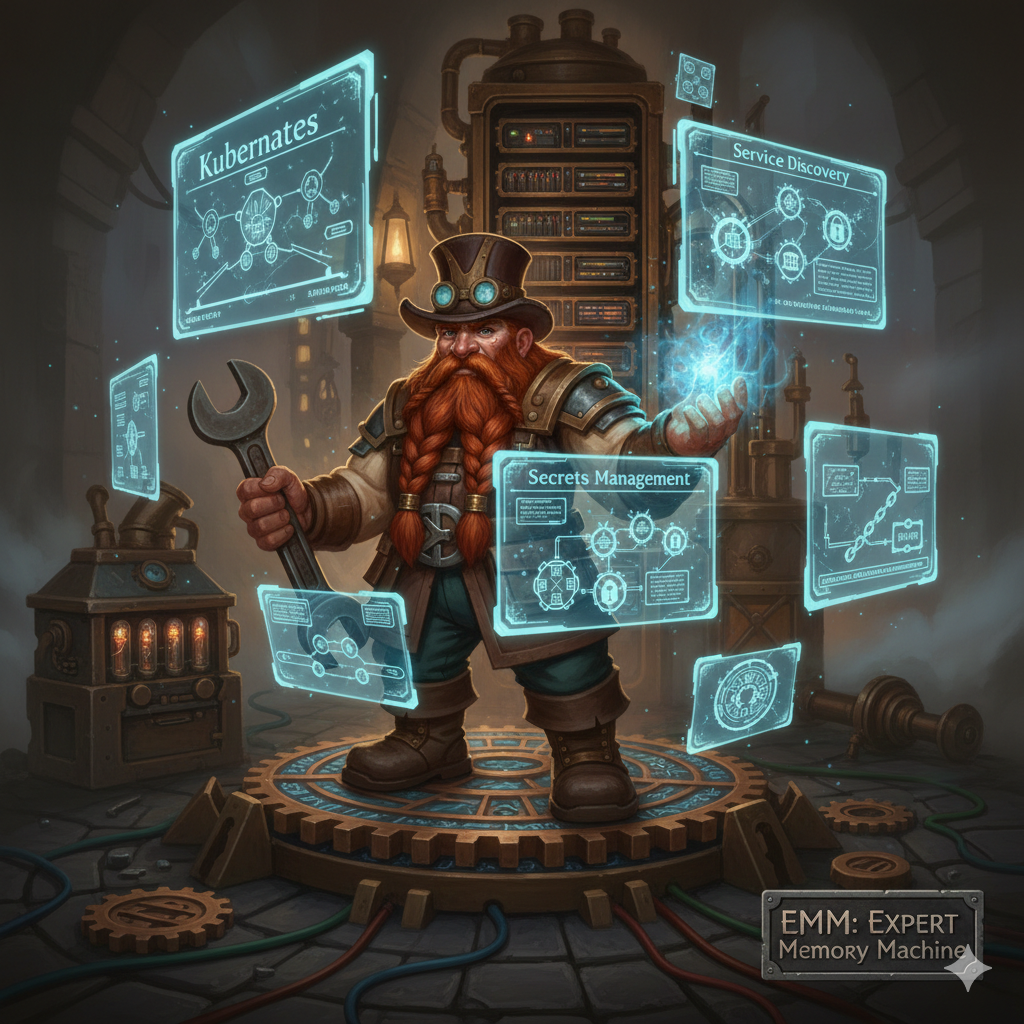
EMM (Expert Memory Machine) почався як локальний experiment. Docker Compose, три containers, 5GB RAM. Працювало. Агенти класифікували файли, зберігали в Obsidian vault, все локально.
Потім настав момент коли треба було scale. Не performance scale (traffic був мінімальний), а operational scale: multiple environments, isolated services, proper monitoring, automated deployments.
Docker Compose для цього не підходить. Kubernetes підходить.
Але перехід з monolith в microservices - це не просто "напиши deployment.yaml і kubectl apply". Виникають питання які в локальній розробці не існували:
Як агенти знаходять MCP services? Service discovery. Де зберігати кеш? In-memory не працює з multiple pods. Куди класти secrets? Environment variables в Git - bad idea. Як робити rolling updates без downtime?
Розповідаю як я розв'язав ці питання. З реальними manifests, помилками, і рішеннями які працюють.
Архітектура до і після
До: Docker Compose monolith
docker-compose.yml:
  ├─ langgraph-api (містить всі агенти)
  ├─ ollama (LLM)
  └─ redis (optional, часто не використовувався)
Проблеми:
- Всі агенти в одному container. Один crash = весь system down.
- MCP handlers - in-process calls. Працює локально, але не масштабується.
- Cache in-memory в MCPClient. Працює для single instance, але втрачається при restart.
- Secrets в .env file. Git-ignored, але треба manually sync між environments.
Після: Kubernetes microservices
Kubernetes cluster:
  ├─ Agent Pods (3)
  │   ├─ confluence-agent
  │   ├─ bookmark-scraper
  │   └─ file-system-agent
  ├─ MCP Service Pods (7)
  │   ├─ jd-classifier-service
  │   ├─ content-classifier-service
  │   ├─ bookmark-classifier-service
  │   ├─ confluence-service
  │   ├─ file-system-service
  │   ├─ web-scraper-service
  │   └─ notifications-service
  ├─ Infrastructure (2)
  │   ├─ redis-cache (StatefulSet)
  │   └─ langgraph-api
  └─ Monitoring (3)
      ├─ prometheus
      ├─ tempo
      └─ grafana
15+ pods замість 3 containers. Здається як overkill. Але кожен pod має чітку відповідальність, легко масштабується, і може fail independently.
Challenge 1: Service Discovery
Локально MCP Client викликав handlers напряму:
# mcp-servers/client.py - local version
def call(self, uri: str, params: dict):
    handler = self._handlers.get(uri)
    return handler(params)  # direct call
Працює. Швидко. Але в Kubernetes агенти і MCP services - різні pods. Direct call не працює.
Треба HTTP.
Рішення: HTTP wrapper + Kubernetes Services
Кожен MCP service став HTTP server:
# mcp-servers/jd-classifier/server.py
from fastapi import FastAPI

app = FastAPI()

@app.post("/get_structure")
def get_structure(request: dict):
    # existing handler logic
    return {"structure": ...}

if __name__ == "__main__":
    uvicorn.run(app, host="0.0.0.0", port=8080)
Kubernetes Service дає stable DNS name:
apiVersion: v1
kind: Service
metadata:
  name: jd-classifier-service
  namespace: agentic-ai
spec:
  selector:
    app: jd-classifier-service
  ports:
  - port: 8080
    targetPort: 8080
MCP Client тепер робить HTTP requests:
# Updated client.py
def call(self, uri: str, params: dict):
    if os.getenv("K8S_MODE") == "true":
        service_name = self._parse_service(uri)
        url = f"http://{service_name}-service:8080/{uri}"
        response = requests.post(url, json=params)
        return response.json()
    else:
        # local mode - direct handlers
        return self._handlers[uri](params)
Environment variable K8S_MODE=true switches між local і Kubernetes mode. Один код, два environments.
Performance impact
HTTP overhead: ~5-10ms per request vs 0ms для direct call.
Але це negligible. Агенти не роблять thousands of requests per second. Typical workflow: 10-50 MCP calls per agent run. 10ms * 50 = 500ms overhead. Acceptable.
Trade-off: 500ms latency за isolation, independent scaling, і fault tolerance. Worth it.
Challenge 2: Distributed Cache
Локально MCPClient мав in-memory cache:
class MCPClient:
    def __init__(self):
        self._cache = {}  # in-memory dict

    def get(self, key: str):
        return self._cache.get(key)
Працює для single process. Але в Kubernetes:
Agent Pod 1 → writes to cache → stored in memory
Agent Pod 2 → reads from cache → MISS (different memory)
Кожен pod має свій memory space. Cache не shared.
Рішення: Redis StatefulSet
Redis - distributed cache. Shared memory між pods.
apiVersion: apps/v1
kind: StatefulSet
metadata:
  name: redis-cache
spec:
  serviceName: redis-service
  replicas: 1
  template:
    spec:
      containers:
      - name: redis
        image: redis:7-alpine
        ports:
        - containerPort: 6379
        volumeMounts:
        - name: redis-data
          mountPath: /data
  volumeClaimTemplates:
  - metadata:
      name: redis-data
    spec:
      accessModes: ["ReadWriteOnce"]
      resources:
        requests:
          storage: 10Gi
StatefulSet замість Deployment тому що Redis потребує persistent storage і stable network identity.
MCPClient підключається до Redis:
import redis

class MCPClient:
    def __init__(self):
        if os.getenv("K8S_MODE") == "true":
            self._cache = redis.Redis(
                host=os.getenv("REDIS_HOST", "redis-service"),
                port=int(os.getenv("REDIS_PORT", "6379")),
                decode_responses=True
            )
        else:
            self._cache = {}  # local fallback
Тепер cache shared:
Agent Pod 1 → writes to Redis → stored in Redis PVC
Agent Pod 2 → reads from Redis → HIT (same Redis instance)
Redis performance
Latency: ~1-2ms для GET/SET в Kubernetes cluster (same AZ).
Cache hit ratio: ~85% для JD structure lookups (frequently accessed).
Memory usage: 50MB для typical workload (5000 files indexed).
Persistence: RDB snapshots every 5 minutes + AOF для durability.
Challenge 3: Secrets Management
Локально secrets в .env file:
CONFLUENCE_BASE_URL=https://...
CONFLUENCE_USERNAME=[email protected]
CONFLUENCE_PASSWORD=super_secret_password
Git-ignored. Manually copied між machines. Not scalable. Not secure.
Kubernetes має Secrets API:
apiVersion: v1
kind: Secret
metadata:
  name: confluence-credentials
  namespace: agentic-ai
type: Opaque
stringData:
  base_url: "https://your-confluence.atlassian.net"
  username: "your-username"
  password: "your-password"
Pods mount secrets as environment variables:
spec:
  containers:
  - name: confluence-service
    env:
    - name: CONFLUENCE_BASE_URL
      valueFrom:
        secretKeyRef:
          name: confluence-credentials
          key: base_url
    - name: CONFLUENCE_USERNAME
      valueFrom:
        secretKeyRef:
          name: confluence-credentials
          key: username
Secrets creation - не комітити в Git
⚠️ ВАЖЛИВО: Не додавай secrets в manifests які йдуть в Git. Використовуй:
Опція 1: kubectl create secret
kubectl create secret generic confluence-credentials \
  --from-literal=base_url="https://..." \
  --from-literal=username="..." \
  --from-literal=password="..." \
  --namespace agentic-ai
Опція 2: External Secrets Operator
apiVersion: external-secrets.io/v1beta1
kind: ExternalSecret
metadata:
  name: confluence-credentials
spec:
  secretStoreRef:
    name: aws-secretsmanager
  target:
    name: confluence-credentials
  data:
  - secretKey: password
    remoteRef:
      key: prod/confluence/password
Secrets зберігаються в AWS Secrets Manager / HashiCorp Vault, не в Git. External Secrets Operator sync'ить їх в Kubernetes.
Опція 3: Sealed Secrets
# Encrypt secret
kubeseal < secret.yaml > sealed-secret.yaml

# Commit sealed-secret.yaml to Git (encrypted)
git add sealed-secret.yaml

# SealedSecret controller decrypts in cluster
Я використовую Опцію 1 для development, Опцію 2 для production.
Challenge 4: Persistent Storage
Obsidian vault і UNSORTED folder - де їх зберігати?
Локально: hostPath (~/vault, ~/unsorted). Працює на laptop.
Kubernetes: pods ephemeral. Коли pod restart, filesystem втрачається.
Рішення залежить від environment
Single-node Kubernetes (development):
hostPath works:
volumes:
- name: vault-storage
  hostPath:
    path: /mnt/data/vault
    type: DirectoryOrCreate
Pod монтує host filesystem. Працює для Minikube, Docker Desktop, single-node k3s.
Multi-node Kubernetes (production):
hostPath не працює - pods можуть schedule'тись на різних nodes.
Треба shared storage:
Опція 1: NFS
volumes:
- name: vault-storage
  nfs:
    server: nfs-server.example.com
    path: /exports/vault
NFS server accessible з всіх nodes. Pods на будь-якому node можуть read/write.
Опція 2: Cloud storage (AWS EFS, Google Filestore)
apiVersion: v1
kind: PersistentVolumeClaim
metadata:
  name: vault-pvc
spec:
  accessModes: ["ReadWriteMany"]
  storageClassName: "efs-sc"
  resources:
    requests:
      storage: 20Gi
EFS - managed NFS від AWS. Zero maintenance. Автоматичне scaling. Cost: ~$0.30/GB/month.
Опція 3: S3 (lakeFS integration)
Для EMM я вибрав hybrid approach: - Development: hostPath (local testing) - Production: S3 через lakeFS (versioning + cloud storage)
File System Agent працює з storage_backend.py abstraction - backend configuration через environment variables.
Challenge 5: Rolling Updates без Downtime
Docker Compose update strategy:
docker-compose down
docker-compose pull
docker-compose up -d
Downtime: ~30 секунд поки containers restart.
Kubernetes має rolling updates:
spec:
  strategy:
    type: RollingUpdate
    rollingUpdate:
      maxSurge: 1
      maxUnavailable: 0
maxUnavailable: 0 означає: не вимикай старий pod до того як новий pod ready.
Процес:
- Kubernetes створює новий pod з новим image
- Новий pod проходить readiness probe
- Коли новий pod ready, traffic switch'ється на нього
- Старий pod gracefully shutdown
- Repeat для кожного replica
Downtime: zero.
Readiness Probes - критично важливі
Без readiness probe Kubernetes одразу routes traffic до нового pod, навіть якщо він ще не готовий. Результат: 500 errors.
З readiness probe:
readinessProbe:
  httpGet:
    path: /health
    port: 8080
  initialDelaySeconds: 10
  periodSeconds: 5
  failureThreshold: 3
Kubernetes чекає поки /health endpoint повертає 200 OK. Тільки тоді routes traffic.
MCP services мають /health endpoint:
@app.get("/health")
def health_check():
    # Check dependencies
    redis_ok = check_redis_connection()
    llm_ok = check_llm_connection()

    if redis_ok and llm_ok:
        return {"status": "healthy"}
    else:
        raise HTTPException(status_code=503, detail="unhealthy")
Якщо dependencies failing, /health повертає 503. Kubernetes не routes traffic до цього pod.
Challenge 6: Resource Limits
Без resource limits pods можуть consume весь cluster memory/CPU.
Content Classifier особливо memory-hungry (LLM inference):
resources:
  requests:
    memory: "2Gi"
    cpu: "1"
  limits:
    memory: "4Gi"
    cpu: "2"
requests: мінімальні resources які Kubernetes гарантує. Scheduler не розмістить pod на node без цих resources.
limits: максимальні resources які pod може використати. Якщо pod exceeds memory limit, Kubernetes kill pod (OOMKilled).
Я встановив limits через profiling:
- Запустив pod без limits
- Monitored memory/CPU usage через
kubectl top pod - Peak memory: 3.2GB (під час batch classification 100 files)
- Set limit: 4GB (20% buffer)
Аналогічно для CPU: peak 1.5 cores, set limit 2 cores.
JD Classifier service - lightweight (тільки YAML parsing):
resources:
  requests:
    memory: "128Mi"
    cpu: "100m"
  limits:
    memory: "256Mi"
    cpu: "500m"
100m = 0.1 CPU core. 128Mi = 128 megabytes. Достатньо для parsing jd.yaml.
Deployment Process - Автоматизація
Я не пишу kubectl apply вручну для 15+ manifests. Автоматизував через scripts.
setup-from-env.sh - Generate Configs
#!/bin/bash
# Reads .env file, generates Kubernetes manifests

source .env

# Generate secret for Confluence
kubectl create secret generic confluence-credentials \
  --from-literal=base_url="$CONFLUENCE_BASE_URL" \
  --from-literal=username="$CONFLUENCE_USERNAME" \
  --from-literal=password="$CONFLUENCE_PASSWORD" \
  --namespace agentic-ai \
  --dry-run=client -o yaml > manifests/01-secrets.yaml

# Generate ConfigMap for JD structure
kubectl create configmap jd-structure \
  --from-file=jd.yaml \
  --namespace agentic-ai \
  --dry-run=client -o yaml > manifests/02-configmap.yaml
--dry-run=client -o yaml генерує YAML manifest без application до cluster. Output redirect в файл.
Результат: secrets і configs в YAML format, готові для kubectl apply.
build-and-deploy.sh - Build Images + Deploy
#!/bin/bash

# Build Docker images
docker build -t agentic-ai/jd-classifier-service:latest \
  -f mcp-servers/jd-classifier/Dockerfile .

docker build -t agentic-ai/content-classifier-service:latest \
  -f mcp-servers/content-classifier/Dockerfile .

# ... build other services ...

# Tag images for registry
docker tag agentic-ai/jd-classifier-service:latest \
  my-registry.com/jd-classifier-service:latest

# Push to registry
docker push my-registry.com/jd-classifier-service:latest

# Apply manifests
kubectl apply -f manifests/00-namespace.yaml
kubectl apply -f manifests/01-secrets.yaml
kubectl apply -f manifests/02-configmap.yaml
kubectl apply -f manifests/03-redis.yaml
kubectl apply -f manifests/04-mcp-services.yaml
kubectl apply -f manifests/05-agents.yaml

# Wait for rollout
kubectl rollout status deployment/jd-classifier-service -n agentic-ai
kubectl rollout status deployment/content-classifier-service -n agentic-ai
Один command: ./deploy/kubernetes/build-and-deploy.sh
Автоматично builds, pushes, deploys. Час: ~5 хвилин для full deployment.
Monitoring - Prometheus + Grafana
Kubernetes дає metrics з коробки, але треба збирати їх.
Prometheus - Metrics Collection
apiVersion: v1
kind: ConfigMap
metadata:
  name: prometheus-config
data:
  prometheus.yml: |
    scrape_configs:
    - job_name: 'kubernetes-pods'
      kubernetes_sd_configs:
      - role: pod
      relabel_configs:
      - source_labels: [__meta_kubernetes_pod_annotation_prometheus_io_scrape]
        action: keep
        regex: true
Prometheus scrapes metrics з pods які мають annotation prometheus.io/scrape: "true".
MCP services expose metrics:
from prometheus_client import Counter, Histogram, generate_latest

requests_total = Counter('mcp_requests_total', 'Total MCP requests')
request_duration = Histogram('mcp_request_duration_seconds', 'MCP request duration')

@app.post("/classify")
def classify(request: dict):
    with request_duration.time():
        requests_total.inc()
        # handler logic
        return result

@app.get("/metrics")
def metrics():
    return Response(generate_latest(), media_type="text/plain")
Prometheus scrapes /metrics endpoint кожні 15 секунд.
Grafana - Visualization
Dashboard queries:
# Request rate
rate(mcp_requests_total[5m])

# Error rate
rate(mcp_requests_total{status="error"}[5m])

# P95 latency
histogram_quantile(0.95, mcp_request_duration_seconds_bucket)

# Memory usage
container_memory_usage_bytes{pod=~".*-service.*"}
Dashboard показує: - Request rate per service - Error rate - Latency P50/P95/P99 - Memory/CPU usage - Pod restarts
Grafana alerting: якщо error rate > 5% або P95 latency > 2s, send Slack notification.
Cost Analysis - Що це коштує
Development environment (Minikube на laptop): $0.
Production environment (managed Kubernetes):
Compute: - 3 worker nodes (t3.medium): $0.0416/hour × 3 × 730 hours = ~$91/month - 15 pods, average 0.5 CPU, 1GB RAM per pod: fits on 3 nodes
Storage: - Redis PVC: 10GB × $0.10/GB/month = $1/month - EFS для vault: 20GB × $0.30/GB/month = $6/month
Networking: - LoadBalancer: $18/month (AWS ELB) - Data transfer: ~$1/month (internal traffic free)
Total: ~$117/month для production-grade Kubernetes deployment.
Alternative (Docker Compose на single VPS): - t3.large instance: $0.0832/hour × 730 = ~$61/month
Kubernetes дорожче ($117 vs $61), але дає: - Zero-downtime deployments - Horizontal scaling - Service isolation - Professional monitoring - Disaster recovery
Trade-off: $56/month за operational peace of mind. Worth it.
Помилки які я зробив
1. Забув readiness probes спочатку
Перший deployment: pods створились, traffic пішов одразу, але services ще не ready. 500 errors через 30 секунд поки services boot'лись.
Fix: додав readinessProbe з initialDelaySeconds: 10. Kubernetes тепер чекає.
2. Resource limits занадто низькі
Content Classifier service постійно OOMKilled (Out Of Memory). Pod restart, traffic loss, errors.
Причина: LLM inference потребує 3GB memory, а я встановив limit 1GB.
Fix: profiling через kubectl top pod, збільшив limit до 4GB. Problem solved.
3. Redis без persistence
Перший Redis deployment був Deployment без PVC. Коли Redis pod restart, весь cache втрачений.
Fix: змінив на StatefulSet з PVC. Cache persists across restarts.
4. Secrets в Git (initial commit)
Спочатку я закомітив secrets.yaml з реальними passwords. Потім зрозумів що це public repo.
Fix:
1. git filter-branch для видалення secrets з history (це pain)
2. Regenerated всі passwords
3. Додав secrets.yaml в .gitignore
4. Використовую kubectl create secret замість YAML files
Lesson learned: ніколи не комітьте secrets. Never.
Висновки з production deployment
Kubernetes deployment для AI-агентів - це not trivial. Виникають питання які в локальній розробці не існували:
Service discovery → HTTP wrapper + Kubernetes Services
Distributed cache → Redis StatefulSet
Secrets management → Kubernetes Secrets API + External Secrets Operator
Storage → NFS/EFS для multi-node, hostPath для single-node, S3 для production
Rolling updates → maxUnavailable: 0 + readiness probes
Resource limits → Profiling + 20% buffer
Monitoring → Prometheus metrics + Grafana dashboards
Deployment process автоматизований через scripts. Один command deploys 15+ services.
Cost: ~$117/month для production cluster vs $61/month для single VPS. Trade-off: operational reliability за extra $56/month.
Mistakes: забув readiness probes, resource limits занадто низькі, Redis без persistence, secrets в Git. Fixed через iterations.
Для EMM transition з Docker Compose в Kubernetes зайняв 2 тижні. Development, testing, deployment, monitoring setup. Результат: zero-downtime updates, isolation, scaling готовий.
Якщо будуєте multi-service AI platform - Kubernetes дає flexibility і reliability. Початковий setup складніший, але long-term operational benefits окупаються.
Related: Версіонування даних в AI-агентах з lakeFS, Розробка та тестування AI-агентів
Author: Igor Gorovyy
Role: DevOps Engineer Lead & Senior Solutions Architect
LinkedIn: linkedin.com/in/gorovyyigor
Deployment summary
Environment: Kubernetes 1.28+
Services: 15 pods (3 agents, 7 MCP services, 5 infrastructure)
Storage: Redis (10GB PVC), EFS (20GB for vault)
Cost: ~$117/month (production), $0 (development)
Deployment time: 5 minutes (automated script)
Uptime: 99.9% (zero-downtime rolling updates)