AI sovereignty: your own model on DGX Spark instead of an API
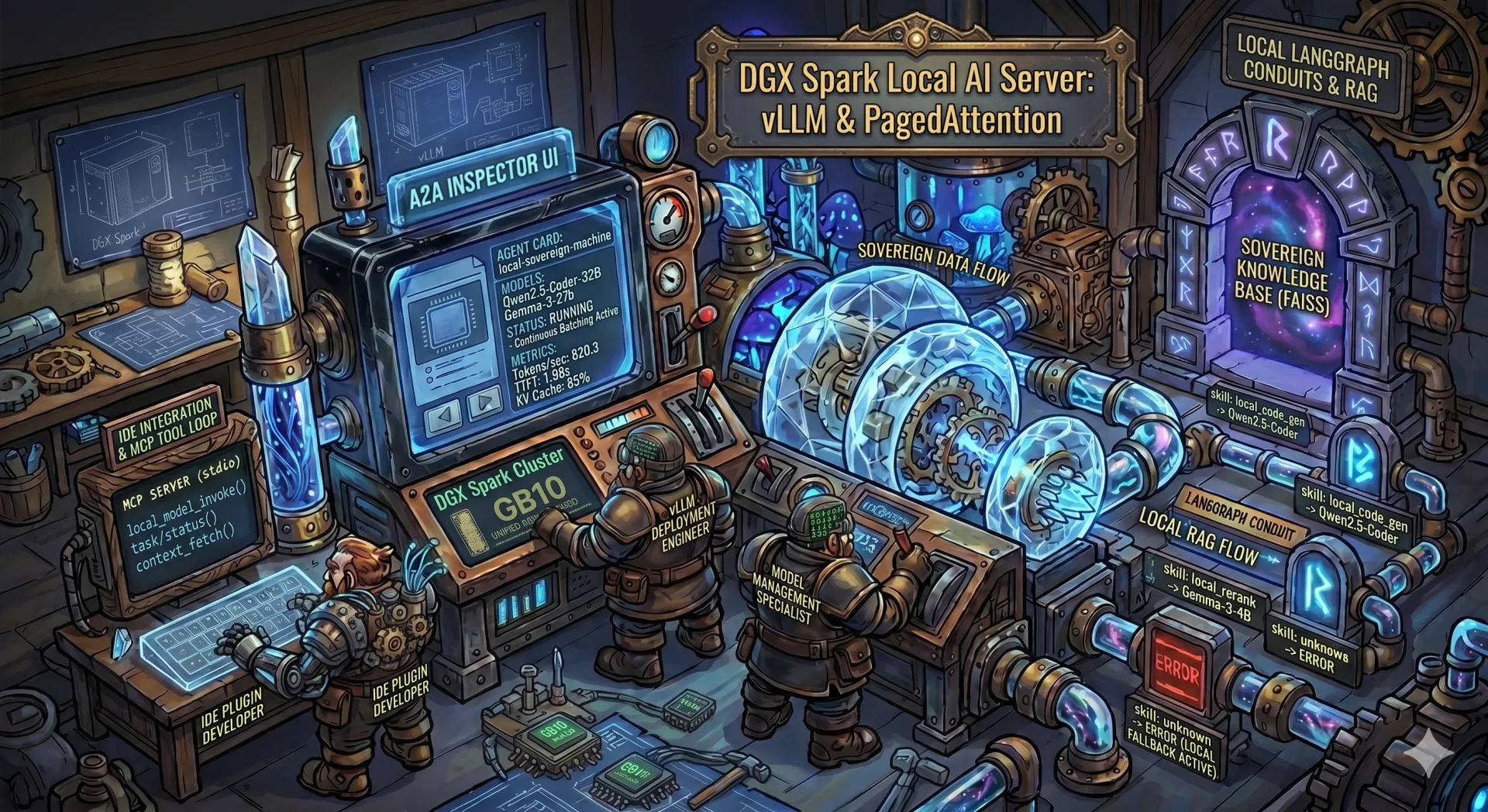
Why even think about this
Paying OpenAI, Anthropic or Google for API calls is convenient. Right up until the moment you start:
- sending personal customer data through someone else's servers;
- staring at the monthly bill and counting how many tokens per day that really is;
- depending on the vendor not deprecating your model tomorrow or raising the price;
- trying to work on a plane, on a train, or in an office with no internet.
All four hit me at the same time. So I bought an NVIDIA DGX Spark and put vLLM on it as a local OpenAI-compatible server. Below is what came out of it, where I stepped on rakes, and why this is still not a "just install and use" story.
Upfront disclaimer: if you need GPT-5 quality, you will not get it locally. This post is about open-weights models in the 30-70B range with decent quality for your own tasks, not about replacing frontier models.
What DGX Spark is in practice
DGX Spark is a small box built around GB10 Grace-Blackwell. The parts that actually shape the code:
| Spec | Value |
|---|---|
| GPU | NVIDIA GB10, compute capability sm_121 |
| Memory | 121 GB LPDDR5X, unified with CPU |
| CPU | ARM Cortex-X925 + A725, 20 cores |
| Architecture | aarch64 (not x86, not Tegra) |
| CUDA | 13.0 |
| OS | Ubuntu on an NVIDIA kernel |
Here is the thing. There is no separate VRAM. CPU and GPU share one LPDDR5X pool. Which means nvidia-smi prints Memory-Usage: Not Supported, and if you want to know how much memory is actually free, you do this:
import torch
free, total = torch.cuda.mem_get_info(0)
Unified memory has an upside: host to device copies are almost free. But there is a downside too: any fat CPU process eats the same memory the model needs. And tensor_parallel_size > 1 is pointless, there is exactly one GPU.
Ollama, Ollama server, vLLM: which one to pick
Before jumping onto vLLM I spent half a year on Ollama. A short comparison of what actually differs between them in practice.
| Criterion | Ollama (desktop) | Ollama server mode | vLLM |
|---|---|---|---|
| Barrier to entry | brew install and you are done |
systemd unit or a container | pip, you need the right .whl package under CUDA |
| Model format | GGUF (llama.cpp) | GGUF (llama.cpp) | HF safetensors (full precision, AWQ, GPTQ) |
| API | OpenAI-compatible (partially) + own API | same, over HTTP | OpenAI-compatible, covers more endpoints |
| Request batching | sequential, one by one | sequential | continuous batching, parallel requests without losing throughput |
| Speed on a single request | decent | decent | faster on large contexts and long generations |
| Speed under load | drops linearly | drops linearly | handles 5-10x more concurrent requests |
| KV cache | basic | basic | PagedAttention, efficient memory use |
| Prefix caching | no | no | yes, cuts TTFT on repeated prefixes |
| Quantization | Q4/Q5/Q8 GGUF out of the box | same | AWQ, GPTQ, FP8; GGUF via extra builds |
| Monitoring | zero | basic health | Prometheus /metrics with TTFT, TPOT, throughput, cache hit |
| Memory management | auto release | auto release | explicit --gpu-memory-utilization, keeps the model resident |
| Install on DGX Spark (aarch64 + CUDA 13) | works right after brew/the official installer |
works right away | you have to hand-pick .whl packages for aarch64 + cu130, otherwise it crashes on import (details below) |
This is why I switched. On a single request the difference is small. But when you have chat, IDE autocomplete, an embedding pipeline and a one-off script all hitting the model at once, Ollama starts queueing them. vLLM, thanks to continuous batching and PagedAttention, serves them in parallel and gives you metrics that actually show where the bottleneck is.
Now the downside. vLLM:
- is harder to install, especially on unusual hardware (like mine);
- ships no convenient model management (no
ollama pull qwenthat just works); - eats more memory "while idle", because it holds the cache and preallocation;
- for a single-user home chat with one model, Ollama is still the better pick.
So I am not saying "vLLM always wins". It wins when you have multi-user workloads or need production-grade metrics. For "just had a chat with a model in the evening", Ollama is friendlier.
By the way, the first thing I did on a fresh Spark was remove Ollama:
sudo systemctl stop ollama
sudo systemctl disable ollama
sudo rm -f /usr/local/bin/ollama /etc/systemd/system/ollama.service
rm -rf ~/.ollama
It was sitting in the background and nibbling GPU memory I wanted to give to vLLM. Unified memory does not forgive that kind of roommate.
vLLM rule number one: the right .whl file
A short aside for readers who do not live in Python daily. When you run pip install torch, pip downloads not source code but a prebuilt binary package with a .whl extension (a wheel). For PyTorch there are dozens of these builds: different Python versions (cp310, cp312, cp313), different CPU architectures (x86_64, aarch64), different CUDA versions (cu121, cu124, cu130). If pip picks the wrong one, you only find out at import time when it crashes.
That is why this matters. If you just do pip install torch on DGX Spark, you will most likely get one of two things:
- a
.whlforx86_64, which on aarch64 dies withIllegal instruction; - a
.whlforcu121orcu124, which on CUDA 13 dies withundefined symbol: cuTensorMapEncodeTiled.
The working combination is aarch64 + cu130. Not every package on PyPI has such builds. I pull them from the official PyTorch index:
pip install torch --index-url https://download.pytorch.org/whl/cu130
In my project's requirements.txt I pinned exactly what is tested on this machine:
vllm==0.19.0+cu130
huggingface_hub[cli]==1.11.0
fastapi==0.135.3
uvicorn==0.44.0
sse-starlette==3.3.4
Python, by the way, is 3.12. You will be tempted to move to 3.13, but not every +cu130 package has a cp313 build (that is the Python 3.13 tag in the filename). Check before you upgrade.
Rule two: LD_LIBRARY_PATH is mandatory
The problem is narrower than it sounds. Even with the right .whl packages, torch on this box will not find the system CUDA libraries on its own. Before any import torch or import vllm you must prepend:
/usr/lib/aarch64-linux-gnu/libcusparseLt/13
/usr/lib/aarch64-linux-gnu/nvshmem/13
/usr/local/cuda-13.0/targets/sbsa-linux/lib
/usr/lib/aarch64-linux-gnu
In exactly that order. Without it you get either libcusparseLt.so.0: cannot open shared object file, or a silent failure on nvshmem. I hardcoded this into run_webapp.py and into the code that spawns vLLM processes:
_cuda_libs = [
    "/usr/lib/aarch64-linux-gnu/libcusparseLt/13",
    "/usr/lib/aarch64-linux-gnu/nvshmem/13",
    "/usr/local/cuda-13.0/targets/sbsa-linux/lib",
    "/usr/lib/aarch64-linux-gnu",
]
os.environ["LD_LIBRARY_PATH"] = ":".join(_cuda_libs) + ":" + os.environ.get("LD_LIBRARY_PATH", "")
When I launch a vLLM server as a child process from the web UI, I pass this LD_LIBRARY_PATH into the child environment explicitly. Otherwise the child has a fair chance of not coming up.
Ollama did not need this, by the way, because it statically links with llama.cpp and does not touch system CUDA. vLLM goes through PyTorch and system libraries, so you have to chase every dependency.
Rule three: you can live with the sm_121 warning
On import torch you will see:
UserWarning: Found GPU0 NVIDIA GB10 which is of cuda capability 12.1.
Minimum and Maximum cuda capability supported by this version of PyTorch is (8.0) - (12.0).
PyTorch 2.10 officially supports up to sm_120. GB10 is sm_121. In practice it works: kernels run via PTX JIT or fall back to sm_120. For vLLM inference this is stable.
But if you compile your own CUDA extensions (xformers from source, bitsandbytes, apex), PTX fallback may not kick in. So:
- for inference of open models through vLLM, you are fine;
- for training with custom optimizers you either wait for official sm_121 support or rebuild by hand with
TORCH_CUDA_ARCH_LIST="12.1".
vLLM as an OpenAI-compatible server
Once the deps are in place, starting a model is a single command:
python -m vllm.entrypoints.openai.api_server \
  --model Qwen/Qwen2.5-Coder-32B-Instruct \
  --dtype auto \
  --port 8000 \
  --max-model-len 8192 \
  --tensor-parallel-size 1 \
  --gpu-memory-utilization 0.9
After that, http://localhost:8000/v1/chat/completions exposes the same API OpenAI does. My VS Code with Continue, Cursor with a custom endpoint, Open WebUI, any client that speaks the OpenAI protocol, all work unchanged. You just point them at your base URL and a dummy key.
That is the whole point. You do not rewrite the clients, you replace the backend.
There are limits worth stating:
- One big model at a time. For a 30-35B model in bf16, yes, nothing else fits. But several small services (a coder model + a reranker + an embedder) can coexist if you budget memory carefully. There is a dedicated section below on running 3 models at once.
- Cold start is 5-10 minutes. The first launch of a model compiles the Triton and FlashInfer caches. After that, restarts are fast, caches live in
~/.tritonand~/.cache/flashinfer. - 30B is the practical ceiling for a single model on this box in bf16. 70B in quantization also fits, but with shorter context.
A web UI for management
CLI scripts are fine as long as you are alone. When I want to switch models from my laptop, or just see what is running and how much it is eating, CLI gets old fast. Ollama has Open WebUI and ollama list itself. vLLM ships nothing like that. So I wrote a thin FastAPI layer.
What it does:
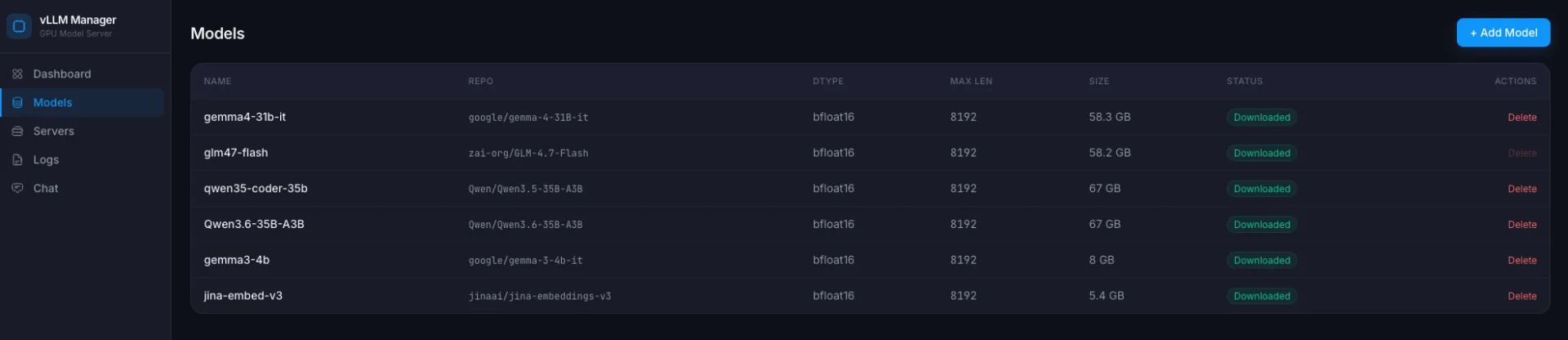
- lists model profiles from Hugging Face (add / remove / download);
- starts / stops a vLLM server for a chosen model;
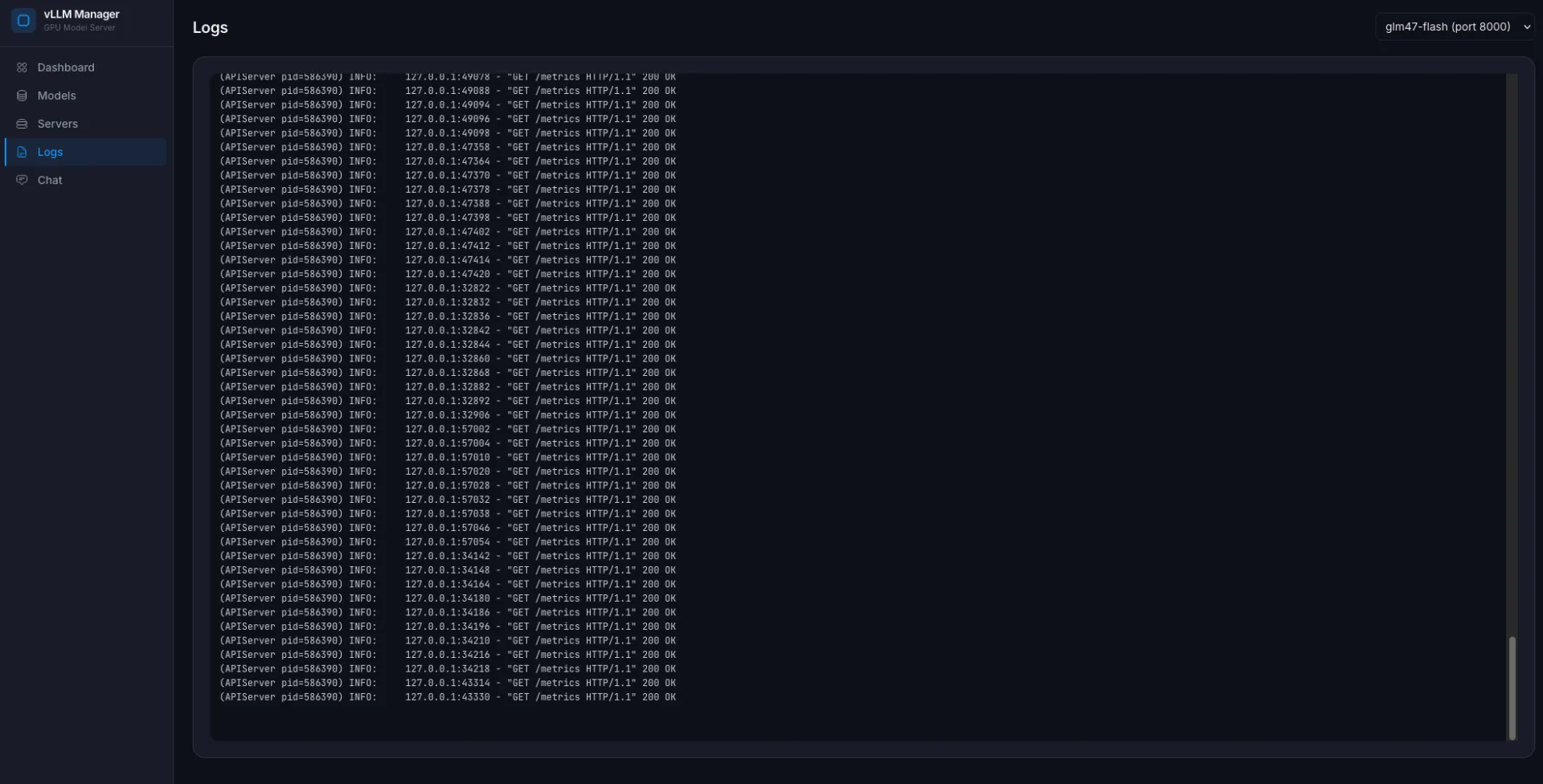
- streams download and startup logs into the browser via SSE;
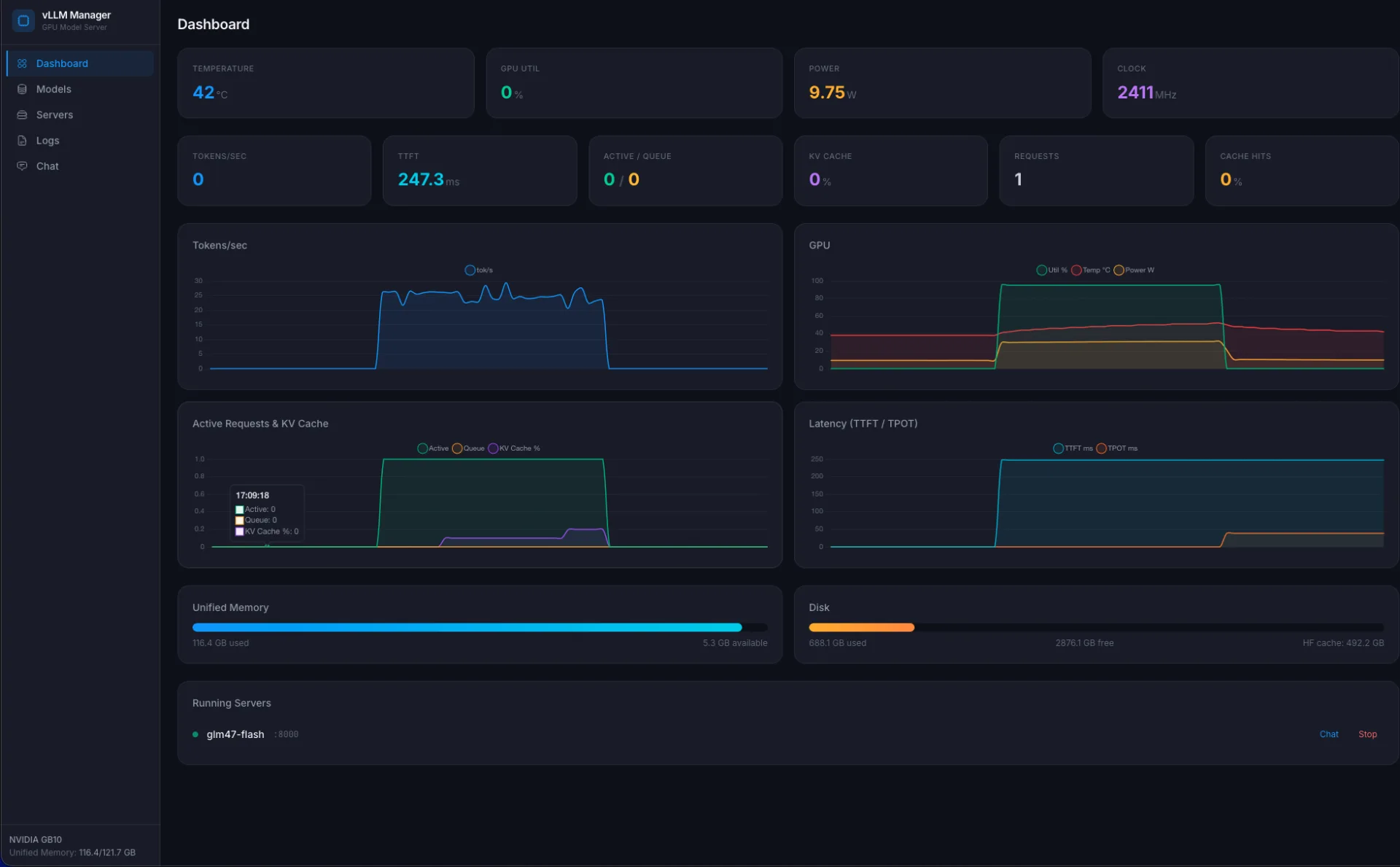
- shows GPU metrics (temperature, power draw, utilization), memory and disk;
- reads vLLM
/metricsand shows tokens/sec, TTFT, TPOT, cache hit rate; - a chat window that proxies into the local vLLM over the OpenAI API.
The stack is simple: FastAPI + sse-starlette for streams, psutil for host metrics, httpx for hitting vLLM /metrics and /v1/chat/completions. The frontend is Alpine.js + Chart.js, no bundlers, a single 30 KB HTML file.
What it looks like
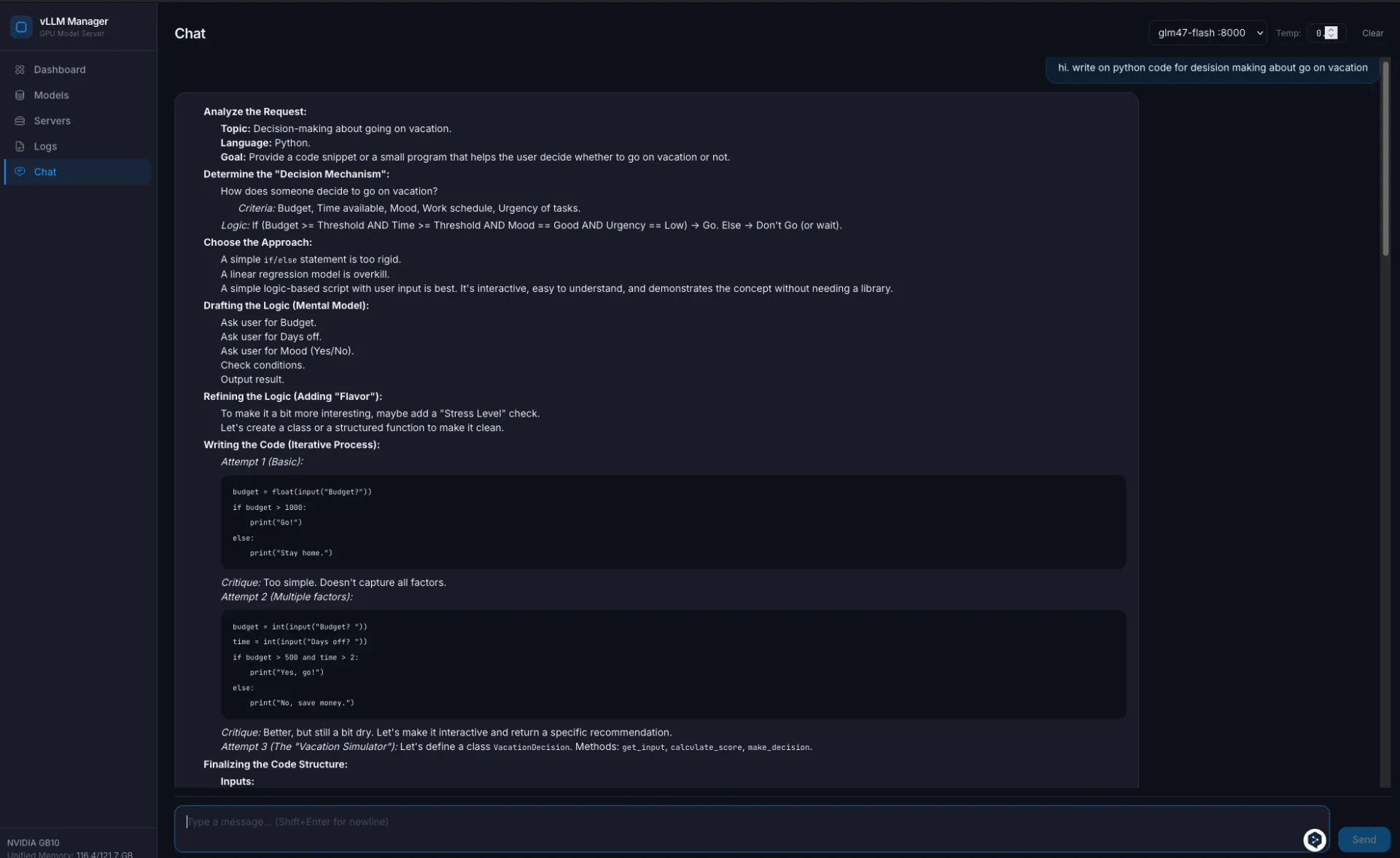
Structure
webapp/
  main.py          routers and static
  core.py          all the logic (configs, subprocess, GPU, metrics)
  models.py        Pydantic DTOs
  routers/
    profiles.py    profile CRUD
    downloads.py   hf download + SSE progress
    servers.py     start/stop + /health + startup stream
    logs.py        tail -f over SSE
    gpu.py         GPU/memory/disk + inference metrics
    chat.py        proxy to the OpenAI API
  static/
    index.html     one-pager on Alpine
All file and process work sits in a single core.py. Routers are thin wrappers. When I want something new, I edit one function in one place.
How download progress is streamed
The Hugging Face CLI writes progress lines to stderr. I start a child process, read both streams into an asyncio.Queue, and the client subscribes via Server-Sent Events:
async def download_model(name: str, queue: asyncio.Queue):
    cmd = [str(VENV_HFCLI), "download", model["repo"]]
    proc = await asyncio.create_subprocess_exec(
        *cmd,
        stdout=asyncio.subprocess.PIPE,
        stderr=asyncio.subprocess.PIPE,
    )
    # read both stdout and stderr; every line into the queue
    ...
    await queue.put(None)  # sentinel that closes the stream
Plain EventSource on the frontend. No WebSockets, no polling.
How I refuse to run two models at once
Memory is a single pool. So before starting a new server I look at what is already running:
def start_server(model_name, port, gpu_memory_utilization=None):
    running = list_servers()
    if running:
        names = ", ".join(s.model_name for s in running)
        raise RuntimeError(
            f"Server already running: {names}. Stop it before starting a new one."
        )

    model_size = get_model_size_gb(model["repo"])
    if model_size:
        free_gb = get_gpu_free_memory_gb()
        if free_gb is not None and model_size > free_gb:
            raise RuntimeError(
                f"Not enough GPU memory: model needs ~{model_size} GB "
                f"but only {free_gb:.0f} GB free"
            )
list_servers looks at its own servers.json and also at ps for stray vllm.entrypoints.openai.api_server processes. If someone started vLLM outside my web layer, I see it as external-<pid> and can stop it.
Killing vLLM is not a single SIGTERM
Here is what I learned the hard way. vLLM 0.19 runs VLLM::EngineCore as child processes. A plain SIGTERM to the parent sometimes leaves them orphaned, and GPU memory stays pinned. So stop is:
- SIGTERM on the tracked PID;
- wait 30 seconds;
- SIGKILL if it did not die;
- walk
/proc, find anyVLLM::EngineCoreowned by my user, kill them separately.
Without the last step you kill the parent, launch a new model, and get CUDA out of memory on a model that should easily fit. Classic. Ollama never had this, it runs a single clean process.
Metrics: how I know it is actually working
vLLM exposes a Prometheus-style /metrics endpoint. I do not need a full Prometheus for a single host, so I parse the text myself:
def _parse_metric(name: str, text: str) -> float:
    val = 0.0
    for line in text.split("\n"):
        if line.startswith(name + "{") or line.startswith(name + " "):
            parts = line.rsplit(" ", 1)
            if len(parts) == 2:
                try:
                    val = float(parts[1])
                except ValueError:
                    pass
    return val
From that I pull vllm:generation_tokens_total, vllm:num_requests_running, vllm:kv_cache_usage_perc, plus sums and counts from histograms for TTFT and TPOT. Tokens/sec is a timed delta. The frontend is Chart.js with the last 120 points.
For GPU I take what nvidia-smi --query-gpu=...,noheader,nounits returns: temperature, utilization, power draw, performance state. GPU memory, as I mentioned, comes from torch.cuda.mem_get_info in a short spawned Python process (because the web layer itself deliberately does not import torch).
And this is the real difference from Ollama. It has no such metrics at all. If you care which part is slowing generation (prefill vs decode), or how much KV-cache is really free, vLLM answers right away.
Benchmarks: how I actually compare models
The first attempts were ad-hoc: start, ask, look at the stopwatch. Numbers bounced 20-30%, zero trust. So I moved everything onto vllm bench serve. This is the standard tool from the vLLM team, it handles warmup, catches steady-state, computes latency percentiles and outputs JSON that is easy to aggregate.
The workload is fixed so that numbers can be compared across models:
--dataset-name random, 512 input / 256 output tokens;--num-prompts 100,--request-rate infso the bench pressures the system, not the other way around;- I deliberately skip ShareGPT: different tokenizers produce different token counts from the same text, and throughput stops being comparable.
Methodology went through three iterations:
| Version | Change | Why |
|---|---|---|
| v1 | First pass | Gave a result, but revealed a suspiciously large gap between Qwen3.5 and Qwen3.6 |
| v2 | NUM_WARMUPS=5, aligned the Qwen3.6 profile (dtype=bfloat16, max_model_len=32768) |
Removed JIT cold-start and dtype asymmetry |
| v3 | NUM_REPEATS=3 + median |
Instead of one shaky number, now three runs and a median |
The driver script and scheduled runs
Everything is controlled by one shell script, /home/igogo/vllm-tools/bench_models.sh. It:
- reads the model list from
~/.config/vllm-models/models.json; - for each model, starts vLLM via my
vllm_models.py serveand waits for health; - inside a single server session, runs
vllm bench serveN times (steady-state, no reload between repeats); - computes the median with
jq, appends one row to~/.config/vllm-models/benchmarks/summary.csv; - stops the server and moves to the next model;
- keeps per-run JSON for audit (
BENCH_KEEP=20); - has an
--if-idleflag that exits with code 0 if something is already running on the box.
On a systemd user timer this looks like:
~/.config/systemd/user/vllm-bench.service, oneshot, invokesbench_models.sh --if-idle, 3h timeout;~/.config/systemd/user/vllm-bench.timer,OnCalendar=Sun 04:00,RandomizedDelaySec=30m,Persistent=true.
Every Sunday night it walks all the models if the GPU is idle. If I happen to be running something, it exits cleanly and does not kill my work. Status checks: journalctl --user -u vllm-bench.service and systemctl --user list-timers vllm-bench.timer.
v3 results (median of 3, 2026-04-18)
| Model (local profile) | output tok/s | total tok/s | TTFT median | TTFT p99 | TPOT median |
|---|---|---|---|---|---|
| glm47-flash | 337.2 | 1011.5 | 1.98 s | 2.30 s | 289 ms |
| qwen35-coder-35b | 273.4 | 820.3 | 8.04 s | 17.22 s | 325 ms |
| qwen36-35b-a3b | 270.9 | 812.7 | 8.18 s | 16.96 s | 331 ms |
| gemma4-31b-it | 81.5 | 244.5 | 22.38 s | 33.26 s | 910 ms |
What this shows:
- The GLM flash variant leads by a noticeable margin. Earlier runs gave it a ~7s TTFT, but after warmup it dropped to 2s, so the first pass was a startup artefact.
- The two Qwen models are tied within 1%. The v1 gap was not architecture, it was
dtype=auto+max_model_len=8192+ missing warmup on one of them. If someone shows you model X winning over Y without warmup and fixed profiles, that is most likely noise. - Gemma 4 at 31B is dense, the Qwen models are MoE with 3B active per token. The 3x gap is architectural, not a config issue. Expected.
Variance across repeats is about 1%. The bench is reproducible, numbers are trustworthy within that noise floor.
Quality (how useful the answers actually are for my tasks) I deliberately keep out of the automated bench. Throughput and TTFT you can measure without a human. Quality needs a separate eval set, still working on that.
What I got out of it
- A set of profiles for the models above, I switch them through the web UI per task.
- Qwen Coder 32B in Cursor as a
Custom OpenAI endpoint, Gemma 3 27B for chat, Llama 3.3 70B AWQ for harder reasoning. - My OpenAI bill dropped by roughly 80%. Mostly GPT-5 is left for frontier tasks.
- Customer data never leaves my box.
- Parallel calls from Cursor, Continue and my own scripts no longer queue, vLLM batches them.
The economics: what this really costs
To keep the "sovereignty is free" impression in check, here is the arithmetic. Numbers are as of April 2026, double-check current pricing before you buy.
Upfront, hardware
- DGX Spark Founders Edition (128 GB, 4 TB NVMe), around $3,999 MSRP. Hard to find in stock, resellers sometimes add 15-20% on top.
- A 500-700 W UPS (so you do not lose the Triton compile during a power blip), ~$150-300.
- A 10 GbE setup if you want more than Wi-Fi: small switch plus cables, ~$200-300.
- An extra NVMe drive for the HF cache, models weigh 20-60 GB each, you easily hit 500 GB+. ~$120 for 2 TB.
- Room cooling, if the box lives in a small room it will heat it. In my case no extra spend was needed.
Total upfront comes out to about $4,500.
Monthly, electricity
- Under load a Spark draws about 240 W. At idle, ~60 W.
- My realistic duty cycle is 30-40% (work, coffee, meetings, sleep).
- Monthly consumption is roughly 60-80 kWh.
- My rate in Kyiv (April 2026) is about 4.3 UAH per kWh, roughly $0.10.
- That comes to $7-10 per month for power.
- For comparison: in Germany at ~$0.30 per kWh, this would be $20-25 per month.
The API bill I stopped paying
Approximate April 2026 pricing, always check official tables:
| Provider / plan | Price | When I use it |
|---|---|---|
| OpenAI GPT-4o Mini | $0.15 / $0.60 per 1M tokens | Cheap bulk tasks |
| OpenAI GPT-5 (or equivalent) | ~$3 / ~$15 per 1M tokens | Most "serious" code work |
| Claude Sonnet 4.6 | $3 / $15 per 1M | Alternative for code and docs |
| Claude Opus 4.7 | $15 / $75 per 1M | Frontier, rarely |
| Cursor Pro | $20/month | Limits run out fast if you code daily |
| Cursor Business | $40/month/user | Team tier |
My break-even, with real numbers
Before the move my monthly bill looked like this:
- Cursor Business, $40;
- OpenAI API directly for scripts and agents, $80-150;
- Claude API for docs and RAG, $50-100.
Total was $170-290 per month, averaging around $220.
After Spark:
- Cursor Pro (not Business), $20, for frontier tasks via a tunnel;
- API traffic for things I do not want to run locally, $30-50;
- Electricity, ~$10.
Total $60-80 per month. Savings are roughly $150 per month.
With $4,500 upfront, break-even lands at ~30 months, about 2.5 years. Purely in dollars that is a long wait. For me the real driver is data sovereignty and offline capability. Savings are a nice side effect, not the main reason.
Bottom line: if your API bill was under $150-200 per month, Spark will not pay back financially. It is for people already burning through paid tokens and tired of it for privacy reasons.
3-5 Spark cluster, the numbers
- 3 boxes, ~$12,000 just for hardware. Add a 100-200 GbE QSFP switch, ~$2,000-5,000. Add cables, rack, PDU, another ~$1,000.
- 5 boxes, ~$20,000 + ~$5,000 for the network.
- Power under load for 5 nodes is up to 1.5 kW from the wall. In Kyiv that is ~$40/month, in Germany up to $150.
Cluster economics start to make sense if:
- a team of 20+ people shares one model, where the combined API bill would be $2-5K/month;
- or you have a hard no-data-outside-premises constraint and privacy outweighs money.
For one person a cluster is overkill. A single box covers individual workloads with room to spare.
Where it does not pay off
- If you need GPT-5 level quality, DGX Spark will not fix that. Frontier quality still comes through the API.
- A 5-10 minute cold start is not a fit for rare one-off queries. You have to keep the process resident.
- One GPU equals one model. If you juggle several, expect downtime during switches.
- The hardware costs real money. Break-even against API spend lands somewhere around 6-12 months of heavy use, depending on your profile.
- Quantized 70B models require more patience and give you less context. That is a real trade-off, not marketing.
- If all you need is "launch it and talk to it" for a single person, Ollama does that with less friction. vLLM starts to pay off when you share the model across several clients or run batch pipelines through it.
Three models at once on one box
Earlier I said "one model at a time". That is true for the case of a 30-35B model in bf16. But in a real workflow you often need not one fat model but three services of different sizes:
- a coder for the IDE (Qwen Coder 35B in MoE/A3B);
- a reranker for RAG (Gemma 3 4B). Quick explainer: after a fast vector search you get a list of 10-50 candidates. A reranker is a model that takes the pair "query + each candidate" and reorders them by real relevance. It is more accurate than cosine similarity on embeddings, but slower, so it only runs on the final shortlist;
- an embedder for vector search (Jina v3 or BGE-M3).
With a careful memory budget it fits:
| Service | Port | Engine | gpu_memory_utilization |
Approx footprint |
|---|---|---|---|---|
| coder (Qwen 35B A3B) | 8000 | vLLM | 0.70 | ~85 GB |
| reranker (Gemma 3 4B) | 8001 | vLLM | 0.15 | ~18 GB |
| embedder (Jina v3) | 8002 | TEI (Docker) | - | ~5 GB |
| Total used | ~108 GB / 121 GB | |||
| OS, webapp, buffers | ~13 GB |
Tight, but it works. The key is that --gpu-memory-utilization is set explicitly on each vLLM and the sum does not exceed ~0.85. And I deliberately do not run the embedder through vLLM.
Why the embedder goes through TEI instead
vLLM is generative by nature, it is not optimized for embedding models. For that there is Hugging Face Text Embeddings Inference (TEI), deployed in Docker. On batch workloads TEI is 2-3x more efficient because it does exactly what it was built for: an embedding matrix with no autoregression, no KV cache, no sampler.
Trade-offs worth knowing
- The bottleneck is now compute, not memory. One Blackwell chip, one shared pool of SMs. When the coder is in a hot batch and the classifier is grinding, SM contention hits TPOT on the coder. During bulk classification code generation gets slower.
- The LPDDR5X bus is also shared. The embedder is cheap, the reranker competes with the coder for bandwidth.
- A practical rule: run bulk classification imports overnight as a batch. The embedder and reranker can stay up all the time (near-zero idle cost), only bring up the coder when you are actually coding. That way they do not step on each other.
The CLI limitation I have not yet fixed
vllm_models.py still holds a single PID file and only lets you run exactly one server. Starting two models means either going through the webapp (its servers.json plus start_server in webapp/core.py already supports multi-server), or launching the second vLLM engine directly with python -m vllm.entrypoints.openai.api_server ....
Bringing the CLI up to parity with the webapp is a small separate TODO. If your deployment is CLI-first, it is worth doing, otherwise running multiple models by hand is clunky.
The file classifier: the real use case behind all this
Now, why keep three services up at once. I have a personal archive of documents that has been piling up for years. It needs to be sorted into the hierarchical taxonomy from jd.yaml (part of agentic-ai-landing-zone): ~400 leaf classes, three levels deep, categories from "10 Finance" to "55 Woodcarving", content in EN / UK / RU, files ranging from short titles to multi-KB PDFs.
Why fine-tuning a classic encoder is wrong here
- 400 classes × ~50 examples per class is 20K hand-annotations. I do not want to do that.
- Class overlaps: Elasticsearch lives under both Databases/Search and DevOps. ClickHouse too. A fixed-label classifier will choke on those conflicts.
- Adding a new class would require re-training. The taxonomy is a living thing, that is not OK.
The architecture: retrieval + rerank
Two stages.
Stage 1, semantic retrieval. Once, I flatten jd.yaml into strings with hierarchical context (for example, "10.06.03 Finance / Expenses / Food - grocery receipts, restaurant bills"). All ~400 labels get embedded and dropped into FAISS (in-process). For every file I take filename + the first 4KB of content, embed it, and pull the top-5 candidates by cosine similarity.
Stage 2, LLM reranker (only when needed). In classic RAG a reranker is a small dedicated model (like bge-reranker-v2-m3) that takes a "text + candidate" pair and returns a relevance score. Here I replace that dedicated model with a small LLM so it does not only reorder candidates but also explains the pick and returns a confidence level. The logic is simple: if top1_score - top2_score > 0.15, I take top-1 directly and bother nobody. Otherwise a small LLM gets the file excerpt + 5 candidates + their descriptions and picks one. The rerank step fires on roughly 20-30% of files.
Model choices
Embedder, the critical link, because it has to handle EN + UK + RU and a reasonably long context:
jina-embeddings-v3(570M, 8K context, 100+ languages) by default. Good task-specific prompting and decent multilingual.- BGE-M3 as an alternative (also 8K, dense+sparse+multivec).
- mE5-large is faster, but only 512 tokens of context, which means chunking longer documents.
Reranker:
google/gemma-3-4b-itas the main pick for UK/RU quality in the 1-5B range.- Qwen3-4B is faster, but weaker on UK/RU.
- Qwen3-1.7B if the reranker is rarely called and speed matters.
What needs cleaning up in jd.yaml before deployment
If the taxonomy is leaky, any classifier will work poorly. My pre-deploy checklist:
- resolve duplicates (Elasticsearch in two branches, ClickHouse in two branches, IAM in two branches);
- remove or merge empty subtrees (
47 Observabilityvs46.13 Monitoring); - start at level-2 (
10.06 Expenses, not10.06.03 Food) and deepen gradually. Long-tail leaves rarely match confidently at the start, they only add noise.
Expected throughput on GB10
- Embedder through TEI with batching, ~1000-2000 texts/sec.
- kNN across 400 vectors, effectively instant.
- LLM rerank, when it fires, ~40 files/sec.
- Weighted (~70% of files handled by embedding alone), this works out to ~300-800 files/sec.
So running the whole archive of hundreds of thousands of documents takes one evening. And this is exactly the case that justifies keeping three models up simultaneously instead of switching.
Small models for classification: a reference
When you need something fast for text labeling, here is what I keep in mind (the specific taxonomy above is a separate conversation).
Encoders (fastest and most accurate when you have labels)
| Model | Params | When to pick |
|---|---|---|
| ModernBERT-large | 395M | English, 8K context, current SOTA among encoders |
| DeBERTa-v3-large | 435M | English, classic GLUE/MNLI leader |
| mDeBERTa-v3-base | 278M | Multilingual incl. UK, best speed/quality balance |
| XLM-RoBERTa-large | 560M | Multilingual, slightly more accurate than mDeBERTa |
| DistilBERT / TinyBERT | 66M / 14M | CPU/edge |
Small generative LLMs (zero/few-shot classification)
| Model | Params | Notes |
|---|---|---|
| Gemma-3-1B-it / 4B-it | 1B / 4B | Strong UK/RU, my default for multilingual small-LLM work |
| Qwen3-1.7B / 3-4B | 1.7B / 4B | Slightly faster than Gemma-3, weaker on UK/RU |
| Phi-4-mini | 3.8B | Strong reasoning, weaker multilingual |
| SmolLM2-1.7B | 1.7B | Fastest in class, mostly English |
| Llama-3.2-3B | 3B | Stable, but weaker on classification than Qwen3 |
What if you cluster 3-5 Sparks together
The most common follow-up question. Short answer: yes, you can, but with caveats, and a single box turns into a small HPC cluster, not "5x the speed".
What more boxes give you
Put 3-5 Sparks side by side and you roughly get:
- 360-600 GB of combined memory (121 GB × N).
- 3-5 sm_121 GPUs connected over a network.
- The ability to run models that do not fit into one box: Llama 3.1 70B in bf16 easily, 405B in quantization if the sharding is right.
- Fault tolerance: one node dies, the others keep serving.
- Throughput for many concurrent users, not speed of a single request.
How you physically connect them
NVIDIA officially supports pairing two Sparks over ConnectX-7 (200 Gbps, QSFP). That is the official "duo" scenario with guides behind it.
From three nodes and up, you leave the official path and build a regular HPC cluster:
- a 200 GbE QSFP switch or InfiniBand between all nodes;
- or 100 GbE if the network is not critical and you accept the hit;
- shared storage for the model weights (NFS, Lustre, or local caches with sync).
The networking is not free. A 200 GbE switch with QSFP ports plus cables add a visible chunk to the cost of the Sparks themselves.
How this looks for vLLM
vLLM has two ways to split a model across GPUs:
--tensor-parallel-size, shards each layer across GPUs. Great inside one box with NVLink, painful with network latency when GPUs sit in different nodes. Even 200 GbE Ethernet is not NVLink.--pipeline-parallel-size, different layers on different nodes. Less latency-sensitive, but it does not speed up a single request, it only adds throughput.
A realistic recipe for 3-5 Sparks:
# on the head node
ray start --head --port=6379

# on each worker node
ray start --address=head-ip:6379

# launch vLLM via Ray
python -m vllm.entrypoints.openai.api_server \
  --model meta-llama/Llama-3.1-70B-Instruct \
  --tensor-parallel-size 1 \
  --pipeline-parallel-size 5 \
  --distributed-executor-backend ray \
  --port 8000
Each Spark holds a slice of the layers, the request walks the pipeline.
Cluster limits
- Single-request latency does not drop, often it grows, because packets travel over the network. If you want a 300 ms answer, a single Spark with a compact model is better.
- NCCL on aarch64 + cu130 works, but it is a less-trodden path than on x86. I personally would budget a few evenings for debugging network failures.
- Cold start multiplies. Every node compiles its own Triton/FlashInfer cache. The first start of a 70B model across five nodes means "go get a coffee and a book".
- Monitoring gets harder. Instead of one
/metricsyou have N of them, plus Ray metrics, plus the network. The small web layer I wrote for one box is not enough, you need real Prometheus and dashboards. - Power draw. Each Spark is around 240 W under load. Five of them is over 1 kW from the wall, plus cooling.
- The economics do not always work out. A 5-Spark cluster is in the same price range as a single H100 machine, with worse latency on synchronous ops. It pays off if you care about sovereignty and about not having a single failure point.
When it genuinely makes sense
- A team of 20-50 people share one local model: a Spark cluster gives throughput and HA.
- You need 70B+ models with meaningful context that one Spark cannot hold.
- A critical offline scenario: one node goes down, the others carry the load.
- A RAG pipeline where embedding + reranking + LLM live on different nodes.
When it does not
- One user with one IDE, a single Spark covers the job with room to spare.
- You need low latency on a single request (first token matters most).
- No budget for proper networking, without 200 GbE the experience disappoints.
For now I stopped at a single box and do not regret it. But my plan for next year is a pair of Sparks over ConnectX-7 to keep the coding model separate from the general chat one. Anything beyond that only if the workload grows to team scale.
What is next
On the roadmap:
- auto-switching models by task (code, chat, embedding) with a smart warmup;
- cleaner tracing through OpenTelemetry so I can see why a specific request is slow;
- RAG over a local document base so I do not shuttle context through an API.
For me this is no longer an experiment, it is a working tool. But it did not come up "in 5 minutes from a guide". That is why I collected every rake in one repo and documented every quirk separately, so next time I do not step on the same thing twice.
If you want to look at the web layer code, the model management scripts and the full notes on the hardware quirks, they live in a project called vllm-manager. CLAUDE.md and HARDWARE.md there are not ceremony, they are real working notes for future me.